
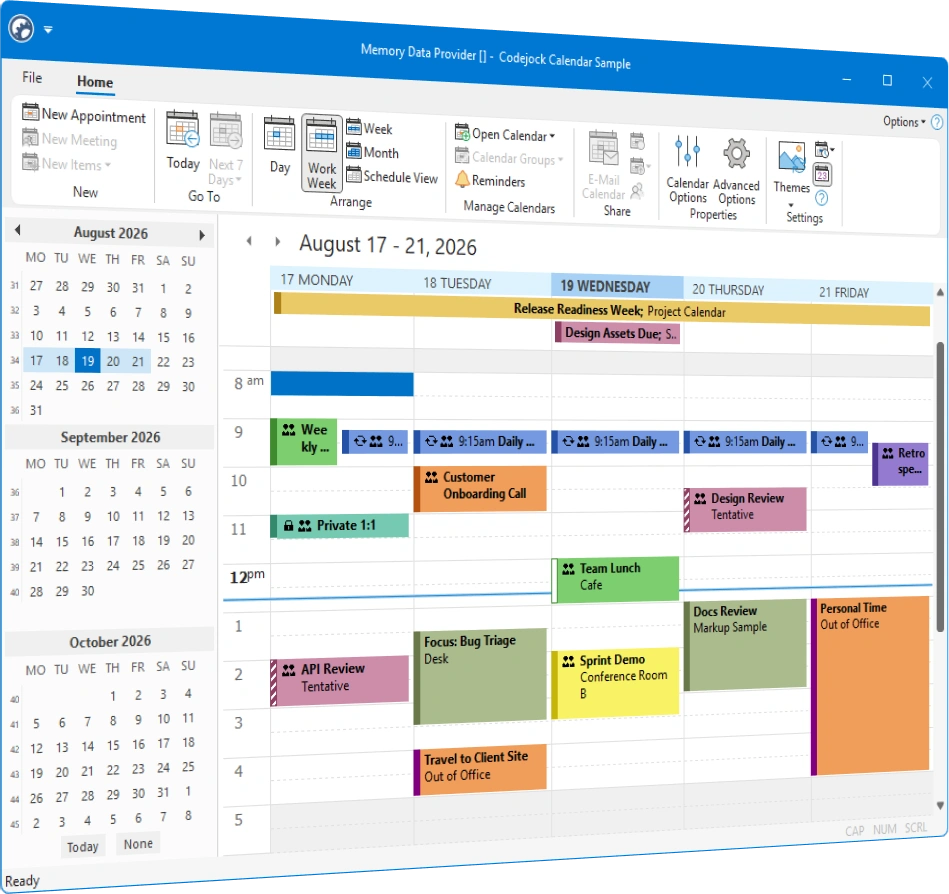
Calendar
for ActiveX COM v24.3.0
Calendar for ActiveX COM helps Windows developers build scheduling interfaces with day, work week, week, month, and horizontal schedule views. Add recurring appointments, reminders, printing, multiple schedules, current themes, and flexible data integration.
Calendar is included in Suite Pro for ActiveX COM
Calendar Features
Build complete scheduling interfaces with flexible views, appointment management, familiar editing, reminders, printing, multiple schedules, and extensible data providers. Calendar is included with the Suite Pro for ActiveX COM evaluation.
Calendar Themes
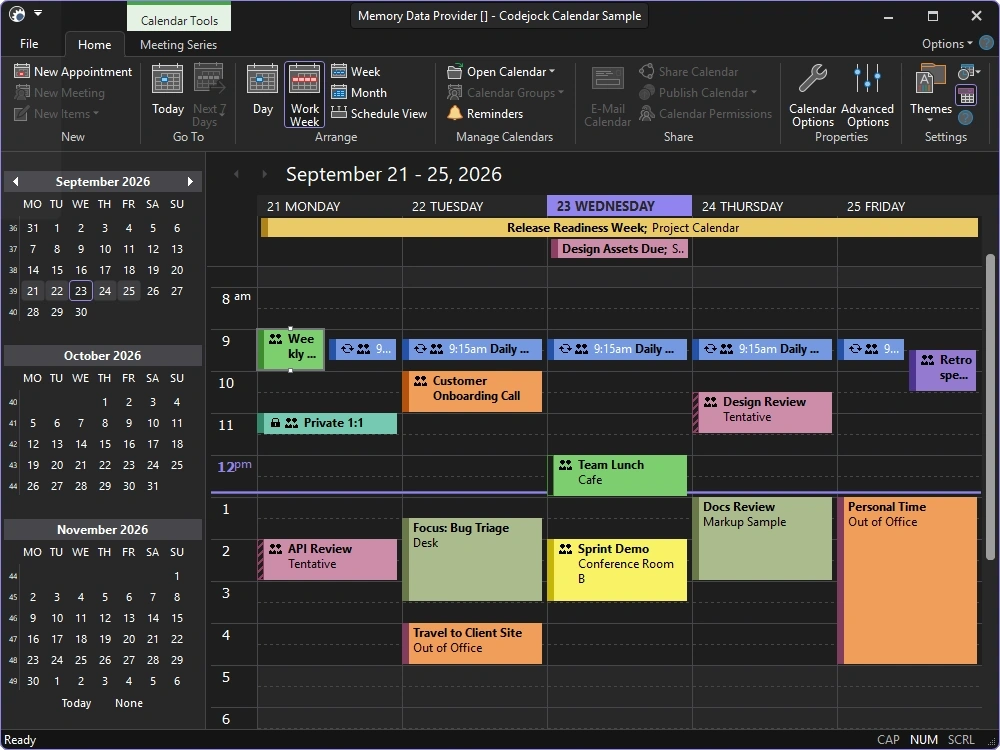
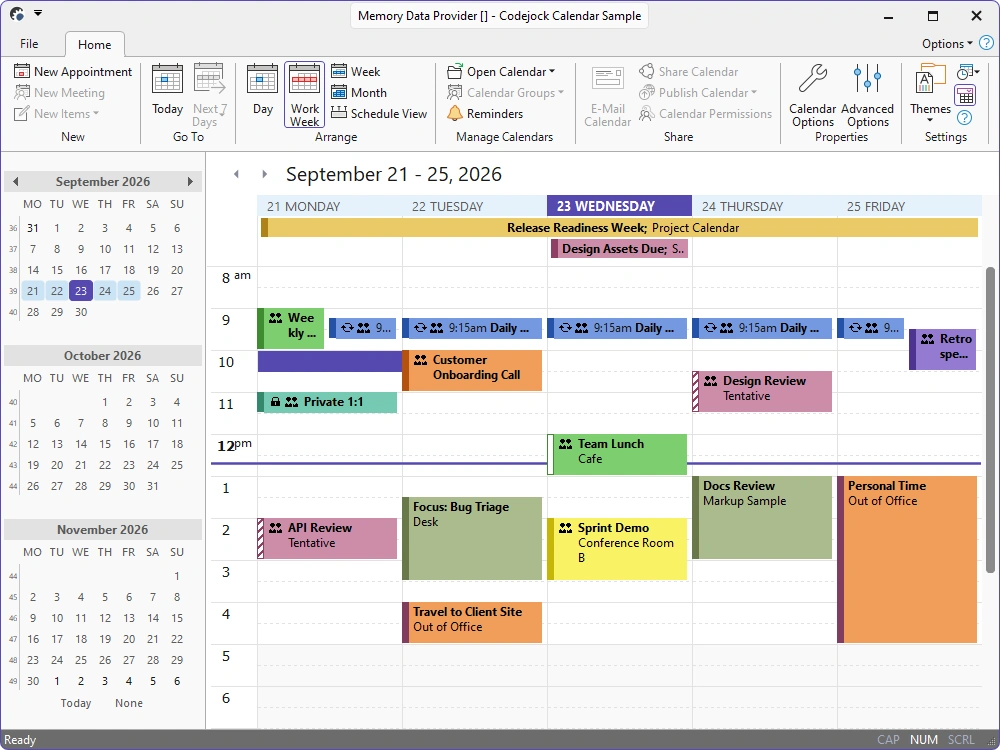
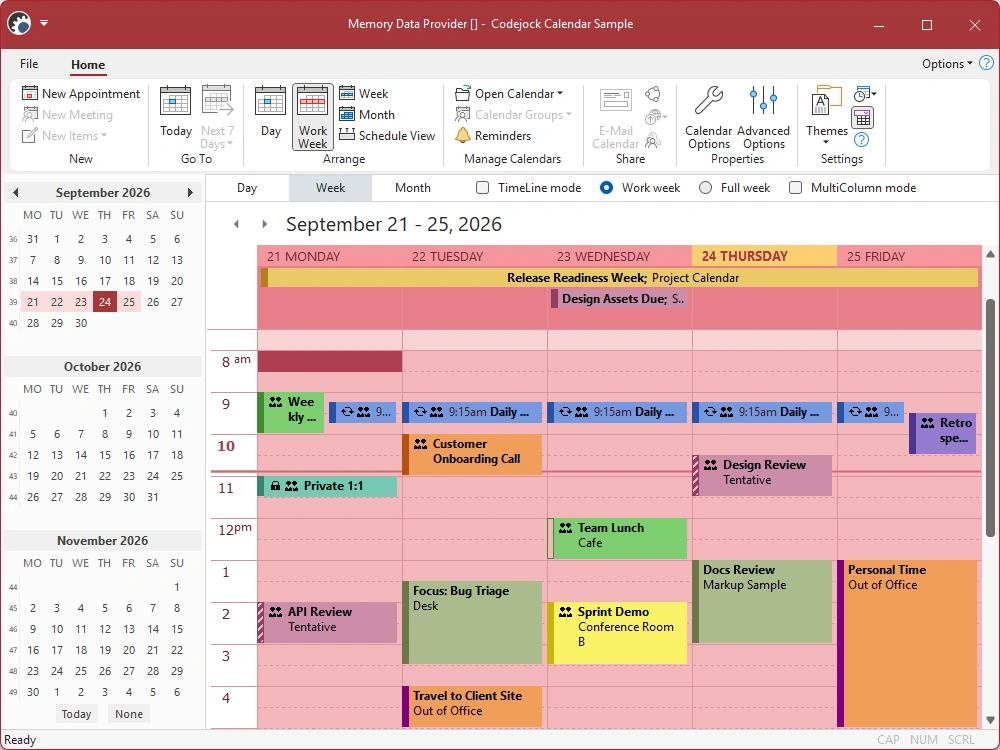
Choose Visual Studio, Office, or Windows themes for your scheduling interface, or create a custom look for your application.
- Visual Studio Themes — Choose Visual Studio 2026 Dark or Light styling. Dark includes Default, Cool Slate, Juicy Plum, Moonlight Glow, Mystical Forest, and Spicy Red. Light includes Default, Bubblegum, Cool Breeze, Icy Mint, Mango Paradise, Silky Pink, and Sunny Day. Earlier themes include Visual Studio 2022 and Visual Studio 2015-2019.
- Office Themes — Choose Office 2024 Black, White, Colorful, or Dark Gray with Access, Excel, OneNote, Outlook, PowerPoint, and Word accent colors, plus Office 2019, 2016, and 2013 styling.
- Windows Themes — Choose Windows 11 Dark or Light styling with configurable application or system accent colors, plus Windows 10 styling.
- Custom Themes — Tailor colors, fonts, layout metrics, and visual states to match your application.
Calendar Views
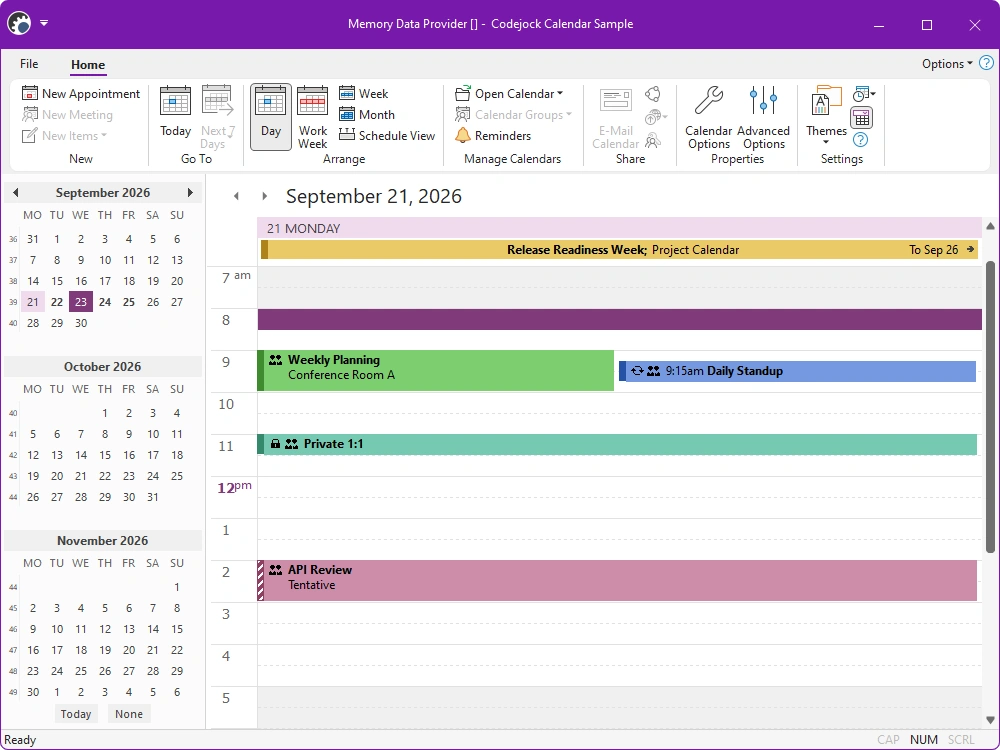
Present appointments in focused daily layouts, broad overviews, and horizontal timelines.
- Day View — Manage a single day with detailed time slots and direct appointment editing.
- Work Week View — Focus on selected business days with configurable work-week and time settings.
- Week View — Review seven days with a configurable starting day and optional multi-column layout.
- Month View — Show a broader schedule with configurable week counts and compressed weekends.
- Schedule and Timeline View — Plot appointments horizontally across configurable day, week, or month scales.
Appointment Scheduling
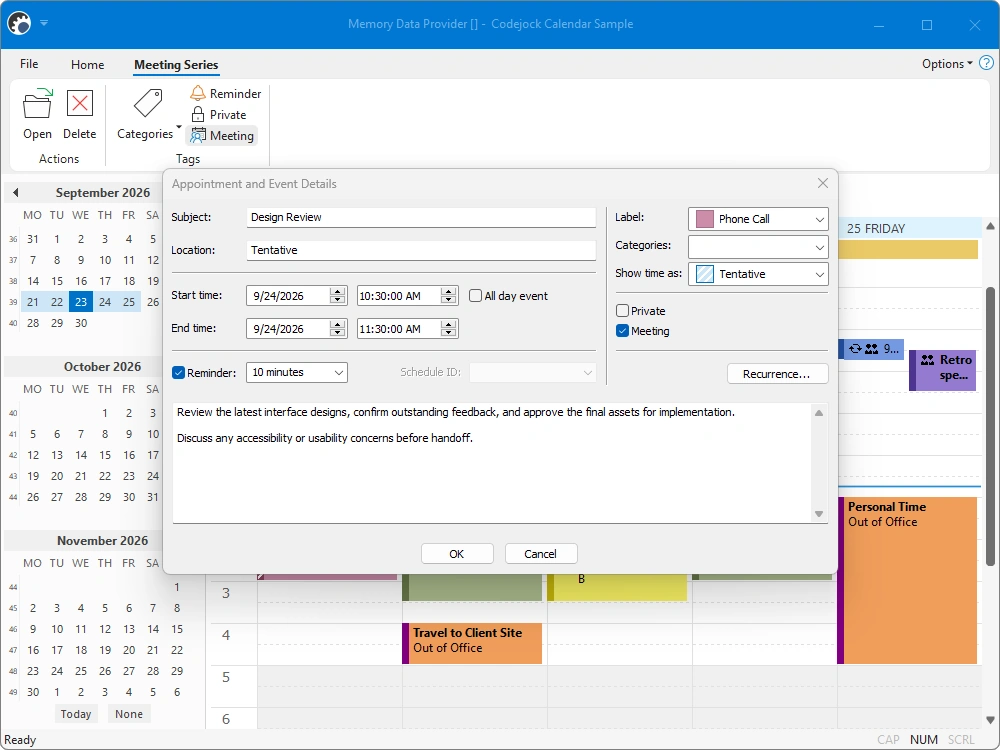
Create and edit timed, all-day, multi-day, and recurring appointments through a familiar details dialog.
- One-Time Appointments — Create individual timed appointments with subject, location, and status details.
- Recurring Appointments — Repeat events daily, weekly, monthly, or yearly with flexible ranges and exceptions.
- All-Day and Multi-Day Events — Place all-day events above the time grid or span appointments across multiple dates.
Calendar Tools and Productivity
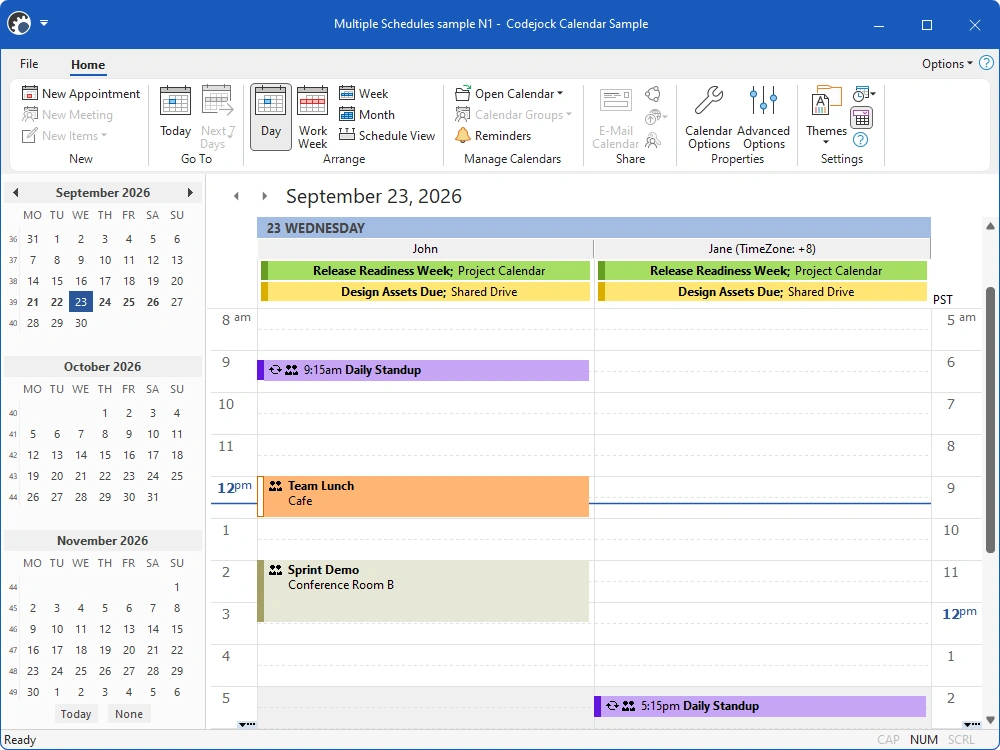
Support familiar calendar editing and navigation, compare multiple schedules and time zones, manage reminders, and print calendar views.
- Time Scales and Time Zones — Set 5- to 60-minute intervals and show an additional time zone beside the schedule.
- Appointment Dialog — Edit dates, times, recurrence, reminders, labels, and status in one dialog.
- Date Picker and Caption Bar — Select date ranges, switch views, and navigate with the Date Picker and Caption Bar.
- Multiple Schedules — Compare appointments for multiple people or resources in one calendar view.
- Calendar Configuration — Configure workdays, views, tooltips, printing, read-only mode, and editing behavior.
- Printing and Page Setup — Print or preview calendar views with configurable ranges, headers, and page settings.
- Reminders Manager — Allow users to dismiss or open reminders and choose configurable snooze intervals.
- Direct Appointment Editing — Create, move, resize, cut, copy, paste, and undo appointments within a view.
Appointment Presentation
Communicate purpose and availability with icons, categories, labels, and status.
- Appointment Indicators and Icons — Identify meetings, private items, recurrences, exceptions, and custom event states.
- Categories and Labels — Organize appointments with configurable category colors and predefined labels.
- Free/Busy Status — Mark time as free, tentative, busy, working elsewhere, or out of office.
Data Providers and Storage
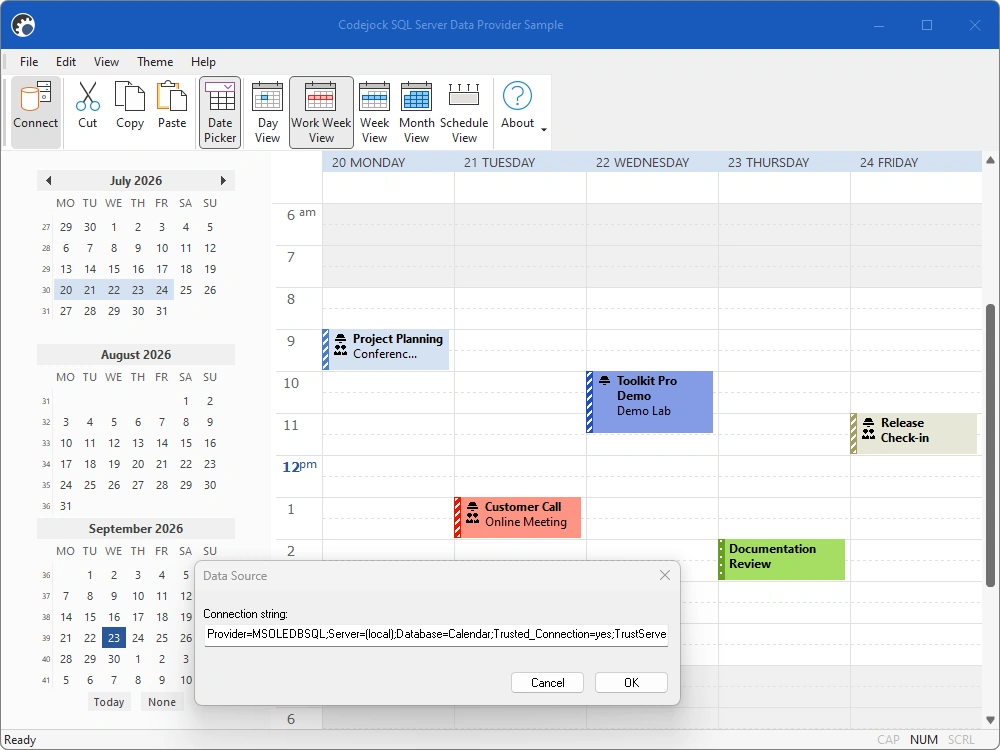
Connect Calendar to databases, Outlook, files, and application-specific data sources.
- SQL Server and Database Integration — Use the SQL Server sample or connect MySQL and other databases with a custom provider.
- XML and Binary Storage — Load and save calendar data in portable XML or compact binary formats.
- Outlook and MAPI Integration — Access Outlook appointment data through the optional Extended MAPI provider.
- Custom Data Providers — Connect proprietary services or storage systems through the provider interface.
- Custom Appointment Properties — Attach application-specific values to appointments and persist extra metadata.
Calendar Customization
Adapt rendering, editing, tooltips, localization, and calendar behavior for application-specific workflows.
- Custom Drawing and Markup — Customize event rendering with drawing callbacks and reusable markup templates.
- Editing Notifications and Validation — Inspect or block create, paste, drag, and resize operations before changes apply.
- Localization and RTL Layouts — Support localized Calendar resources and right-to-left application layouts.
Broad compatibility across Visual Studio, Windows desktop, and Windows Server releases — from modern environments to legacy deployments.
Development environments
- Visual Studio 2026
- Visual Studio 2022
- Visual Studio 2019
- Visual Studio 2017
- Visual Studio 2015
- Microsoft Access
- Visual Studio 2013
- Visual Studio 2012
- Visual Studio 2010
- Visual Studio 2008
- Visual Studio 2005
- Visual Studio .NET 2003
- Visual Studio .NET 2002
- Visual Basic 6.0
Client operating systems
- Windows 11
- Windows 10
- Windows 8.1
- Windows 8
- Windows 7
- Windows Vista
- Windows XP
- Windows Me
- Windows 2000
- Windows 98 SE
- Windows 98
- Windows 95
Server environments
- Windows Server 2025
- Windows Server 2022
- Windows Server 2019
- Windows Server 2016
- Windows Server 2012 R2
- Windows Server 2012
- Windows Server 2008 R2
- Windows Server 2008
- Windows Server 2003 R2
- Windows Server 2003
- Windows 2000
- Windows NT 4.0