
Syntax Editor for ActiveX
Version 24.3.0
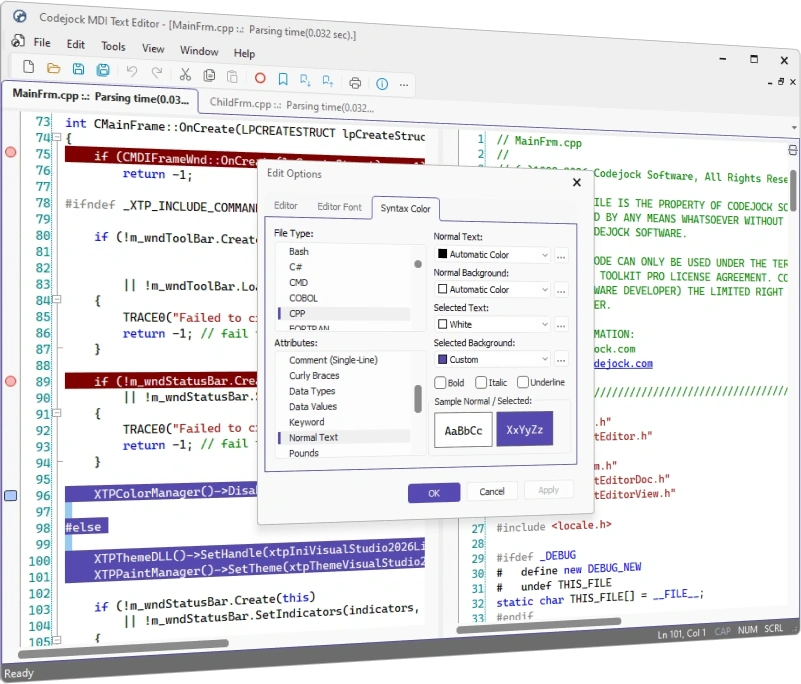
Codejock Syntax Edit for ActiveX provides your users with an advanced code editing GUI component that supports syntax colorization and many sophisticated text editor features.
Syntax Edit is included in Suite Pro for ActiveX
Syntax Edit Features
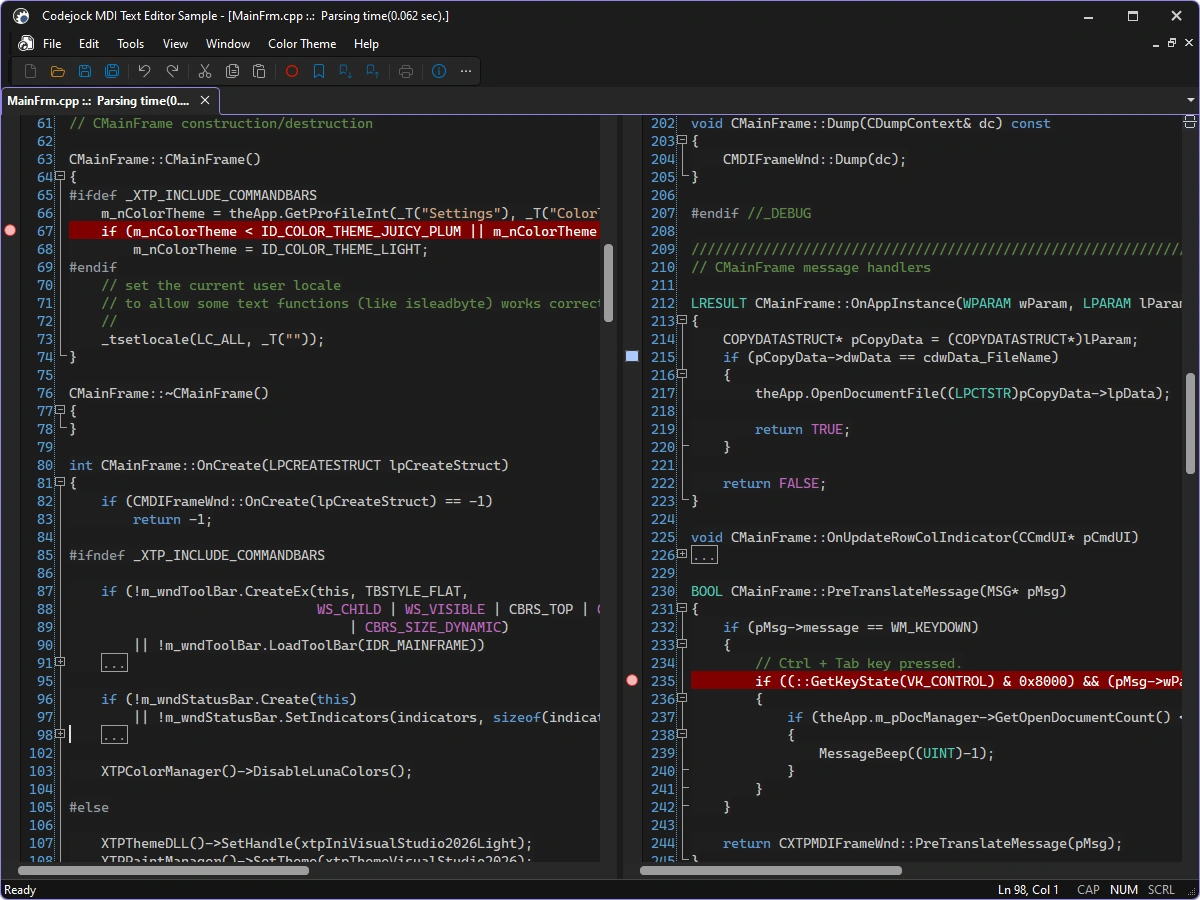
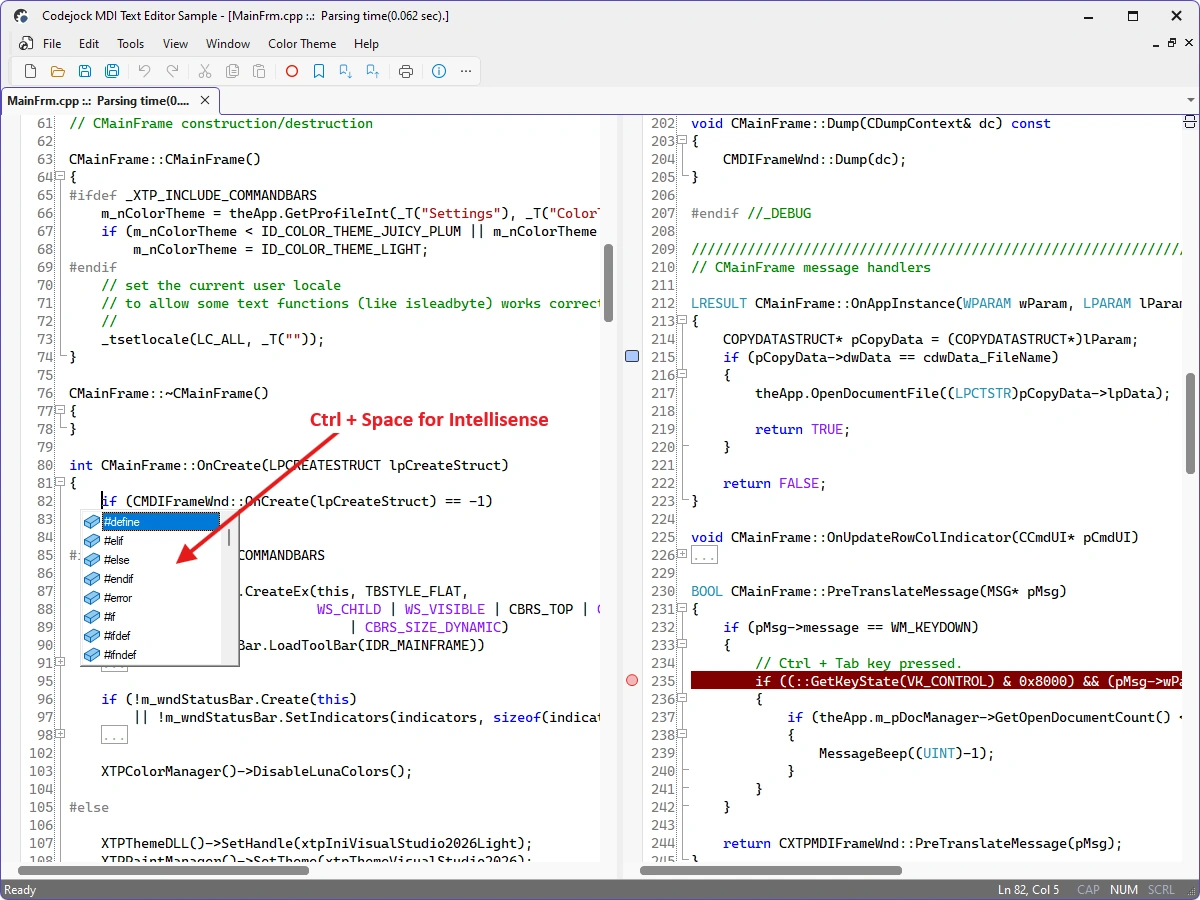
Codejock Syntax Edit for ActiveX includes syntax colorization, code folding, line numbers, bookmarks, breakpoints, IntelliSense-style assistance, and configurable editor colors.
Syntax Edit is included with the Suite Pro for ActiveX evaluation.
Syntax-Aware Editing
Build source and text editors with configurable parsing, navigation, markers, and editing commands.
- Syntax Editor — Provide a full-featured editing surface for source code and structured text.
- Code Folding — Collapse and expand parsed text blocks to focus on relevant code.
- Syntax Colorization — Apply configurable colors and fonts from language-specific lexical schemas.
- Bookmarks — Mark important lines and navigate among bookmarks throughout a document.
- Breakpoints and Line Marks — Display breakpoints and custom line-state markers in the editor margin.
- Auto-Complete Assistance — Present context-sensitive completion choices while users edit text.
- Line Numbers — Show configurable line numbers beside the editing surface.
Editing Workflow
Use built-in document, search, history, tooltip, and output services in complete editors.
- Find, Replace, and Go To — Provide familiar search, replacement, and direct line-navigation dialogs.
- Undo and Redo — Track grouped editing operations with a dedicated undo manager.
- Unicode File Buffers — Load, edit, and save Unicode text through the editor buffer manager.
- Tooltips — Show contextual information for marked or parsed text ranges.
- Printing — Print syntax-colored documents through the editor view.
Broad compatibility across Visual Studio, Windows desktop, and Windows Server releases — from modern environments to legacy deployments.
Development environments
- Visual Studio 2026
- Visual Studio 2022
- Visual Studio 2019
- Visual Studio 2017
- Visual Studio 2015
- Microsoft Access
- Visual Studio 2013
- Visual Studio 2012
- Visual Studio 2010
- Visual Studio 2008
- Visual Studio 2005
- Visual Studio .NET 2003
- Visual Studio .NET 2002
- Visual Basic 6.0
Client operating systems
- Windows 11
- Windows 10
- Windows 8.1
- Windows 8
- Windows 7
- Windows Vista
- Windows XP
- Windows Me
- Windows 2000
- Windows 98 SE
- Windows 98
- Windows 95
Server environments
- Windows Server 2025
- Windows Server 2022
- Windows Server 2019
- Windows Server 2016
- Windows Server 2012 R2
- Windows Server 2012
- Windows Server 2008 R2
- Windows Server 2008
- Windows Server 2003 R2
- Windows Server 2003
- Windows 2000
- Windows NT 4.0