
Suite Pro for Active-X COM
for Active-X COM v24.3.0
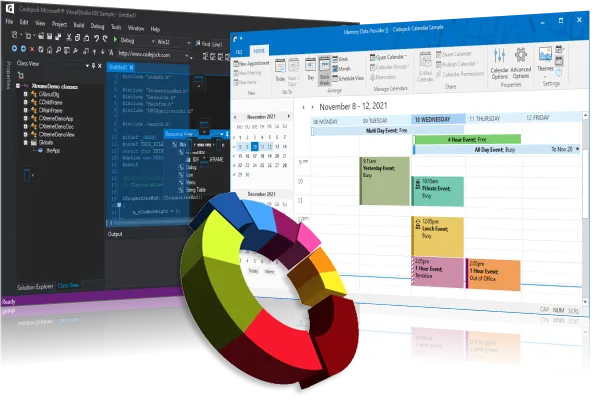
Build professional Windows desktop applications with a complete suite of ActiveX COM user interface components, including Office-style ribbons, docking panes, command bars, toolbars, menus, charts, calendars, and advanced controls.
Suite Pro helps developers modernize ActiveX applications, improve usability, and deliver a polished, consistent user experience across every screen.
Key Features
Suite Pro for ActiveX provides the core interface components developers need to build polished, professional Windows applications. The feature highlights below showcase how each control helps improve usability, presentation, productivity, and consistency across your ActiveX applications.
Calendar and Scheduling Controls
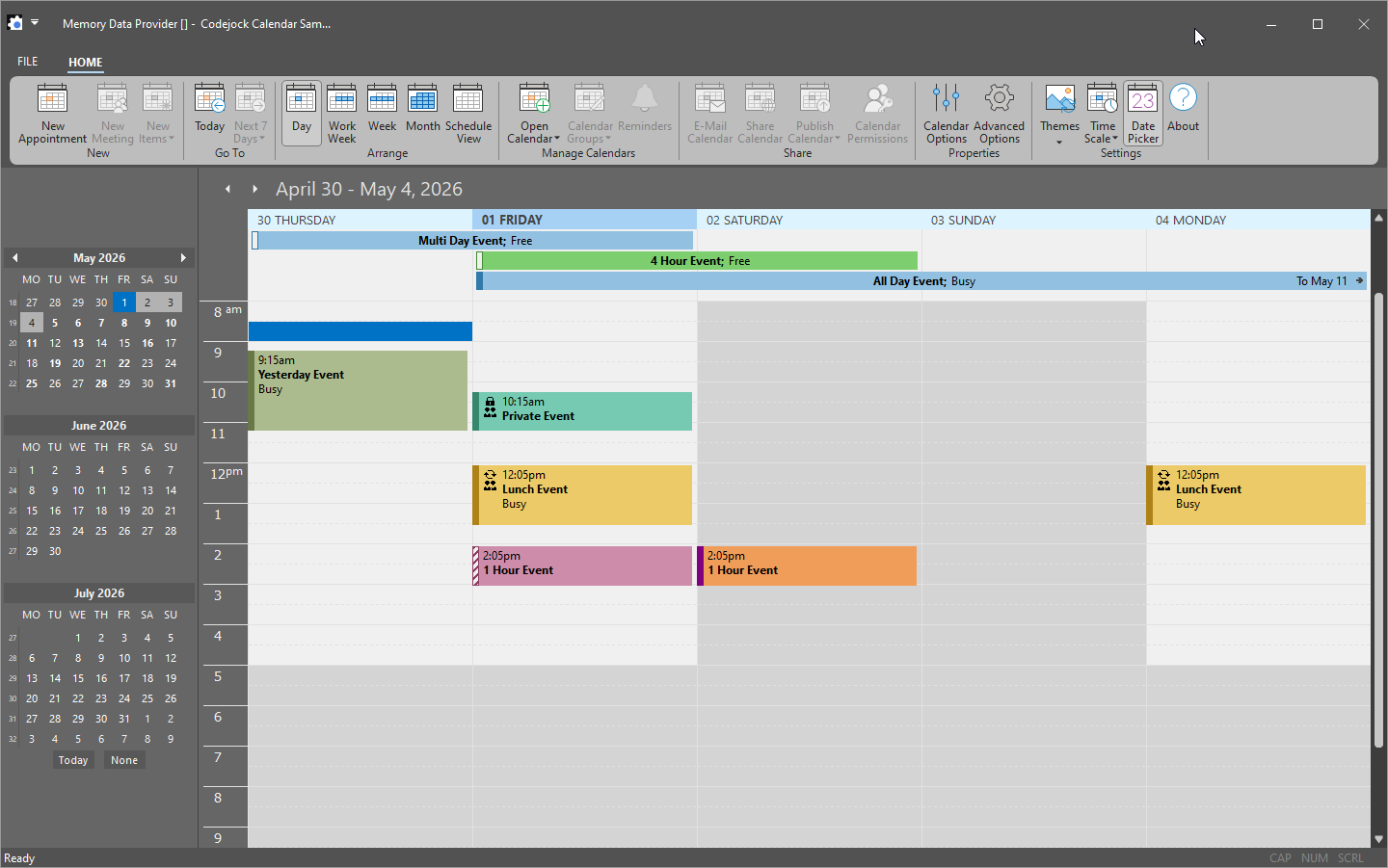
Add calendar, date picker, and scheduling capabilities to your Windows applications with flexible views, appointment management, and built-in customization options.
- Multiple calendar views Day, work week, full week, month, and schedule views for flexible scheduling workflows.
- Appointment support One-time, daily, weekly, monthly, yearly, multi-day, and all-day appointments.
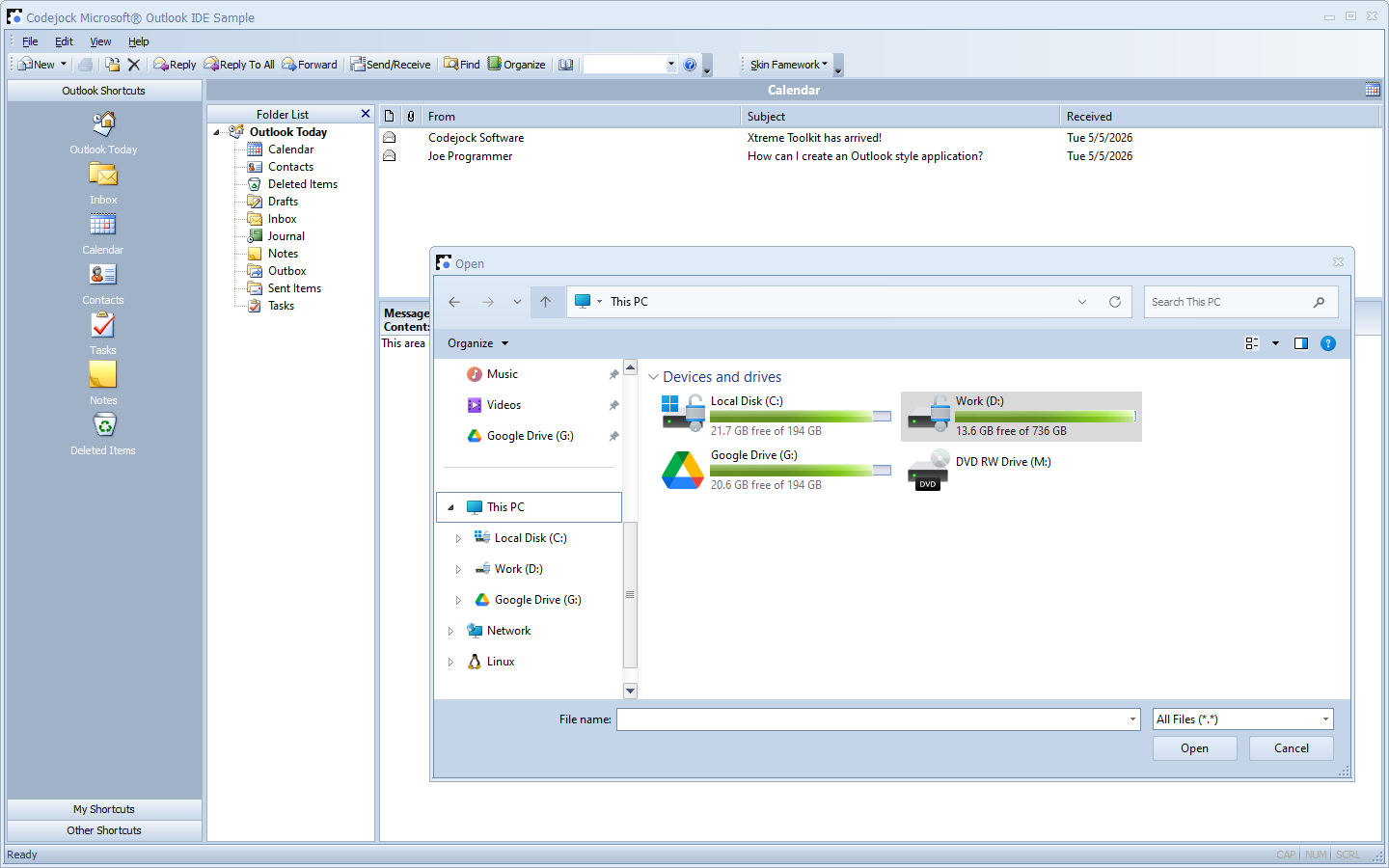
- Theme-ready interface Office-style themes, Visual Studio-style appearance, Windows 10 styling, and custom support.
- Data integration options Bind calendar data from SQL Server, MySQL, XML, binary files, or Outlook appointments.
Charting and Data Visualization
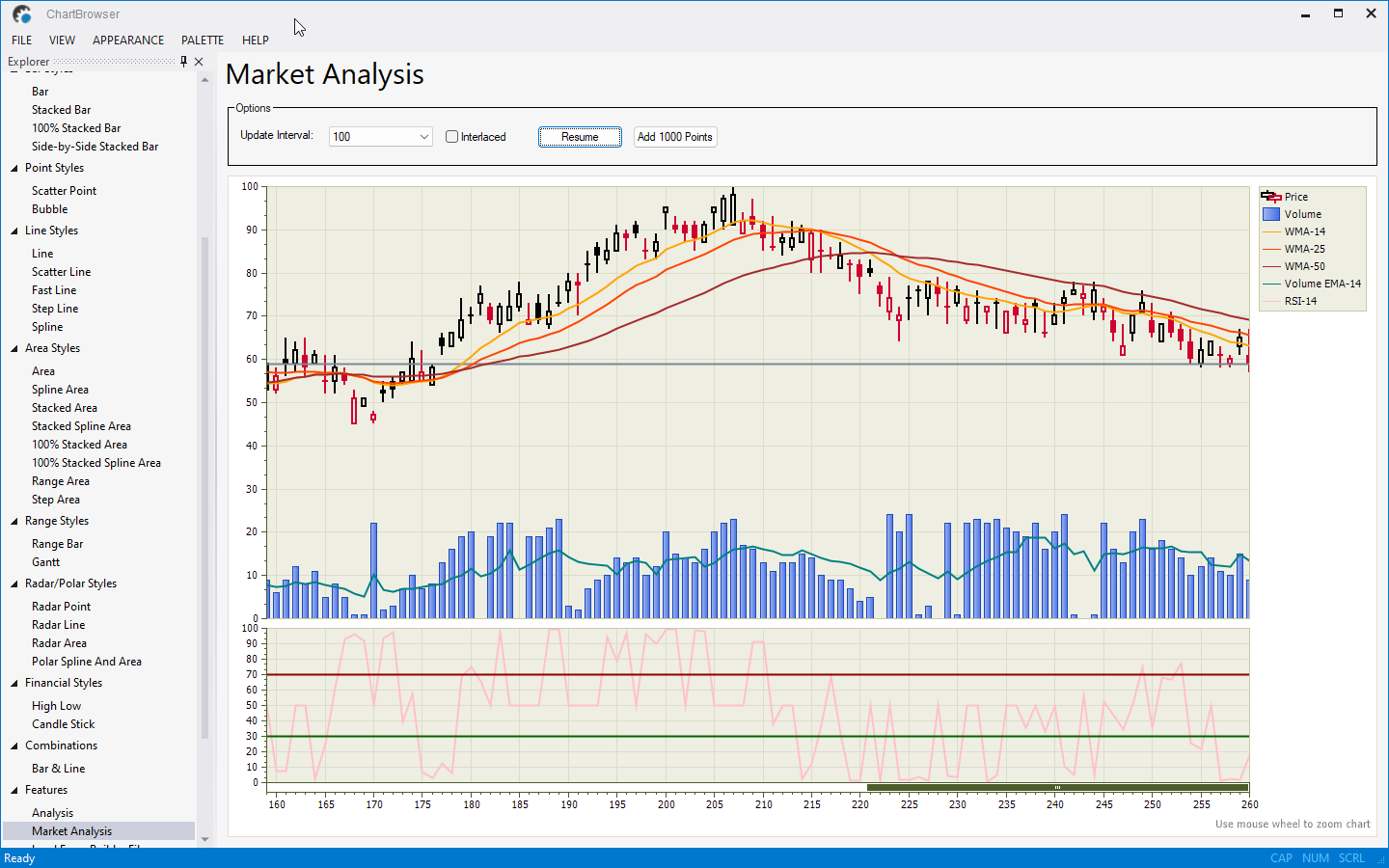
Add professional charting and data visualization to your Windows applications with support for financial charts, 2D and 3D chart styles, combination charts, labels, legends, and interactive data presentation.
- Wide range of chart types Pie, doughnut, bar, line, area, point, bubble, financial, radar, polar, funnel, pyramid, Gantt, and flow graph support.
- Advanced chart behavior Zoom and scroll, secondary axes, combined series, multiple diagrams, trend lines, error bars, and virtual points.
- Flexible chart presentation options 2D and 3D chart styles, markup title support, custom line styles, date/time scales, logarithmic scales, and 3D customization.
- Output and integration tools Print charts, save as image, import and export XML, and use the Chart Builder tool to simplify chart configuration.
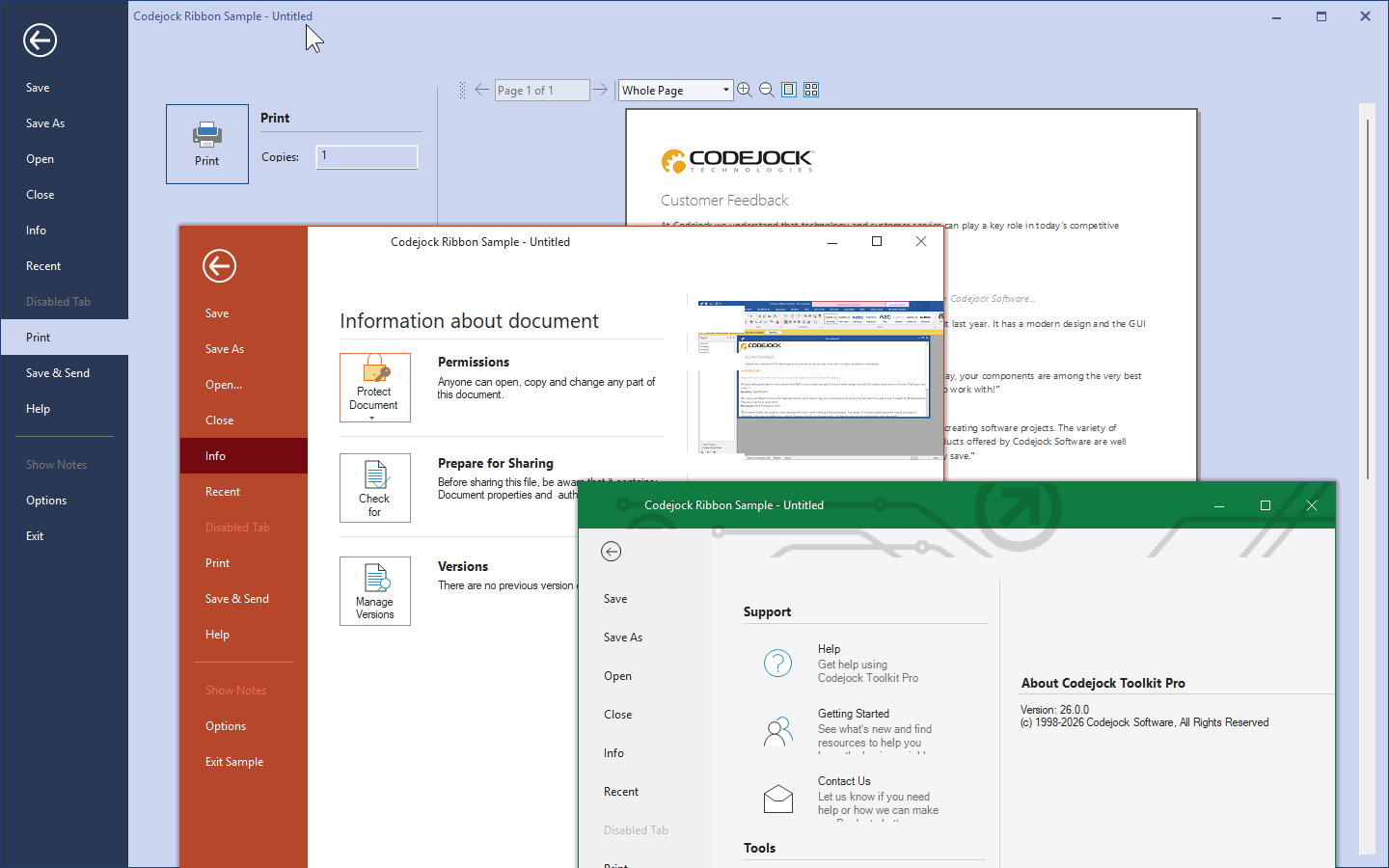
Command Bars and Ribbon Interface
Add professional command bars, menus, toolbars, ribbon controls, popup galleries, backstage views, and theme-aware command interfaces to your Windows applications.
- Professional UI styles and themes Visual Studio themes, Office themes, Windows themes, ribbon styling, custom colors, frame shadow support, and vector icons.
- Flexible command bars and ribbon controls Office-style ribbons, smart layouts, gallery controls, group options, split buttons, combo boxes, edit boxes, and toggle buttons.
- Powerful customization features Drag-and-drop commands, user-defined toolbars, popup menus, tear-off menus and toolbars, menu animation, and layout save/load support.
- Advanced interface behavior Shortcut keys, transparent toolbars, MDI tear-offs, tab groups, docking tabs, bold selected tabs, and workspace customization options.
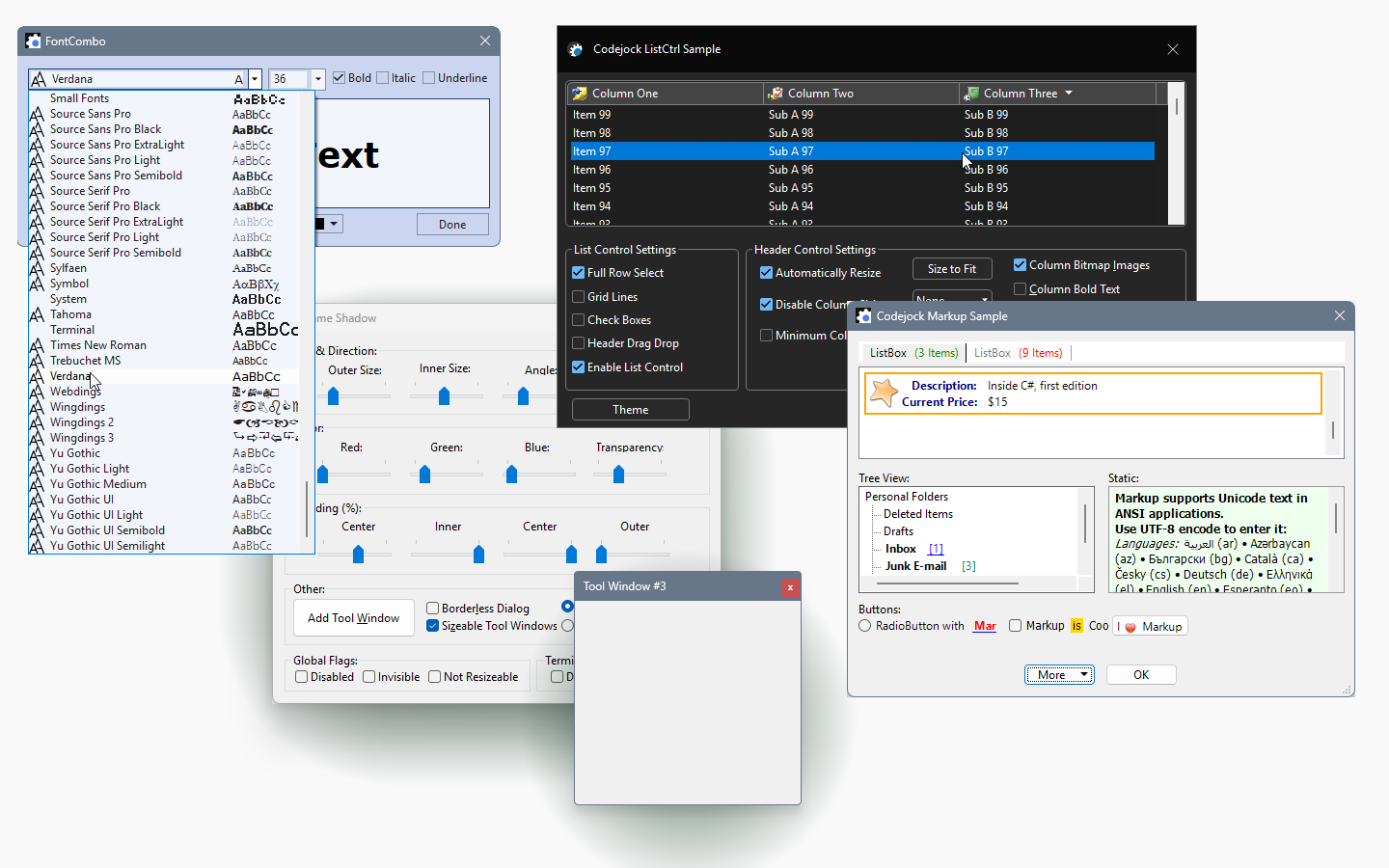
Versatile User Interface Controls
Add a broad set of professional Windows UI controls, including buttons, combo boxes, dialogs, edit controls, tab controls, list views, tree views, progress bars, scroll bars, markup controls, embedded browser views, and other ready-to-use interface elements.
- Everyday application controls Themed buttons, combo boxes, edit controls, progress bars, scroll bars, list controls, headers, splitters, and other essential UI building blocks.
- Dialogs and advanced interaction Tip of the Day, browse dialogs, resizable layout manager, search options, color selection, task dialog support, and preview controls.
- Navigation and workspace tools Excel-style and enhanced tab controls, MDI window support, taskbar manager integration, Explorer-style list and tree controls, and tray icon support.
- Modern styling and UX features Themed controls, flicker-free drawing and animation, DPI support, XAML markup support, toast popups, transparency, hyperlinks, and animation effects.
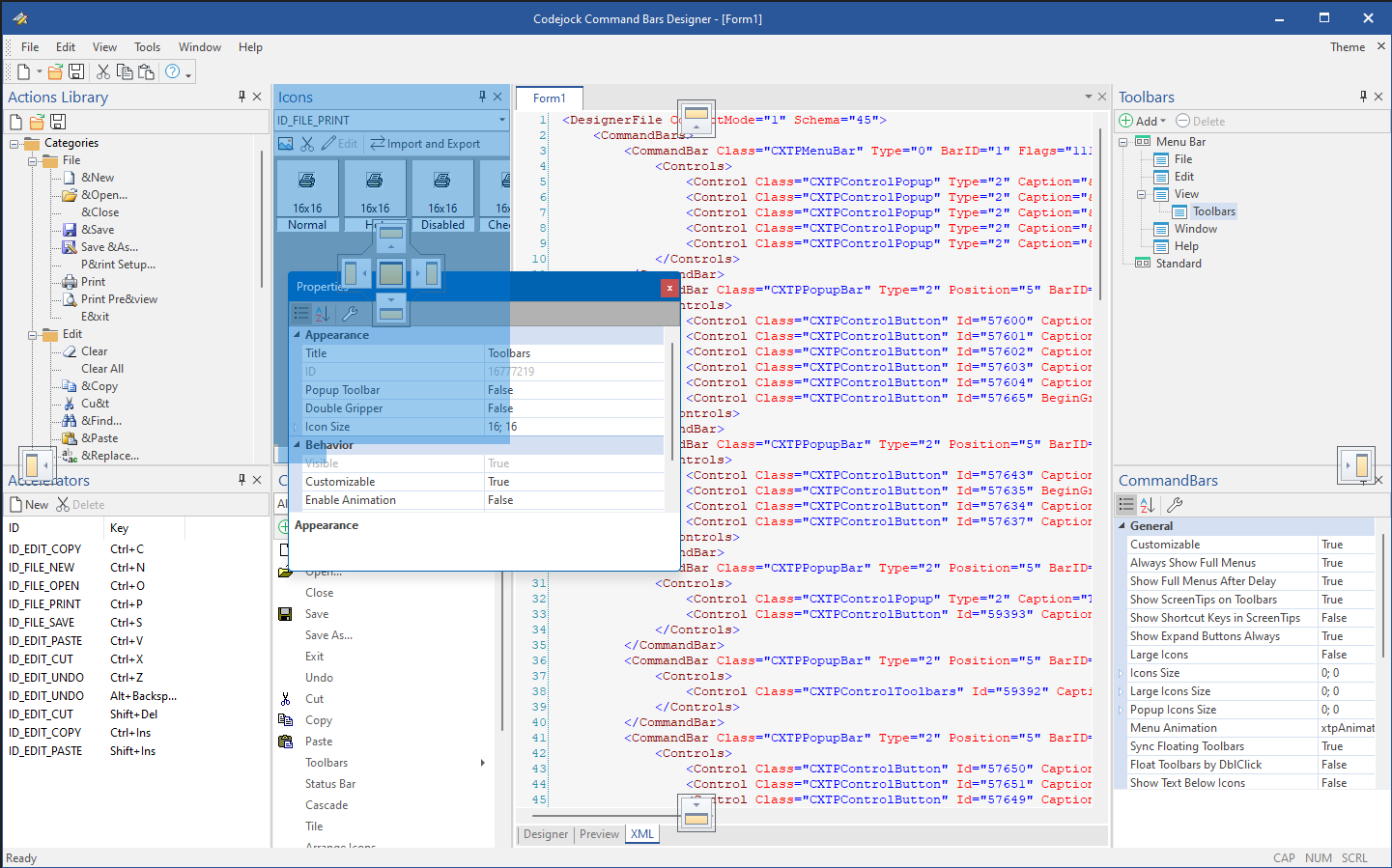
Docking Panes and Workspace Layout
Build flexible Visual Studio-style application workspaces with docked, floating, tabbed, and auto-hidden panes, plus drag-and-drop layout customization and theme-aware presentation.
- Advanced docking behavior Nested grouping, detachable tab windows, splitter tracking, pinning, floating panes, drag-and-drop pane positioning, and hide/show pane support.
- Auto-hide and workspace flexibility Sliding auto-hide windows, auto-hide delay, pinnable floating panes, hidden client support, and active pane management for efficient workspace organization.
- Rich tab customization Tab icons, custom tab icons, hot tracking, bold selected tabs, tab position, layout, color styles, borders, margins, and rotated tab layouts.
- Theme support and layout persistence Apply Visual Studio, Office, Windows, Visio, Luna, and custom themes, with save/load layout support from the registry or a file.
Flow Graph and Diagramming
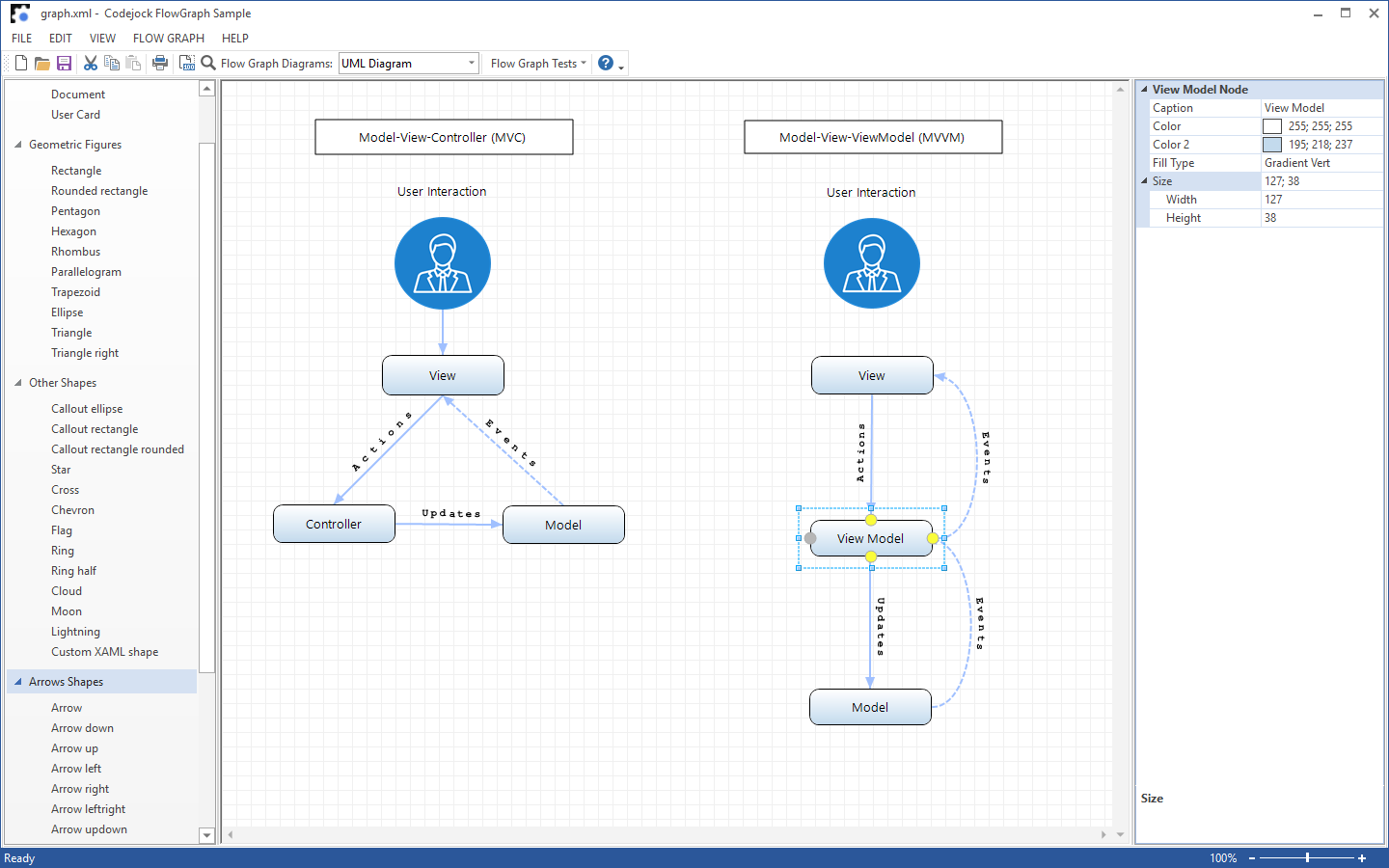
Add interactive diagramming and visual modeling to your Windows applications with a flexible flow graph control for workflows, process maps, UML diagrams, database relationships, and other node-based layouts.
- Build many diagram types Create flowcharts, workflow diagrams, UML-style models, database relationship views, and other structured visual layouts.
- Rich nodes, shapes, and connectors Use built-in geometric figures, arrow shapes, and multiple connection styles including straight, curved, and elbow links.
- Interactive editing and customization Support selection, editing, positioning, and flexible node presentation for building polished, interactive diagram designs.
- Preview and present complex diagrams Display large diagrams clearly with zooming, layout flexibility, and print preview support.
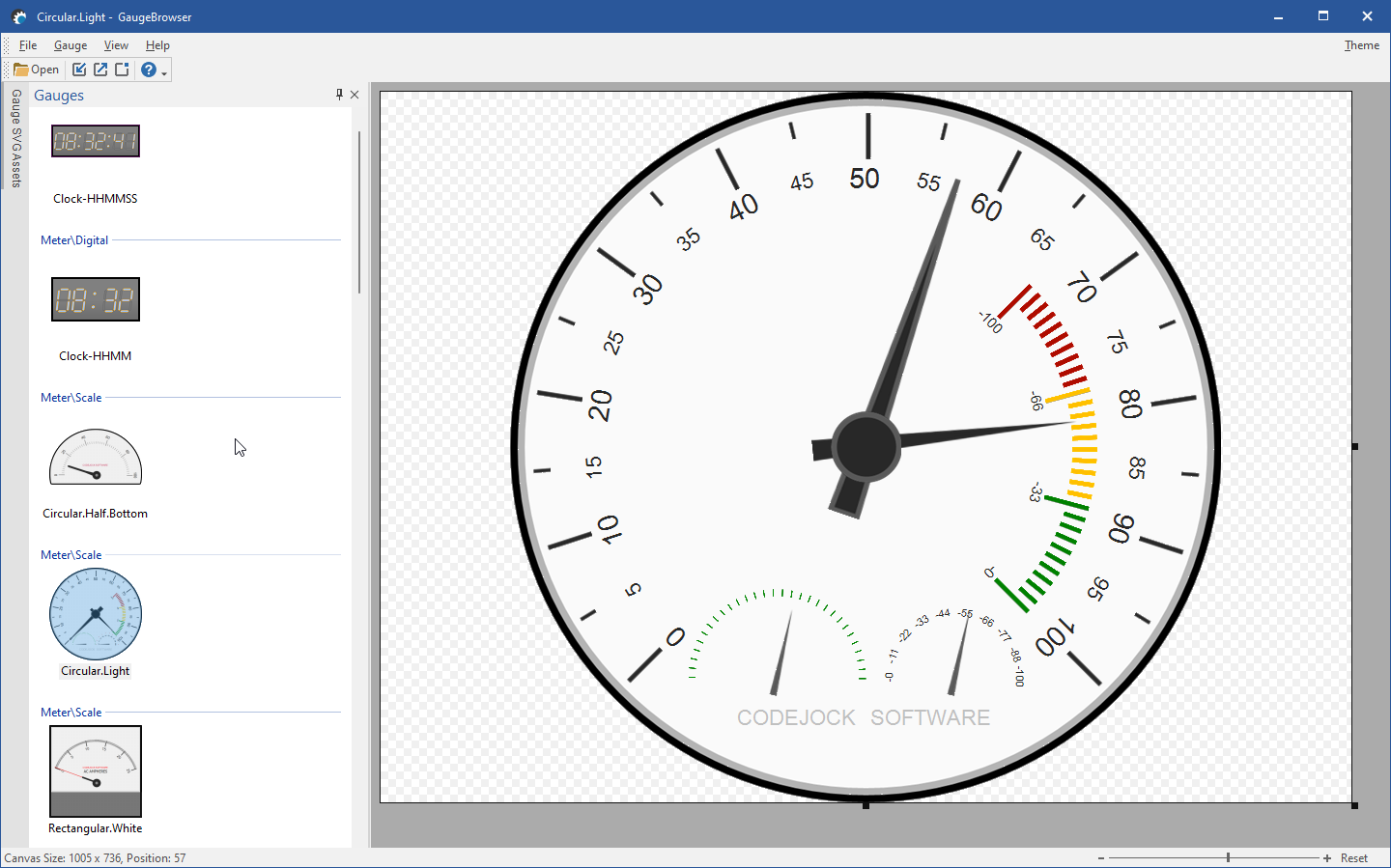
Gauge Control and Dashboard Displays
Present real-time values, status indicators, and dashboard-style measurements with scalable analog and digital gauge controls designed for modern data visualization.
- Numerical and state-based gauges Display meter-style values such as speed, temperature, pressure, or progress, as well as state indicators such as battery levels, switches, status lights, and check marks.
- Highly customizable presentation Create a wide range of visual styles and behaviors by adjusting gauge traits without changing the core gauge implementation.
- Markup-based rendering Built with XAML-based gauge styles, allowing rich visuals, overlays, transparency, custom images, text formatting, and scalable rendering.
- DPI-aware and configuration-driven Gauges scale cleanly at different sizes and can load traits from JSON or dynamic JavaScript configuration for flexible deployment and customization.
Grid Control and Data Reporting
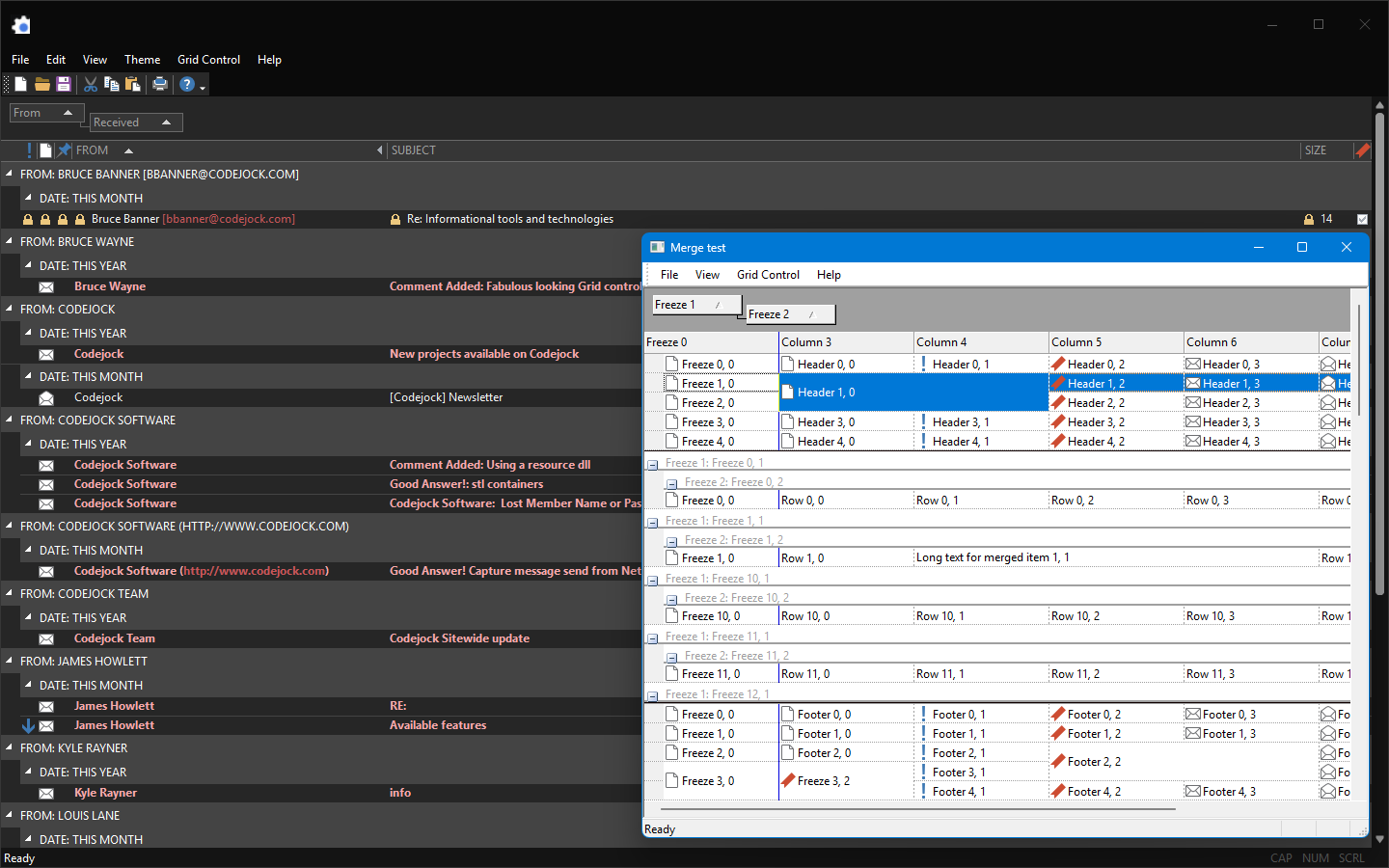
Present, edit, and organize data with a powerful grid and reporting control designed for business applications, dashboards, report-style views, and data-heavy user interfaces.
- Advanced column and layout control Resize, remove, and reorder columns, show or hide headers, auto-size columns, align column headers, and group data hierarchically by column.
- Flexible cell editing and formatting In-place cell editing, data validation, buttons, check boxes, combo boxes, tooltips, custom drawing, and support for a variety of cell data types.
- Reporting and data presentation features Report printing, integrated field chooser, virtual mode, preview mode, reusable layouts, multiple row selection, filtering, tree view, icon view, drag and drop, and cell merging.
- Professional styling and display options Office, Visual Studio, Windows, and Explorer themes, plus customizable grid lines, text and background colors, fonts, alignment, and date/time formatting.
Property Grid and Hierarchical Editing
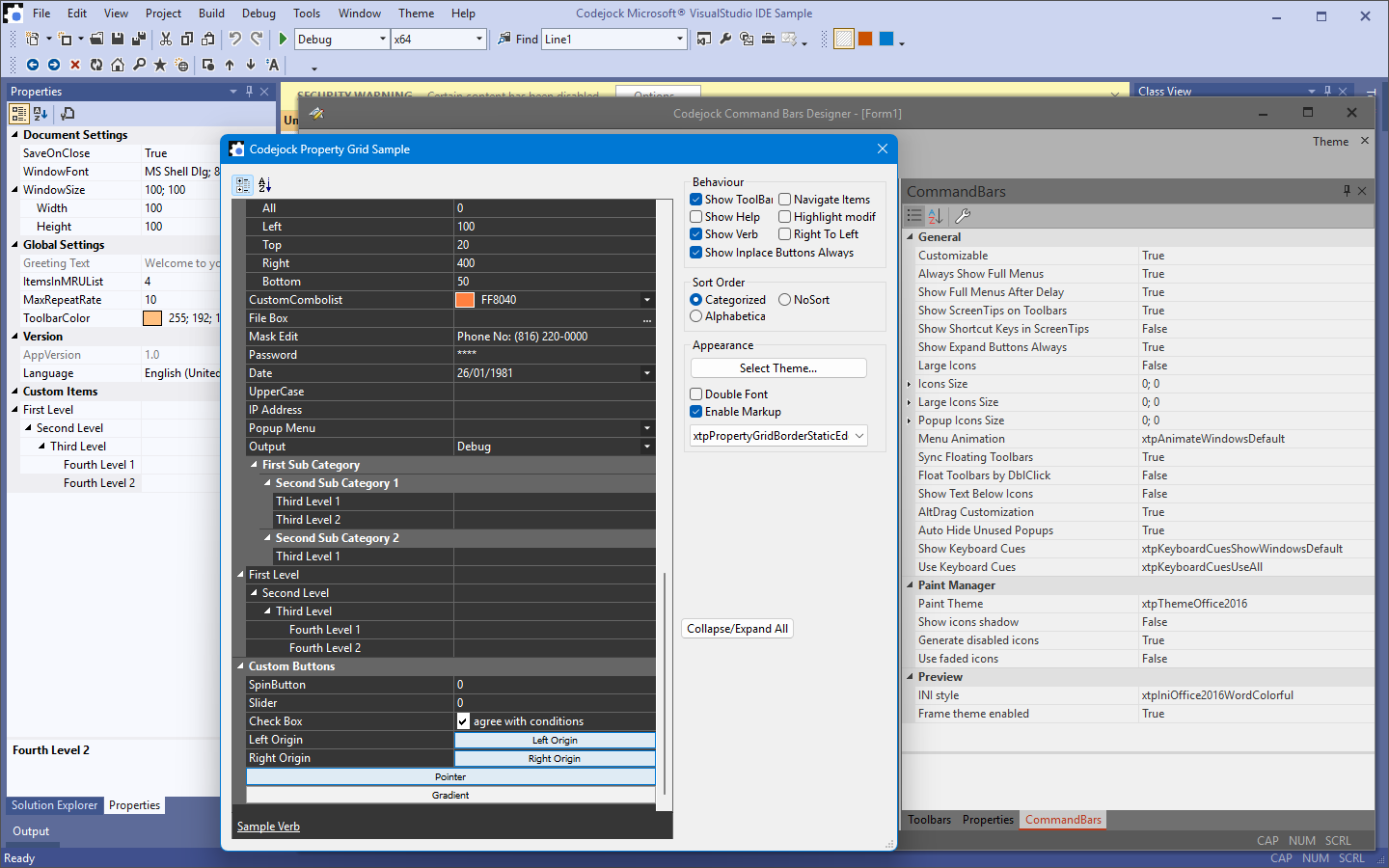
Add a Visual Studio-style property grid to your Windows applications with hierarchical property lists, built-in editors, customizable appearance, and support for a wide range of data types.
- Hierarchical property editing Organize settings, object properties, and configuration values in a structured property list with sorting, expandable items, and flexible layout options.
- Built-in data type support Boolean, color, date, double, font, number, picture, text, read-only, options, and dynamic data type support.
- Customizable editors and layout Combo lists, editable properties, splitter positioning, mask edit support, item metrics, in-place buttons, and customizable appearance.
- Professional themes and usability Visual Studio, Office, Windows, Delphi, Cool, Simple, and Default themes, plus markup items, right-to-left layout, integrated toolbar, and help panel support.
Shortcut Bar and Navigation Pane
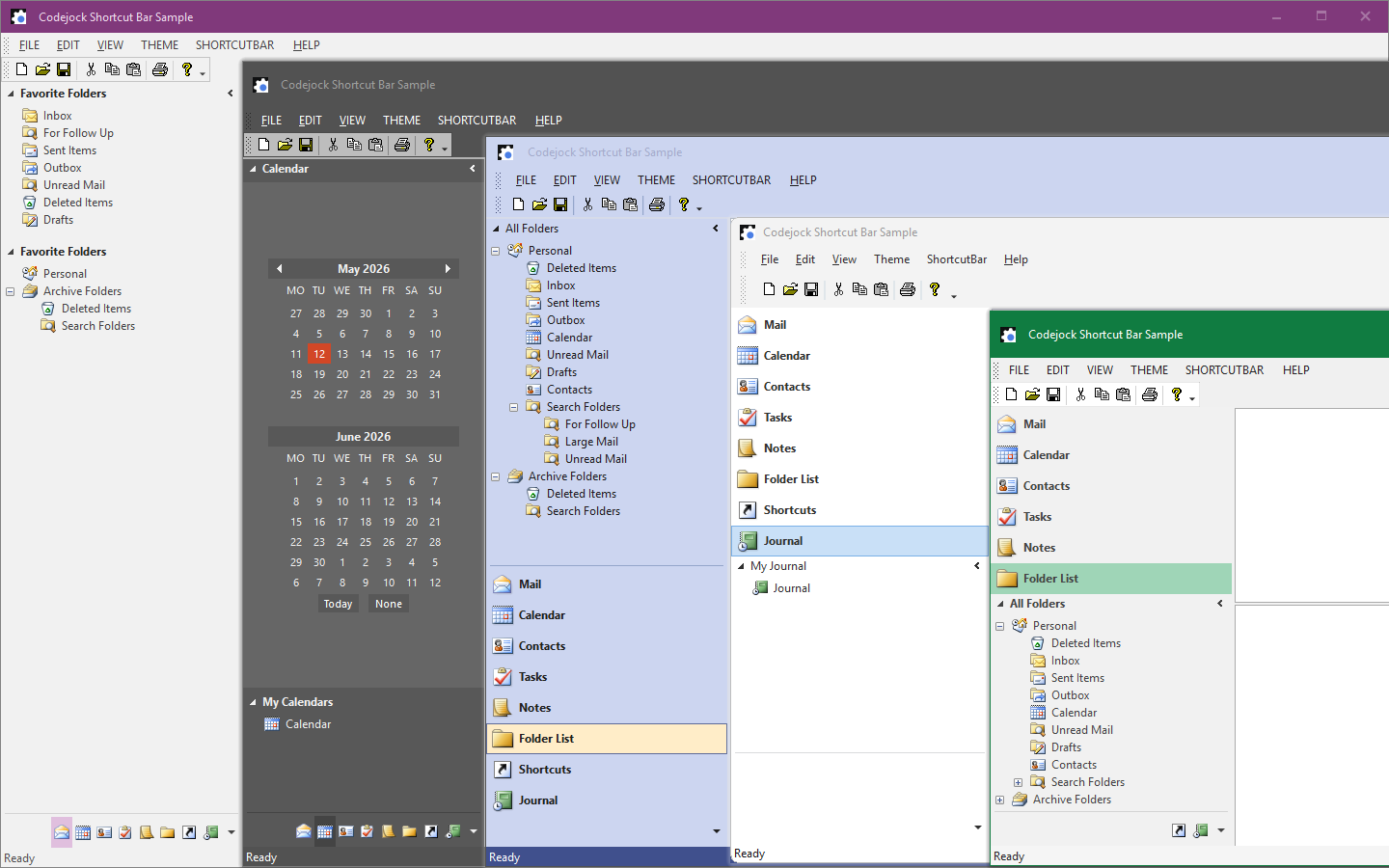
Add an intuitive Outlook-style navigation interface to your Windows applications with expandable shortcut lists, caption bars, shortcut icons, and flexible client pane behavior.
- Expandable navigation options Create expandable shortcut lists and navigation bars that help users organize and access application areas quickly.
- Flexible pane behavior Show or hide the client pane, use shortcut caption bars, and tailor the layout to match your application workflow.
- Professional themes and styles Office 2000 through Office 2016 themes, plus Visual Studio 2015, Windows 10, and Windows 7 Scenic theme support.
- Polished navigation details Support shortcut icons, visual styles, and customizable presentation for a clean, familiar navigation experience.
Skin Framework and Application Theming
Apply professional application-wide skins and visual styles to your Windows applications with support for built-in themes, custom themes, multi-skin applications, and consistent styling across standard controls and system dialogs.
- Application-wide skinning Skin every component in your application and deliver a more polished, cohesive experience across your entire UI.
- Built-in skins and styles Includes Windows 10, Windows 8, Office 2010 Blue, Black, and Silver, Vista styles, Zune, Codejock themes, Office 2007 color schemes, and classic Windows XP styles.
- Custom theme support Build your own themes with the Skin Builder application and support custom skins alongside built-in visual styles.
- Flexible deployment options Works on all Windows platforms, supports multi-skin applications, and can skin standard Windows controls and system dialogs.
Syntax Edit and Code Editing Control
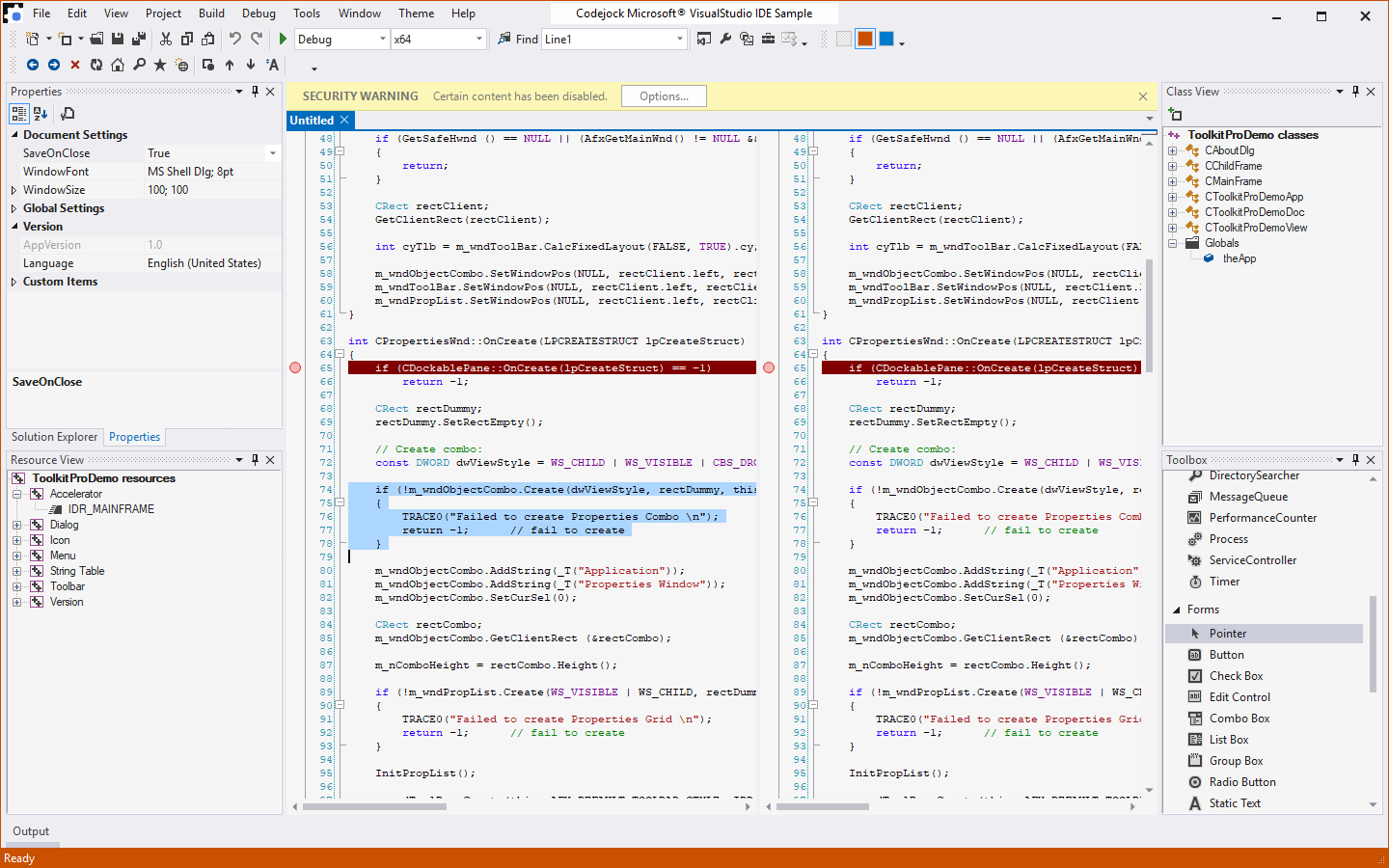
Add an advanced code editing control to your Windows applications with syntax colorization, line numbers, code folding, bookmarks, breakpoints, split views, and configurable language highlighting.
- Advanced code editing Provide a professional editing experience with a dedicated syntax editor built for source code and structured text.
- Readable, organized code views Support text block grouping, syntax colorization, and line numbers to make code easier to read and navigate.
- Developer productivity tools Include bookmarks, breakpoints, and IntelliSense-style help to improve editing workflows inside your application.
- Designed for editor-style interfaces Ideal for applications that need built-in scripting, configuration editing, source viewing, or lightweight IDE-style functionality.
Task Panel and Toolbox-Style UI
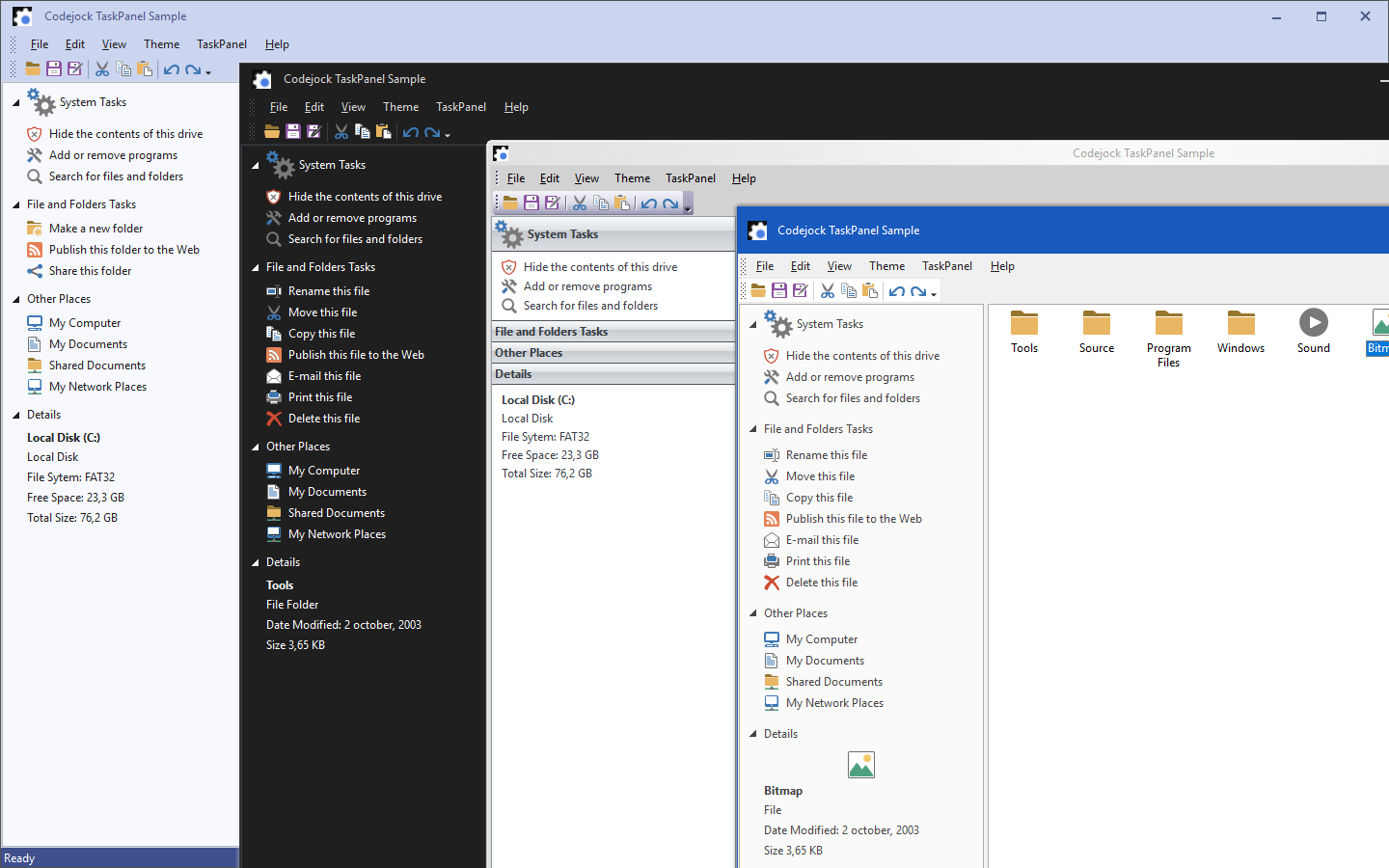
Add a flexible task panel control to your Windows applications with expandable groups, toolbox-style organization, icons, drag-and-drop behavior, hot tracking, and Office- or Explorer-style navigation layouts.
- Task-oriented panel layouts Create Office and Explorer-style task panels with item types, group captions, special groups, expandable groups, and configurable margins.
- Toolbox-style organization Support Visual Studio .NET-style toolbox layouts with categorized items, toggle buttons, icon sizing, and flexible control behavior.
- Interactive user experience Add drag-and-drop items, hot tracking, and animation to make task panels feel dynamic, responsive, and easy to use.
- Flexible task panel presentation Combine navigation, grouped commands, and toolbox-style access patterns in a compact panel suited for task-based application workflows.
Broad compatibility across Visual Studio, Windows desktop, and Windows Server releases — from modern environments to legacy deployments.
Development environments
- Visual Studio 2022
- Visual Studio 2019
- Visual Studio 2017
- Visual Studio 2015
- Visual Studio 2013
- Microsoft Access
- Visual Studio 2012
- Visual Studio 2010
- Visual Studio 2008
- Visual Studio 2005
- Visual Studio .NET 2003
- Visual Studio .NET 2002
- Visual Basic 6.0
Client operating systems
- Windows 11
- Windows 10
- Windows 8.1
- Windows 8
- Windows 7
- Windows Vista
- Windows XP
- Windows Me
- Windows 2000
- Windows 98 SE
- Windows 98
- Windows 95
Server environments
- Windows Server 2022
- Windows Server 2019
- Windows Server 2016
- Windows Server 2012 R2
- Windows Server 2012
- Windows Server 2008 R2
- Windows Server 2008
- Windows Server 2003 R2
- Windows Server 2003
- Windows 2000
- Windows NT 4.0
Baseline development and runtime support
- Compiler: Visual Basic 6.0
- Runtime: Windows 95 / NT 4.0