
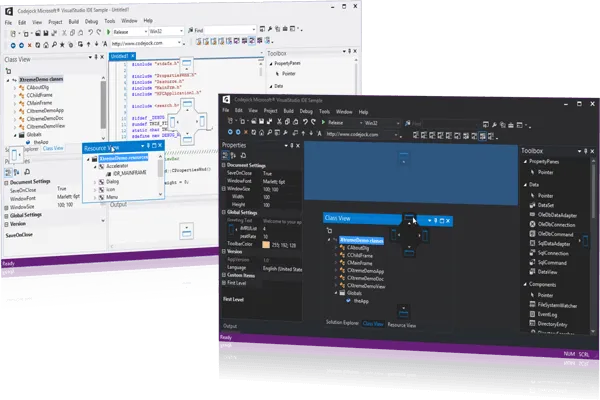
Docking Pane Layout Component
for v24.3.0
Docking Pane for allows you to create fully customizable docking panes with a professional and modern interface. Windows developers can build an advanced layout management UI with tear off tabs and auto-hide windows for a more manageable application workspace.
Docking Pane is included in Toolkit Pro for
Key Features
Codejock Docking Pane for provides several options to choose from including Visual Studio and Office Theme Support, Tear Off Tabs, Visio Style Docking, Sliding Auto-Hide Windows, Pinnable Panes, Drag-and-Drop Positioning, Cascading Panes, Load and Save State, Full Customization and much more!
Docking Pane is included with the Toolkit Pro for evaluation.
Theme Support
Apply Visual Studio, Office, Windows, Visio, gripper, Luna, splitter, and built-in themes so docking panes match the rest of your application interface.
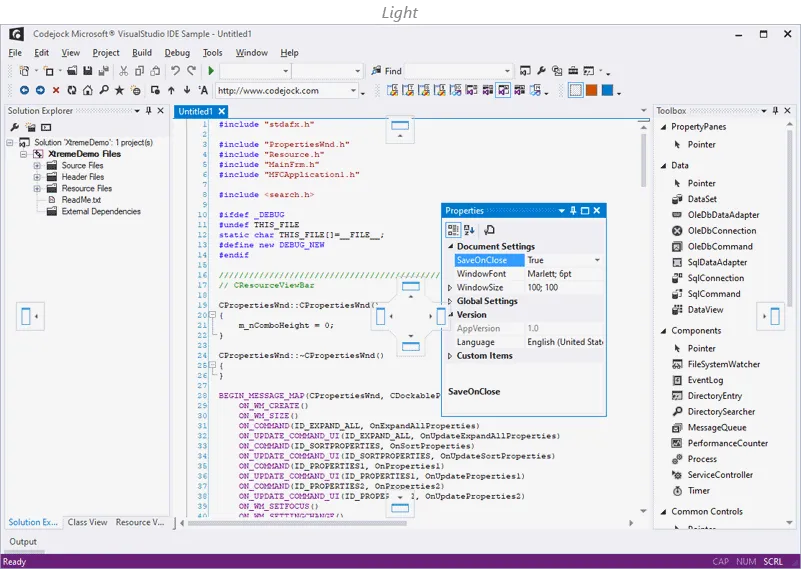
Apply the Visual Studio 2015 Style Theme Support style to give Docking Pane a polished look that fits familiar desktop UI themes. It adds useful detail for production desktop applications.
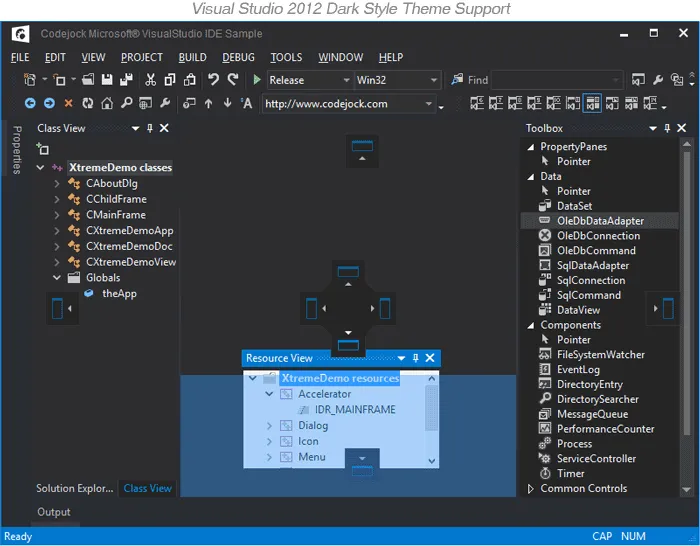
Docking Pane provides your application with full Visual Studio 2012 style theme support that gives your application a stunning appearance. It improves clarity for everyday users.
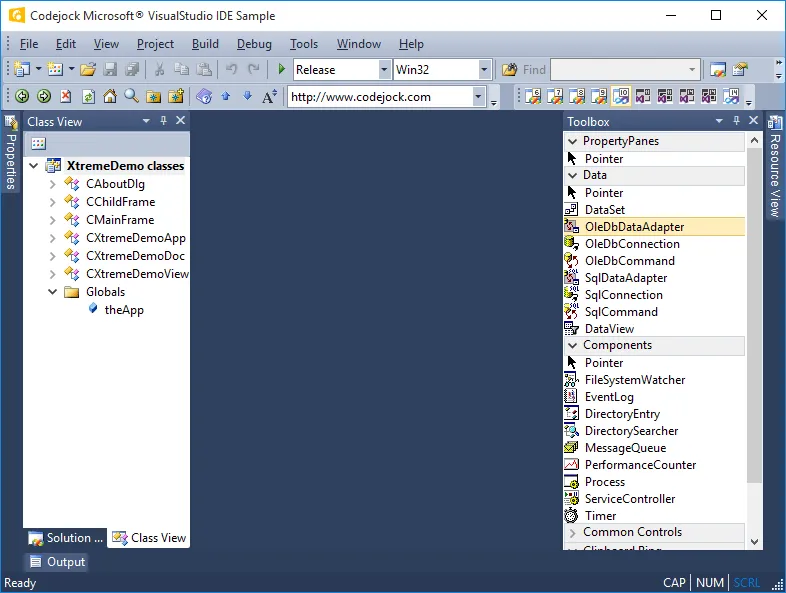
Apply the Visual Studio 2010 Style Theme Support style to give Docking Pane a polished look that fits familiar desktop UI themes. It adds useful detail for production desktop applications.
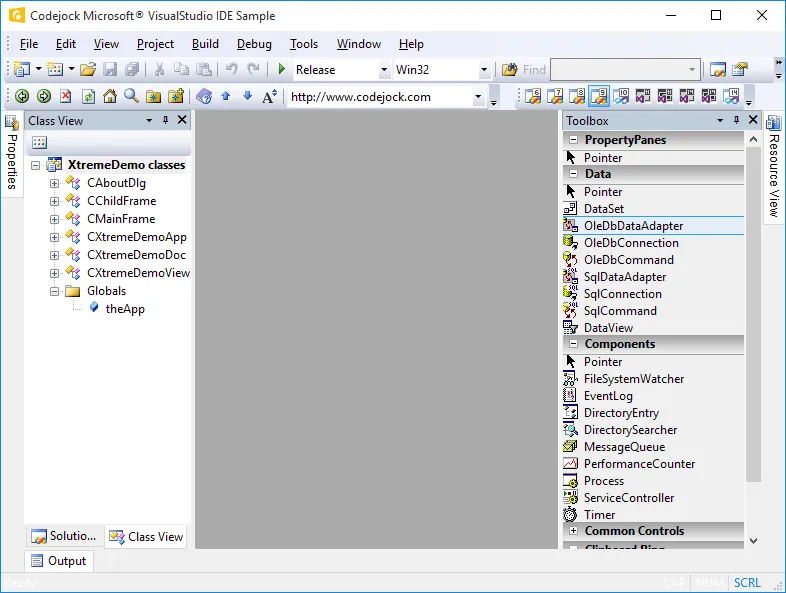
Apply the Visual Studio 2008 Style Theme Support style to give Docking Pane a polished look that fits familiar desktop UI themes. It adds useful detail for production desktop applications.
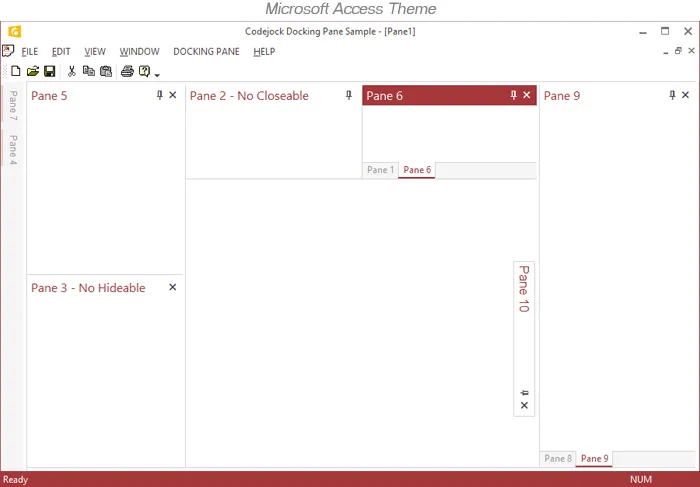
Office 2013 is already built-in, so you don't have to spend any extra time on this. It makes multi-pane desktop interfaces easier to arrange, restore, and use throughout demanding workflows.
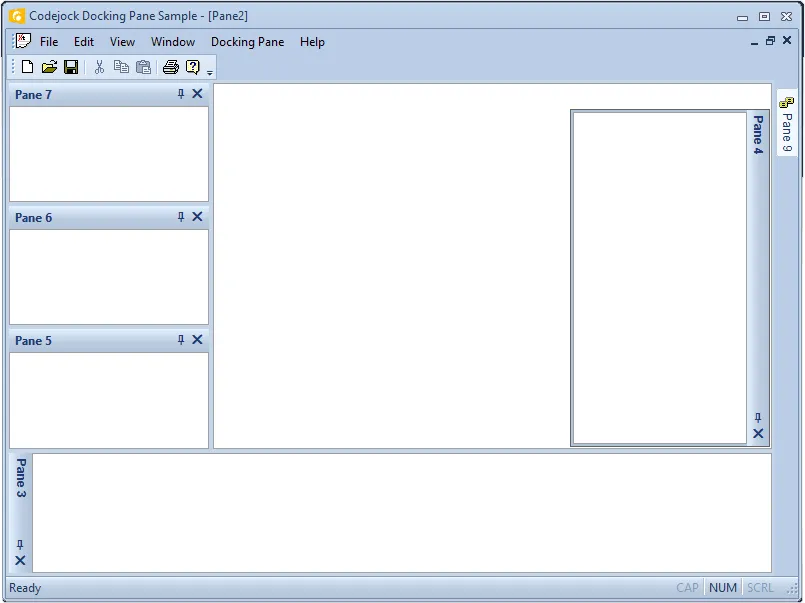
Office 2010 is already built-in, so you don't have to spend any extra time on this. It makes multi-pane desktop interfaces easier to arrange, restore, and use throughout demanding workflows.
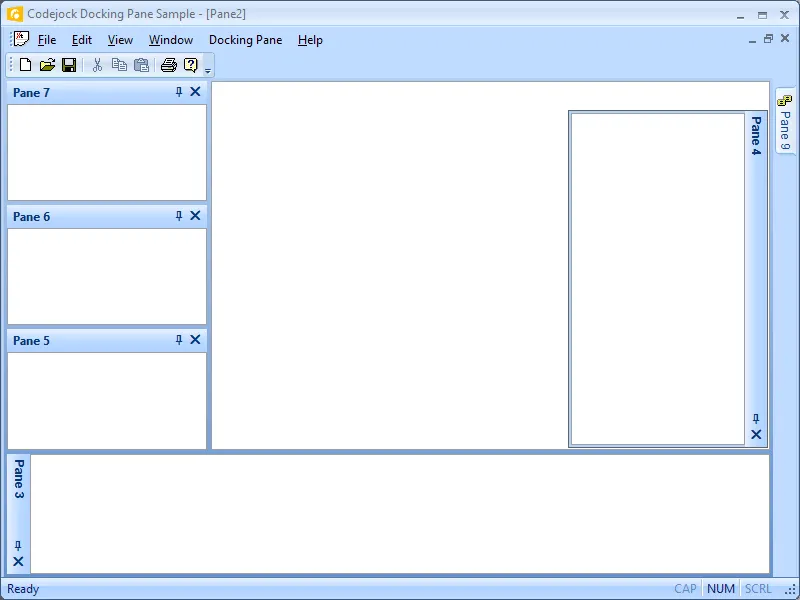
Office 2007 is already built-in, so you don't have to spend any extra time on this. It makes multi-pane desktop interfaces easier to arrange, restore, and use throughout demanding workflows.
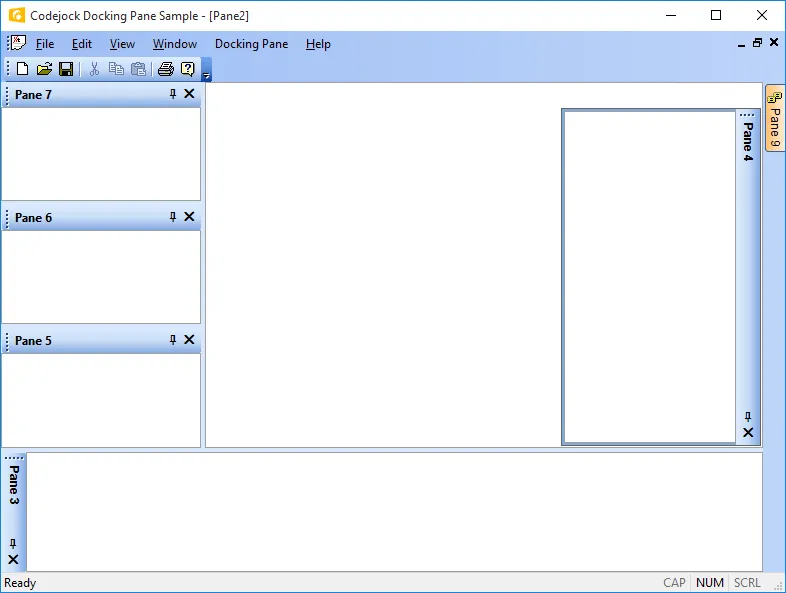
Office 2003 is already built-in, so you don't have to spend any extra time on this. It makes multi-pane desktop interfaces easier to arrange, restore, and use throughout demanding workflows.
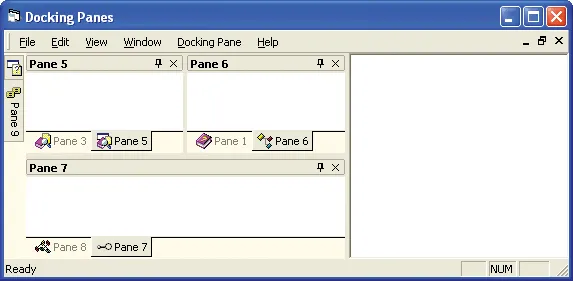
Visual Studio .NET is already built-in, so you don't have to spend any extra time on this. It adds useful detail for production desktop applications. It improves clarity for everyday users.
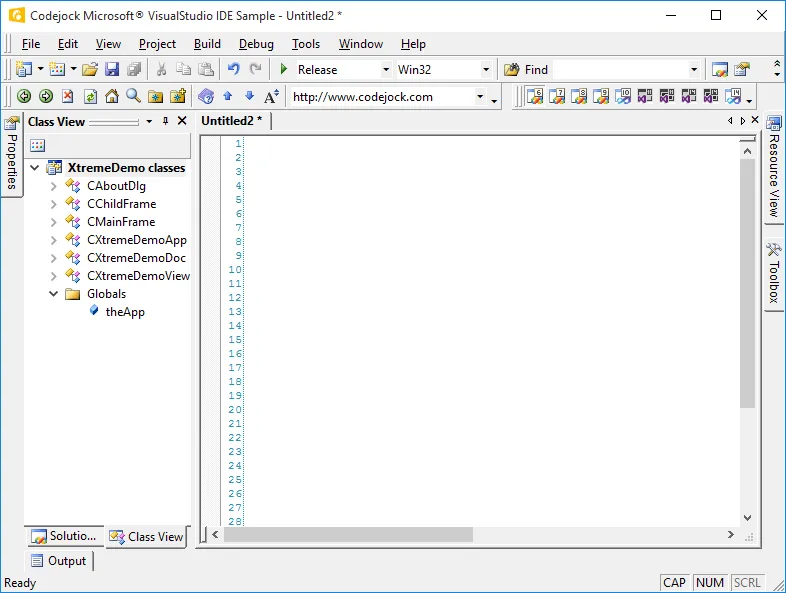
Apply the Visual Studio Style Theme Support style to give Docking Pane a polished look that fits familiar desktop UI themes. It adds useful detail for production desktop applications.
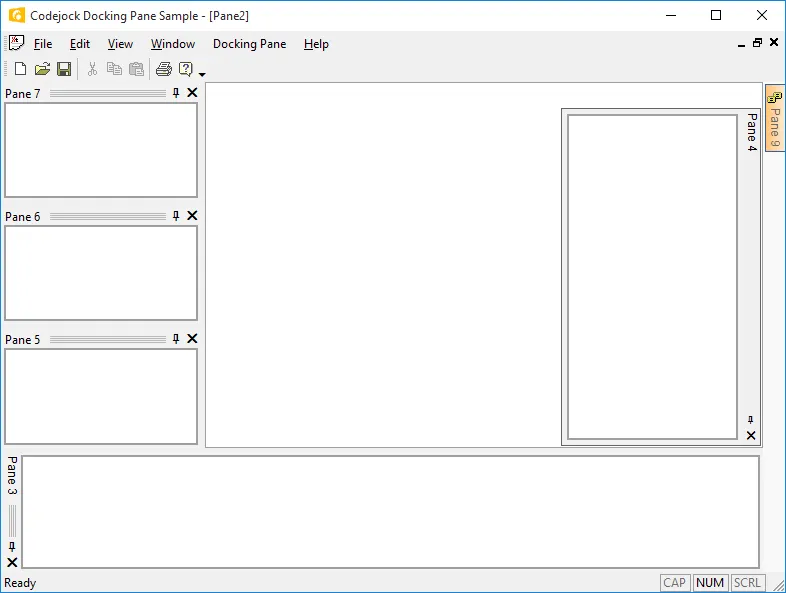
Docking Pane provides your application with full Visio theme support that gives your application the closest, most exact Visio Style themes of any third-party tool available today.
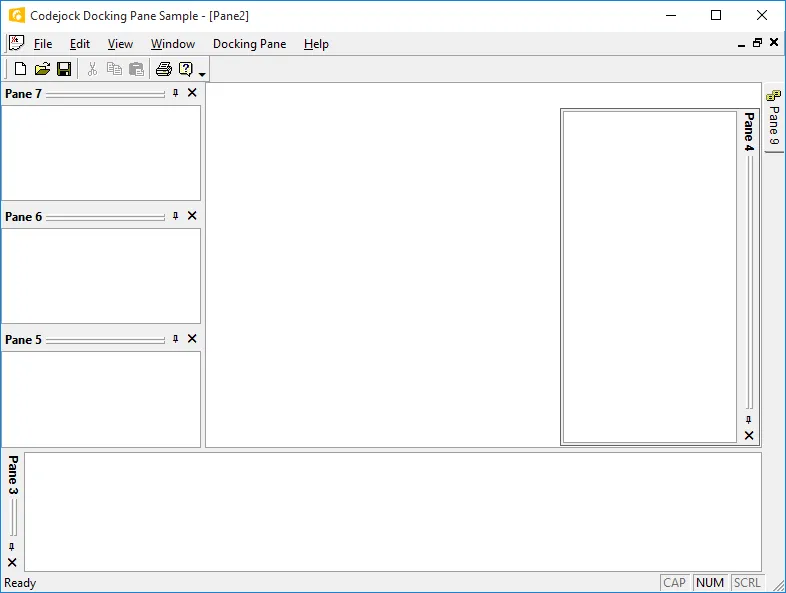
Docking Pane provides built-in theme support for a gripper appearance. It helps users organize complex work areas while giving developers control over layout, state, and window behavior.
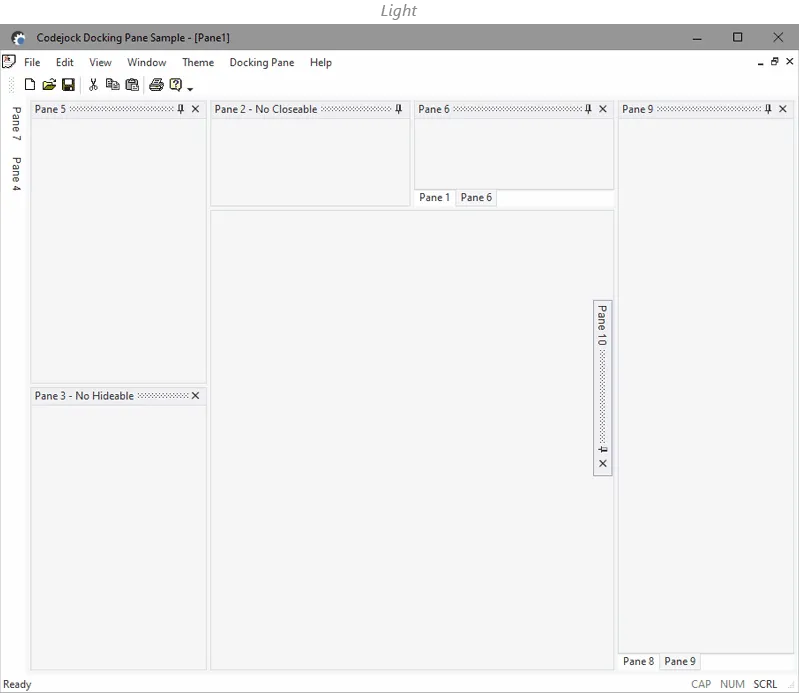
Make you docking panes to look consistently with your Windows 10 user interface. It makes multi-pane desktop interfaces easier to arrange, restore, and use throughout demanding workflows.
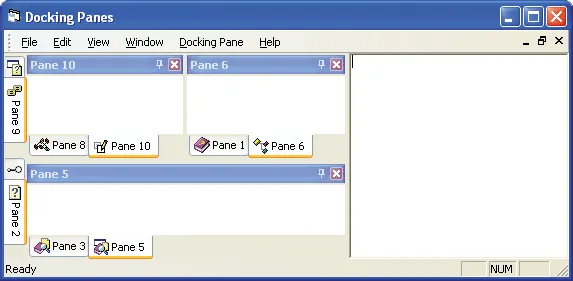
Docking Pane provides your application with full Windows XP theme support that gives your application the closest, most exact Windows XP style themes of any third-party tool available today.
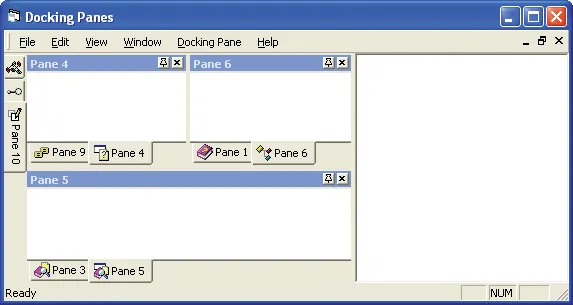
Docking Pane provides built-in theme support for a Default appearance. It helps users organize complex work areas while giving developers control over layout, state, and window behavior.
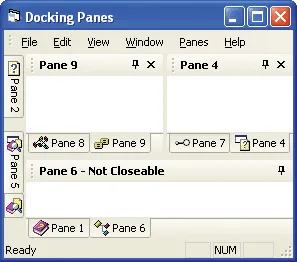
Docking Pane allows you to enable/disable Luna colors in your docking panes. It makes multi-pane desktop interfaces easier to arrange, restore, and use throughout demanding workflows.
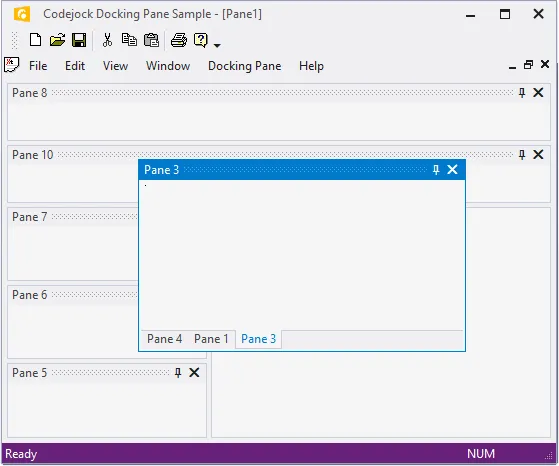
Docking Pane allows you to use themed floating frames for your floating docking panes. It adds useful detail for production desktop applications. It improves clarity for everyday users.
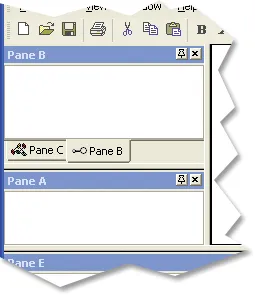
Docking Pane provides you with many different themes that you can apply to the splitter of the docking panes. It adds useful detail for production desktop applications.
Pane Layout and Docking
Create flexible workspaces with nested grouping, detachable tabs, Visual Studio and Visio style docking, drag-and-drop positioning, floating panes, active pane feedback, and hidden client layouts.
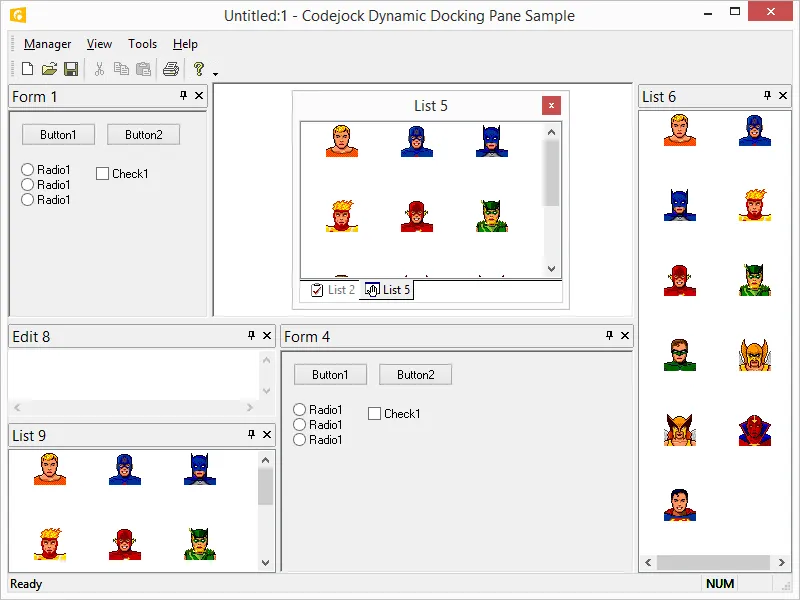
You can use Docking Pane to group windows in a tab style arrangement and display them in any arrangement docked to any side of your application workspace.
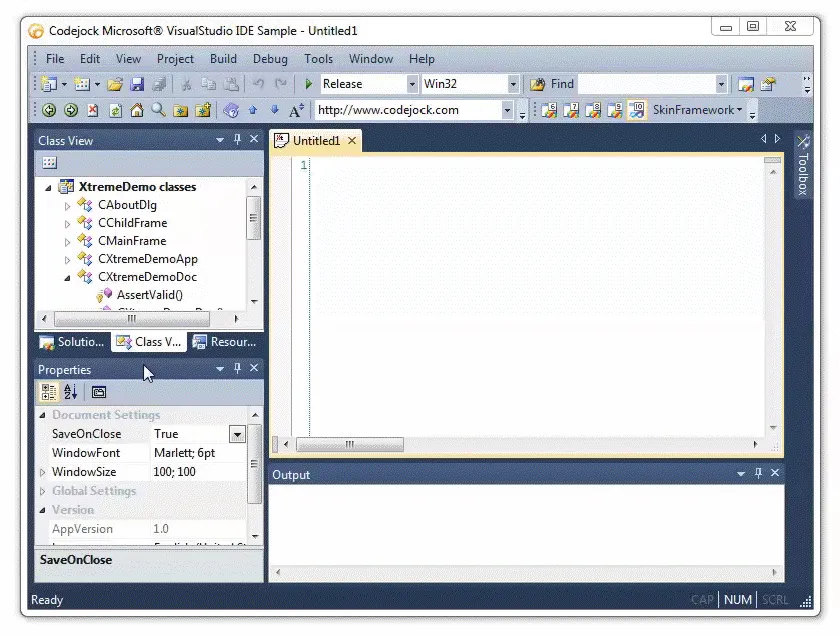
Docking Pane provides support for Visual Studio style docking context and docking stickers. It adds useful detail for production desktop applications.
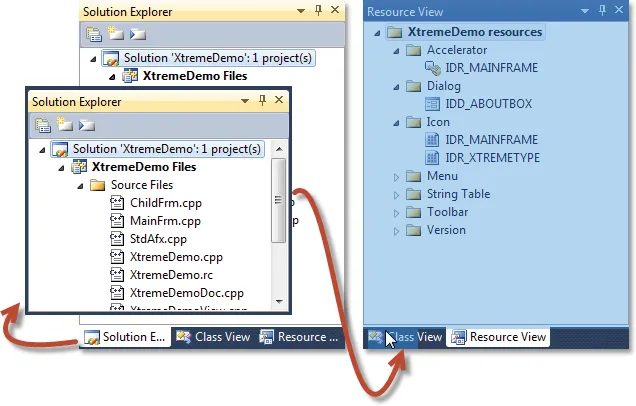
You can use Docking Pane to create tabbed dockable windows that you can locate along any side of your application workspace. It adds useful detail for production desktop applications.
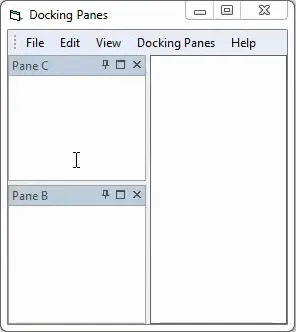
Docking Pane allows you to change what your docking panes look like when they are resized. It adds useful detail for production desktop applications. It improves clarity for everyday users.
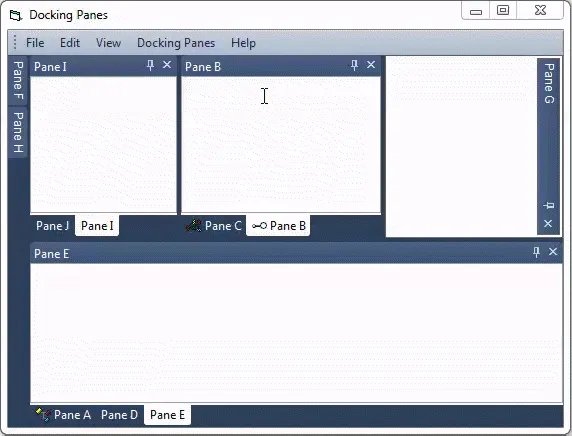
Docking Pane gives your application the power of WYSIWYG (what you see is what you get) style docking panes. It adds useful detail for production desktop applications.
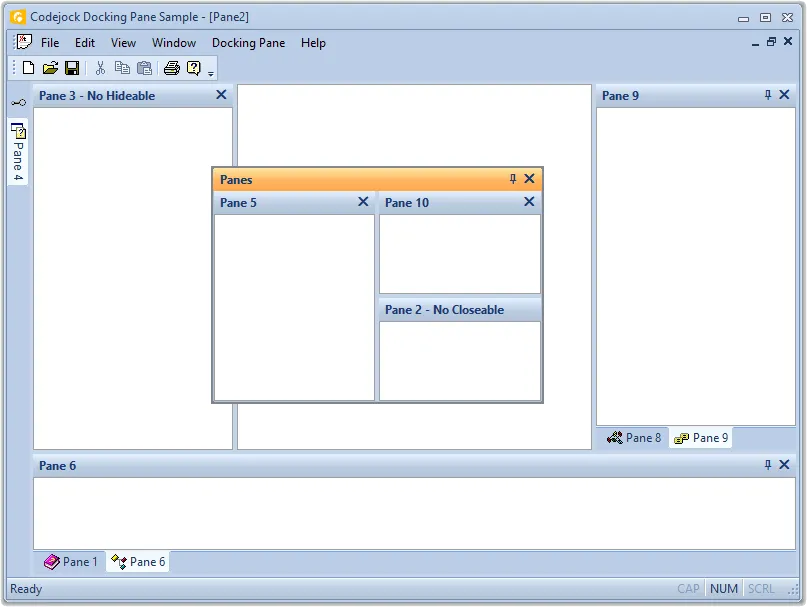
Docking Pane provides support for floating and docking window panes. It helps users organize complex work areas while giving developers control over layout, state, and window behavior.
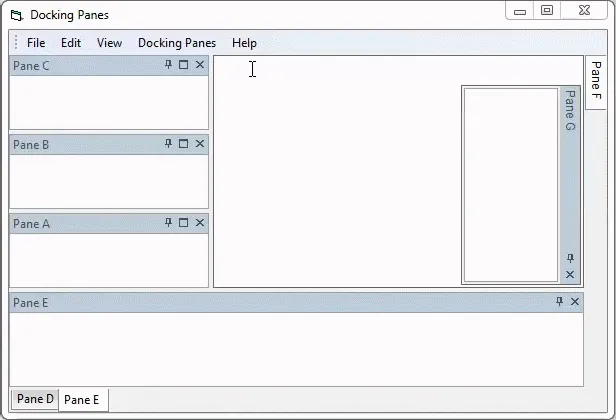
Docking Pane allows you to hide the client area of your application so that your docking panes can occupy the entire application workspace. It improves clarity for everyday users.
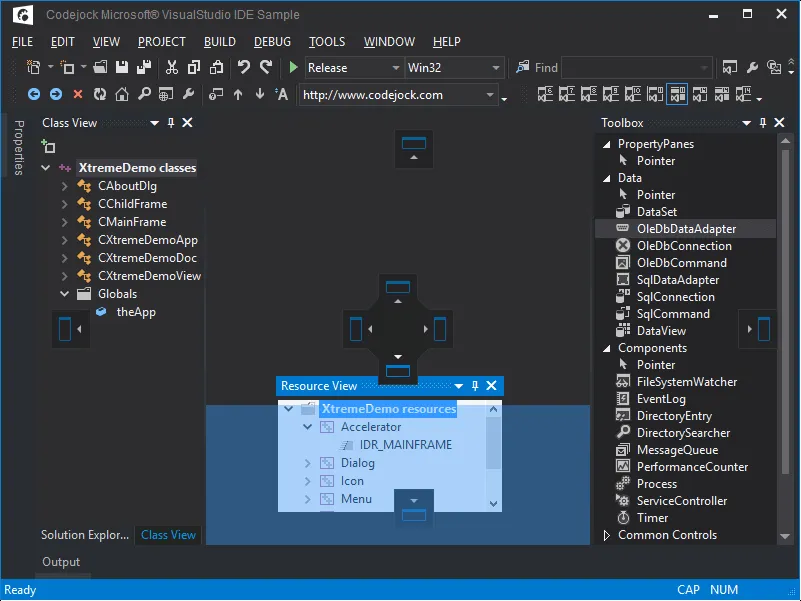
Docking Pane gives you the flexibility of drag-and-drop positioning. It helps users organize complex work areas while giving developers control over layout, state, and window behavior.
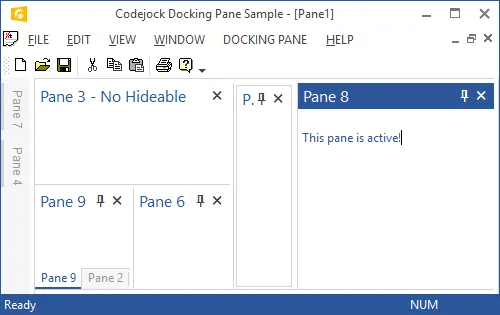
Docking Pane provides visual clues as to which pane is currently active or has input focus. It adds useful detail for production desktop applications.
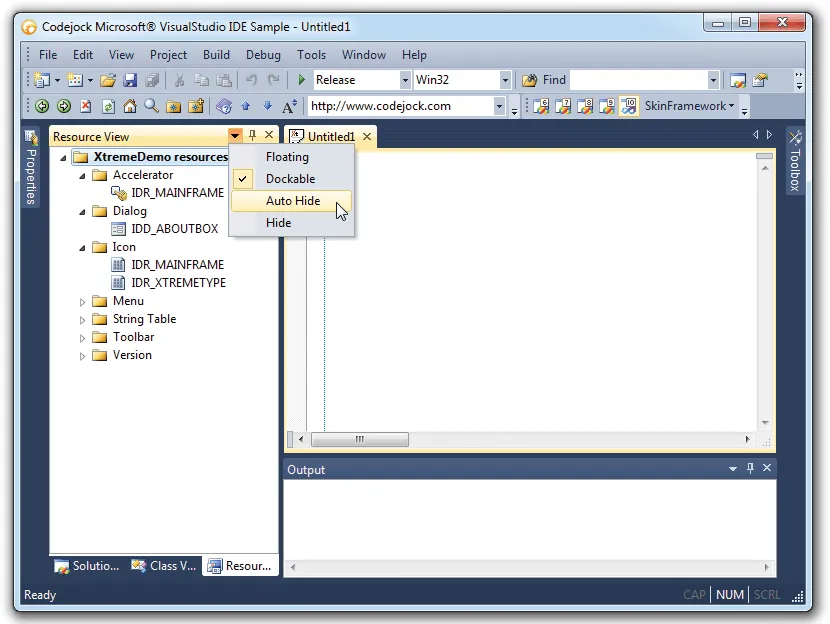
Docking Pane allows you add a button to the caption of your panes so that you can display a custom menu. It adds useful detail for production desktop applications.
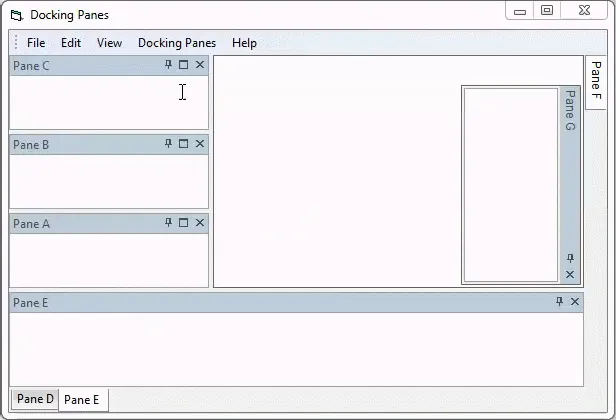
Docking Pane provides you with the "cascading" pane navigation functionality seen in Visual Studio. It adds useful detail for production desktop applications.
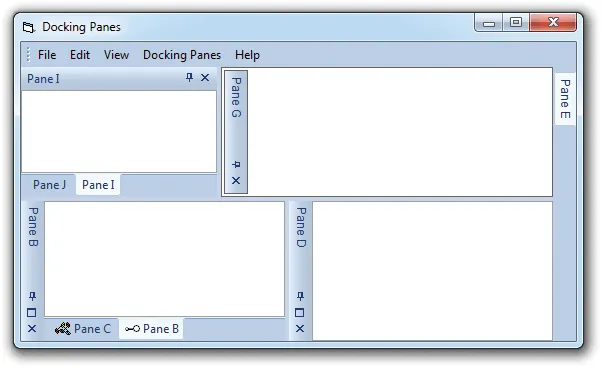
Docking Pane allows you to change the direction that the docking pane caption will be displayed. It adds useful detail for production desktop applications.
Auto-Hide and Pane Visibility
Give users more workspace by supporting sliding auto-hide windows, configurable auto-hide delays, pinnable panes, floating auto-hide panes, hide/show actions, and themed auto-hide panels.
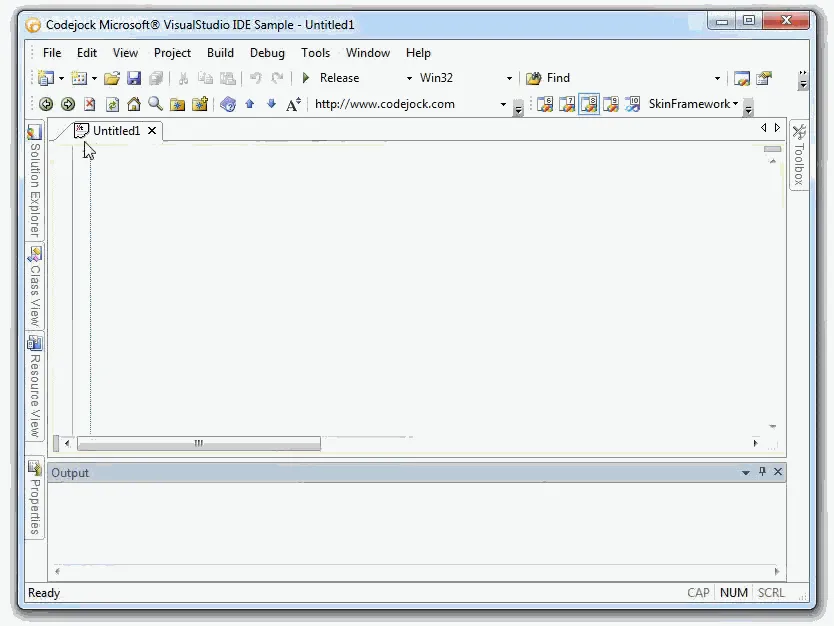
Docking Pane provides Auto-Hide Windows that are similar to Visual Studio.NET and Microsoft Visio application environments. It adds useful detail for production desktop applications.
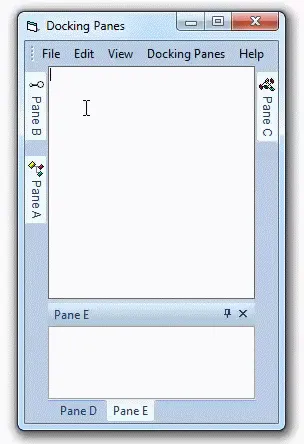
Docking Pane allows you to change the speed at which your docking panes are displayed and auto hidden. It adds useful detail for production desktop applications.
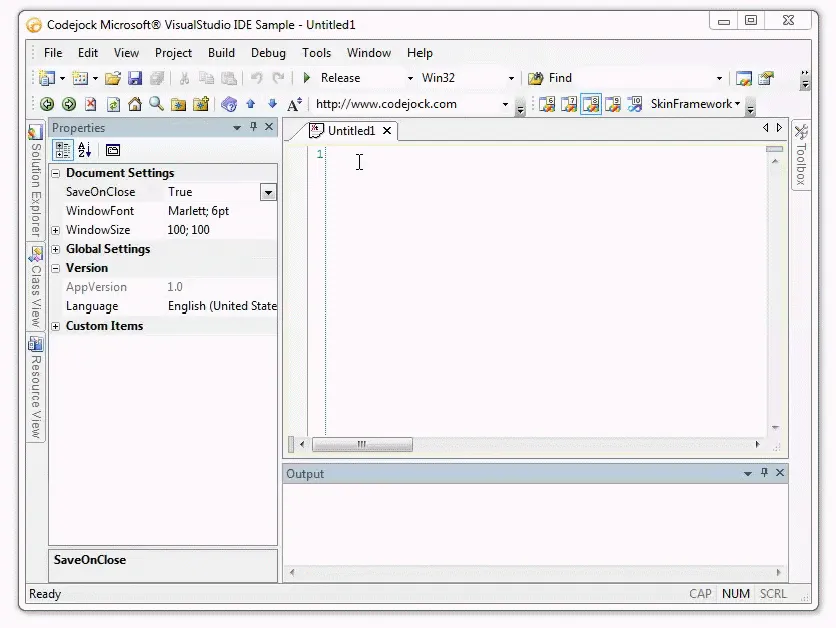
Docking Pane allows you to pin to your hidden panes allowing them to stay visible. It makes multi-pane desktop interfaces easier to arrange, restore, and use throughout demanding workflows.
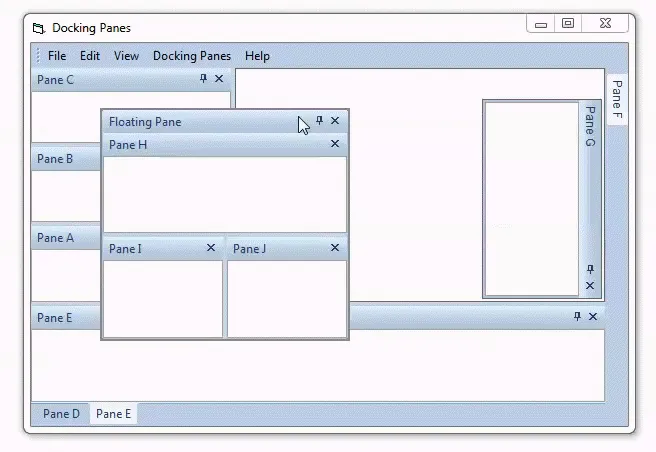
Docking Pane allows you to pin your floating panes allowing them be hidden/visible. It makes multi-pane desktop interfaces easier to arrange, restore, and use throughout demanding workflows.
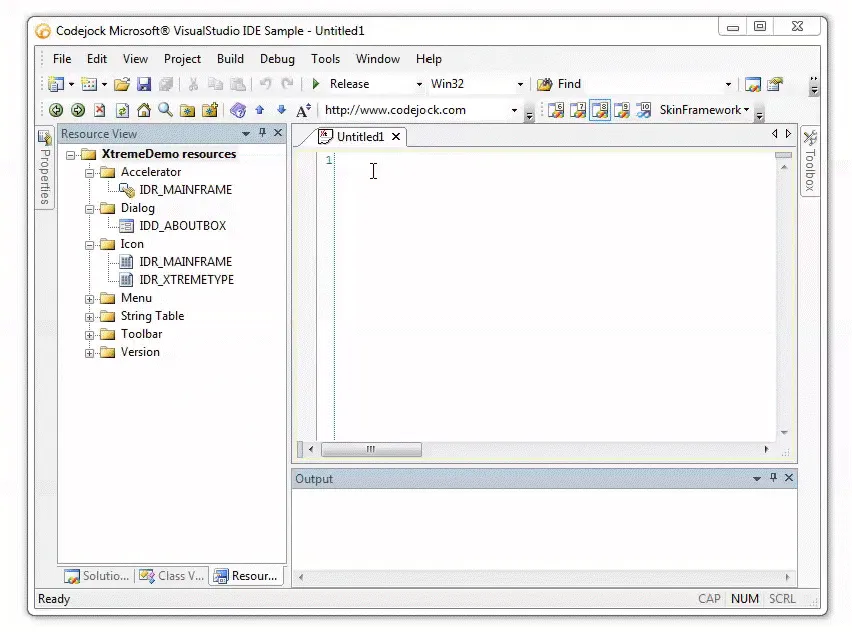
Docking Pane allows you to easily hide and show panes to optimize your application workspace. It adds useful detail for production desktop applications.
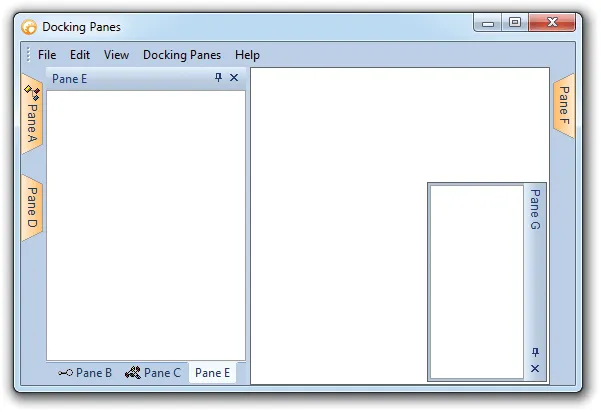
Docking Pane allows you to customize the appearance of your docking pane auto-hide panel in the same way you can customize the docking pane tabs. It improves clarity for everyday users.
Tab Customization
Customize docking pane tabs with frames, colors, icons, hot tracking, selected-tab emphasis, tab position, layouts, appearance styles, borders, margins, and rotated layouts.
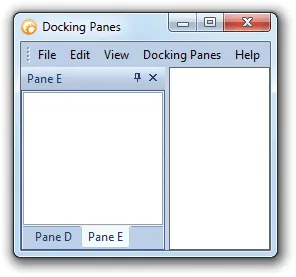
Docking Pane allows you to add a static frame around the entire TabControl. It makes multi-pane desktop interfaces easier to arrange, restore, and use throughout demanding workflows.
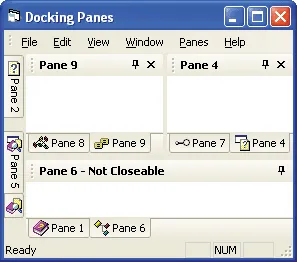
Docking Pane allows you to enable/disable the Luna colors when you are using a color scheme that has Luna color support, such as the Office Style color scheme.
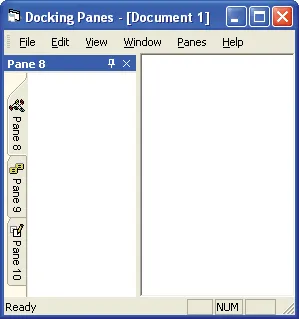
Docking Pane allows you to add OneNote colors to your tabs. It supports professional workspace layouts with flexible docking behavior, clear navigation, and familiar desktop interactions.
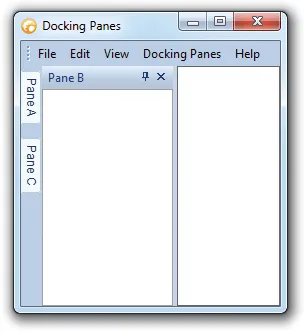
Docking Pane allows you to easily show/hide icons in your tab buttons. It helps users organize complex work areas while giving developers control over layout, state, and window behavior.
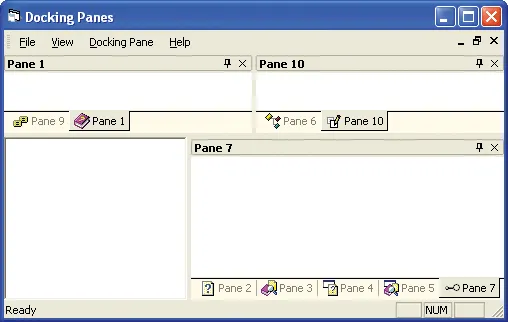
Docking Pane allows you to add your own custom icons to your to display in your tab buttons. It adds useful detail for production desktop applications.
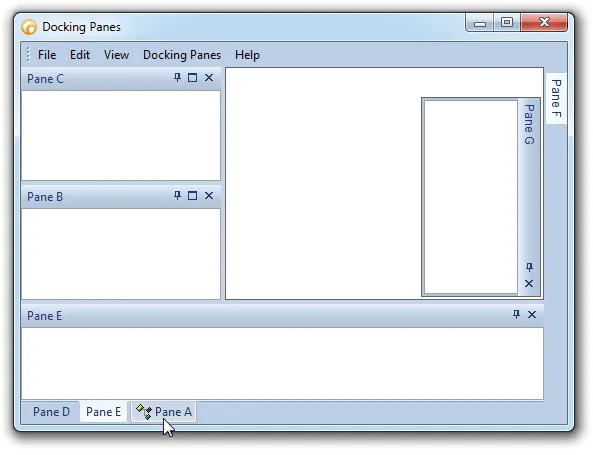
Docking Pane allows you to easily enable/disable Hot Tracking. It supports professional workspace layouts with flexible docking behavior, clear navigation, and familiar desktop interactions.
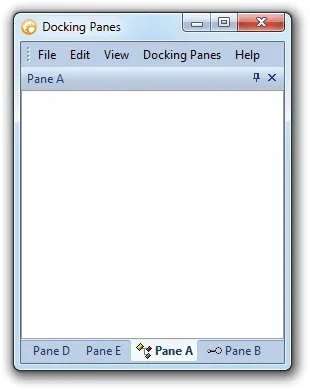
Docking Pane allows you to easily enable/disable Bold Selected tabs. It helps users organize complex work areas while giving developers control over layout, state, and window behavior.
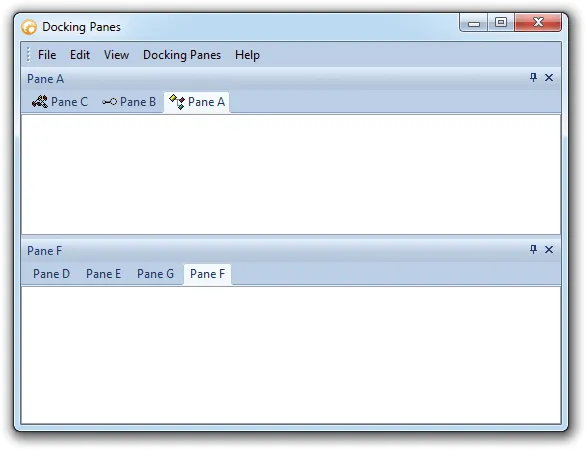
Docking Pane allows you to position the tabs on the top, left, bottom, or right with a single line of code. It adds useful detail for production desktop applications.
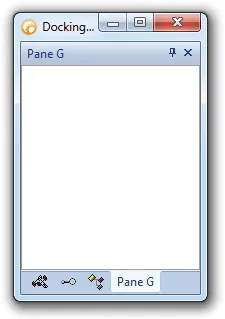
Docking Pane allows you to change the layout of your tabs with a single line of code. It adds useful detail for production desktop applications. It improves clarity for everyday users.
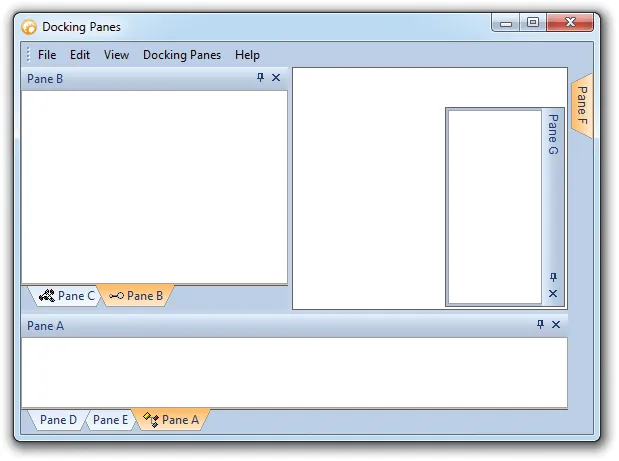
Docking Pane allows you to easily change the appearance of your tabs. It helps users organize complex work areas while giving developers control over layout, state, and window behavior.
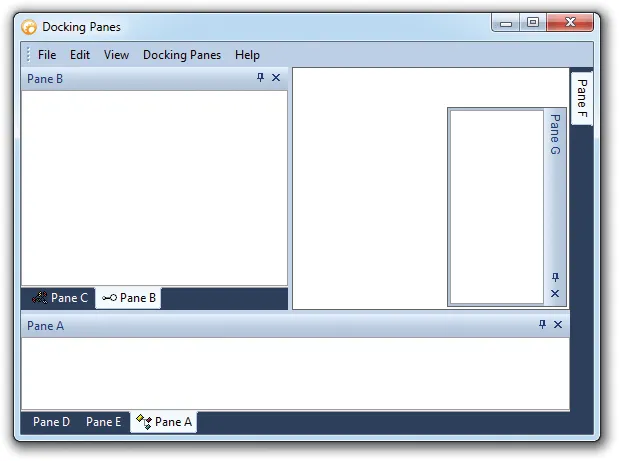
Docking Pane allows you to fully customize the appearance of your tabs by applying color styles. It adds useful detail for production desktop applications.
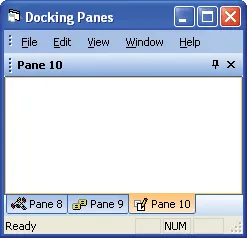
Docking Pane allows you to manipulate the frame/border that surrounds the tab's client area. It adds useful detail for production desktop applications.
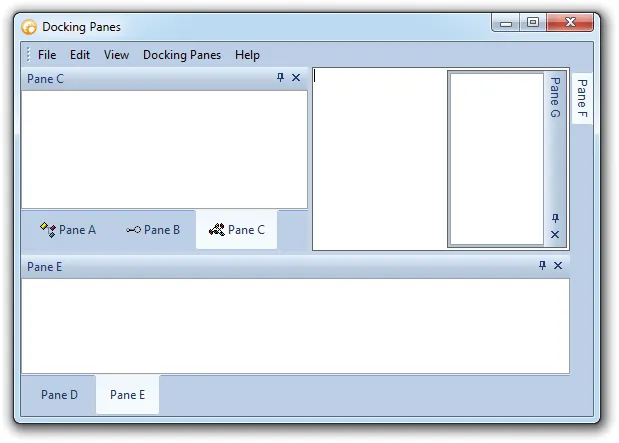
Docking Pane allows you to manipulate the margins of the components that make up the tabs. It adds useful detail for production desktop applications. It improves clarity for everyday users.
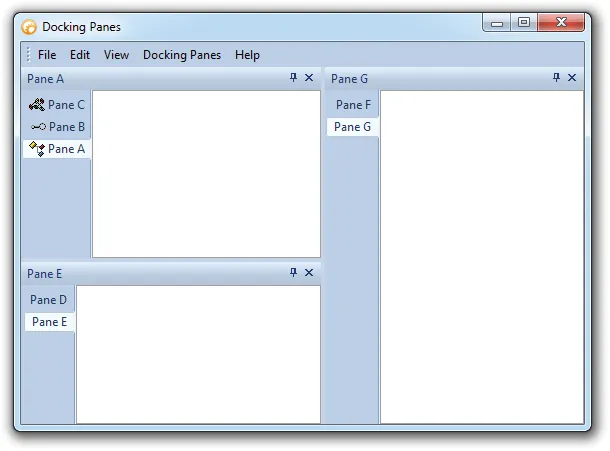
Docking Pane allows you to change the orientation of the pane tabs. It helps users organize complex work areas while giving developers control over layout, state, and window behavior.
Load and Save State
Persist user workspace layouts by saving and restoring docking pane state from the registry or from layout strings/files.
Docking Pane allows you to easily save and load your Docking Pane layout to and from the system registry. It adds useful detail for production desktop applications.
Docking Pane allows you to easily save and load your Docking Pane layout to and from a String. It adds useful detail for production desktop applications.
Broad compatibility across Visual Studio, Windows desktop, and Windows Server releases — from modern environments to legacy deployments.
Development environments
- Visual Studio 2022
- Visual Studio 2019
- Visual Studio 2017
- Visual Studio 2015
- Visual Studio 2013
- Microsoft Access
- Visual Studio 2012
- Visual Studio 2010
- Visual Studio 2008
- Visual Studio 2005
- Visual Studio .NET 2003
- Visual Studio .NET 2002
- Visual Basic 6.0
Client operating systems
- Windows 11
- Windows 10
- Windows 8.1
- Windows 8
- Windows 7
- Windows Vista
- Windows XP
- Windows Me
- Windows 2000
- Windows 98 SE
- Windows 98
- Windows 95
Server environments
- Windows Server 2022
- Windows Server 2019
- Windows Server 2016
- Windows Server 2012 R2
- Windows Server 2012
- Windows Server 2008 R2
- Windows Server 2008
- Windows Server 2003 R2
- Windows Server 2003
- Windows 2000
- Windows NT 4.0
Baseline development and runtime support
- Compiler: Visual Basic 6.0
- Runtime: Windows 95 / NT 4.0