
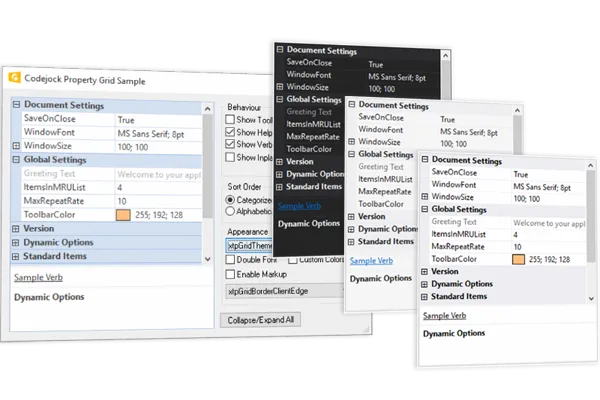
Property Grid for Application Settings
for ActiveX COM v24.3.0
Property Grid for ActiveX COM provides Windows developers with a comprehensive, fully customizable property grid giving your application a professional and modern interface. Windows developers can easily create a hierarchical list of editable properties and represent any data type or sub-item.
Property Grid is included in Suite Pro for ActiveX COM
Key Features
Codejock Property Grid for ActiveX COM provides several options to choose from including Integrated Toolbar and Help Panel, Hierarchical Editable List, Inplace Button Controls, Data Sorting, Combo List, Splitter Sizing, Masked Edit, Visual Studio and Office Theme Support, Built in Data Types and much more!
Property Grid is included with the Suite Pro for ActiveX COM evaluation.
Theme Support
Apply polished Property Grid visual styles and themes so the control matches the rest of your application interface.
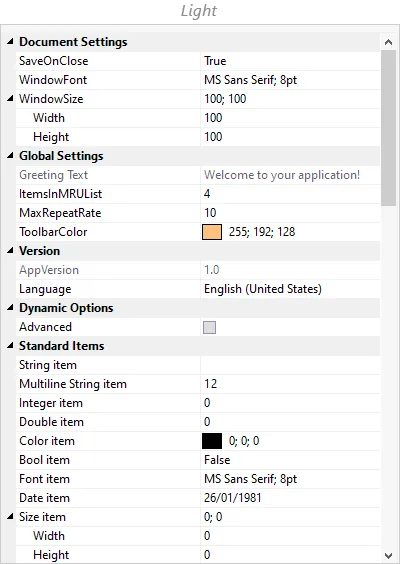
Visual Studio 2015 is already built-in, so you don't have to spend any extra time on this. It adds useful detail for production desktop applications. It improves clarity for everyday users.
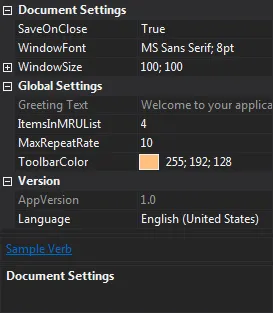
Visual Studio 2012 is already built-in, so you don't have to spend any extra time on this. It adds useful detail for production desktop applications. It improves clarity for everyday users.
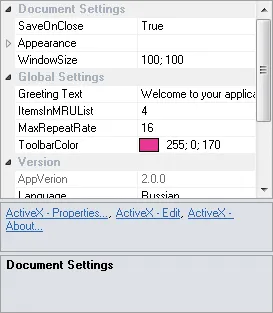
Visual Studio 2010 is already built-in, so you don't have to spend any extra time on this. It adds useful detail for production desktop applications. It improves clarity for everyday users.
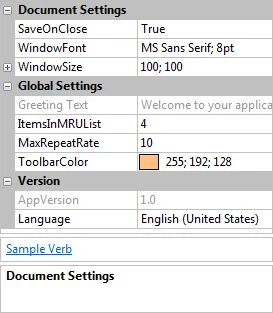
Office 2013 is already built-in, so you don't have to spend any extra time on this. It improves the everyday user experience with practical behavior that is easy to understand and customize.
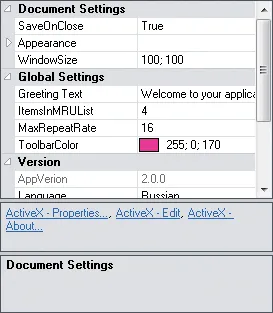
Office 2010 is already built-in, so you don't have to spend any extra time on this. It improves the everyday user experience with practical behavior that is easy to understand and customize.
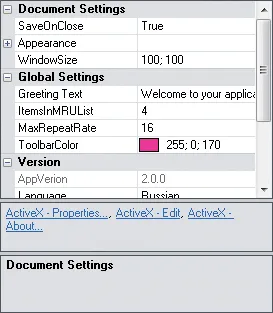
Office 2007 is already built-in, so you don't have to spend any extra time on this. It improves the everyday user experience with practical behavior that is easy to understand and customize.
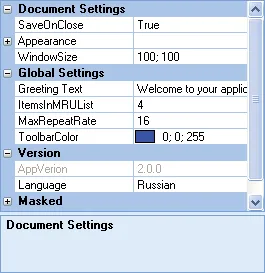
Office 2003 is already built-in, so you don't have to spend any extra time on this. It improves the everyday user experience with practical behavior that is easy to understand and customize.
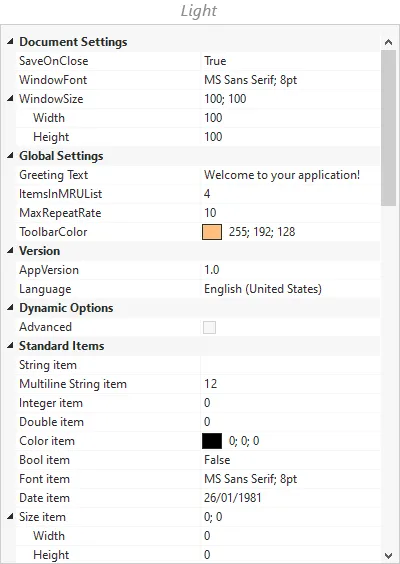
With the Property Grid Windows 10 theme your application will have a finished and consistent Windows 10 user interface. It adds useful detail for production desktop applications.
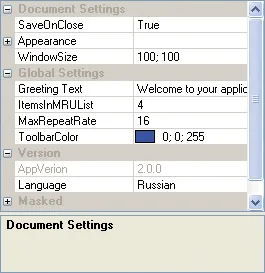
Windows XP is already built-in, so you don't have to spend any extra time on this. It improves the everyday user experience with practical behavior that is easy to understand and customize.
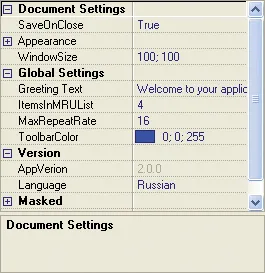
Property Grid provides your application with full Delphi theme support that gives your application the closest, most exact Delphi style themes of any third-party tool available today.
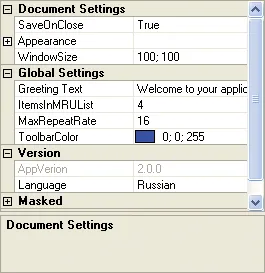
Property Grid provides built-in theme support for a "cool" appearance. It keeps configuration screens organized, searchable, and easier to maintain in complex desktop applications.
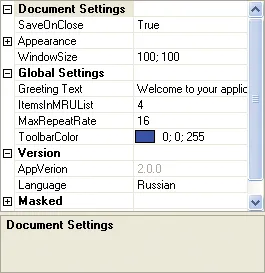
Property Grid provides built-in theme support for a "simple" appearance. It improves the everyday user experience with practical behavior that is easy to understand and customize.
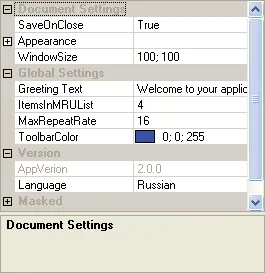
Property Grid provides built-in theme support for a "default" appearance. It improves the everyday user experience with practical behavior that is easy to understand and customize.
General Features
Explore Property Grid features for layout, appearance, interaction, customization, and developer control.
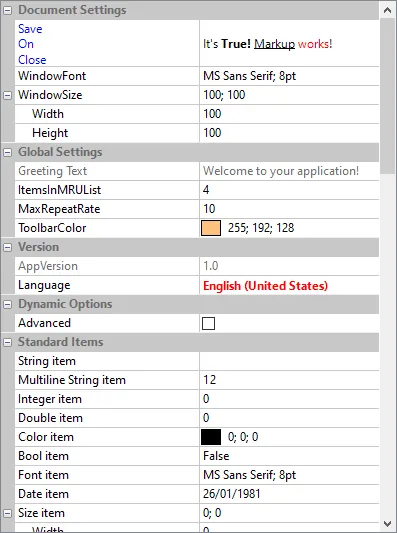
Use Markup Items to tailor Property Grid behavior and presentation for a cleaner, more productive user experience. It adds useful detail for production desktop applications.
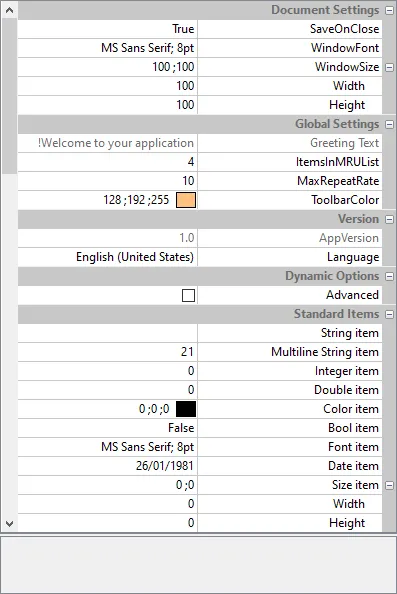
The Property Grid control allows both Left-to-Right and Right-to-Left reading modes which makes it suitable for internalization. It adds useful detail for production desktop applications.
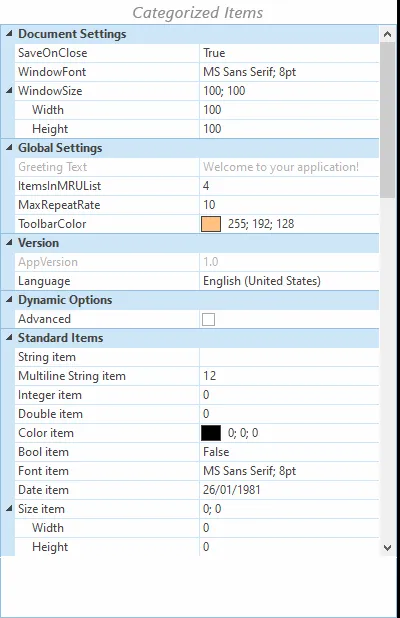
The items in the Property Grid control can be sorted alphabetically, categorized or displayed in the order of addition, which makes it easier to find a needed item in certain use cases.
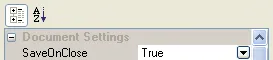
Property Grid comes with its own toolbar built-in for sorting data which can easily be turned on or off. It adds useful detail for production desktop applications.
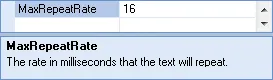
Property Grid comes with an integrated help panel that you can use to display helpful hint about selected items in your property grid. It improves clarity for everyday users.
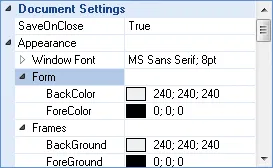
Property Grid allows you to display your data in a hierarchical list for editing. It improves the everyday user experience with practical behavior that is easy to understand and customize.
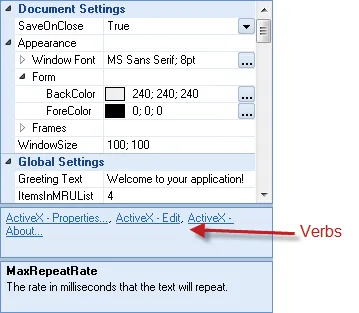
Verbs will be displayed in a separate panel just below the property grid. It helps users review and change object settings quickly while preserving a structured, familiar editing experience.
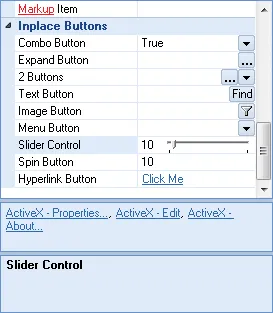
Property Grid allows you to add in-place buttons to your data values. It helps users review and change object settings quickly while preserving a structured, familiar editing experience.
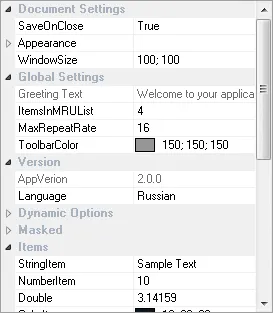
Property Grid allows you to sort your data by category, alphabetical, or leave it unsorted. It adds useful detail for production desktop applications.
Customization
Explore Property Grid features for layout, appearance, interaction, customization, and developer control.
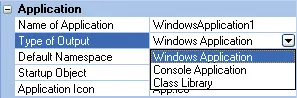
You can use the Property Grid's "combo button" to create a combo style drop-down list. It adds useful detail for production desktop applications.

You can use the Property Grid's "expand" button to display your own custom dialog when the user clicks on the expand button. It improves clarity for everyday users.
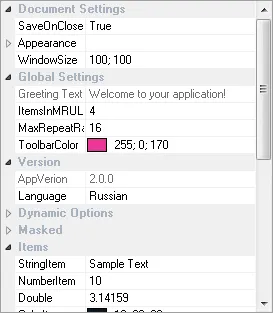
Property Grid allows you to change the position of the splitter that splits the data from the description in your property grid. It adds useful detail for production desktop applications.
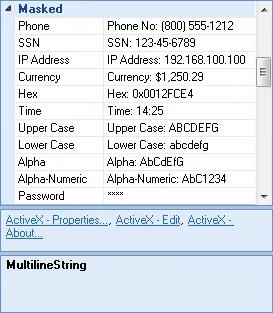
You can use the Property Grid's "mask edit" property which allows you to create a mask edit style property item. It adds useful detail for production desktop applications.
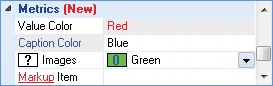
Property Grid allows the use of XAML code snippets to be used for formatting text of the categories and items in the property grid. It adds useful detail for production desktop applications.
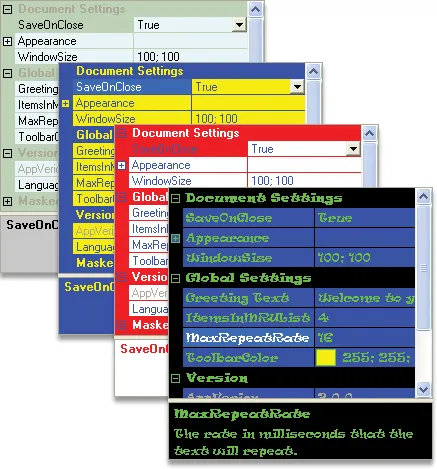
Property Grid allows you to customize the appearance of the property grid by setting your own colors and fonts for the control. It adds useful detail for production desktop applications.
Built in Data Types
Support common Property Grid data and item types with flexible editing, display, and validation behavior.
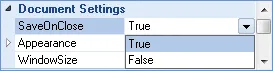
You can use the Property Grid's "Boolean" data type to create a Boolean (true/false) style property item. It adds useful detail for production desktop applications.
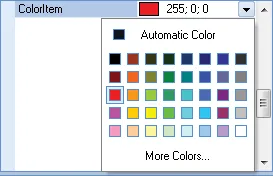
Color data type A color picker dialog is included to select colors. It helps users review and change object settings quickly while preserving a structured, familiar editing experience.
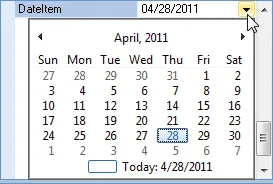
Support Date Data Type scenarios with flexible editing, display, and validation options for common data workflows. It adds useful detail for production desktop applications.

You can use the Property Grid's "double" data type to create a Double style property item that will store a decimal point along with the number so you can perform precise.

You can use the Property Grid's "font" data type to create a font style property item. It adds useful detail for production desktop applications.

You can use the Property Grid's "number" data type to create a number style property item. It adds useful detail for production desktop applications.

You can use the Property Grid's "picture" data type to create a picture style property item. It adds useful detail for production desktop applications.

You can use the Property Grid's "read only" data type to create a property item that is read only. It adds useful detail for production desktop applications.

You can use the Property Grid's "text" data type for text based properties. It adds useful detail for production desktop applications. It improves clarity for everyday users.
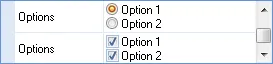
You can use the Property Grid's "options" data type to add options and radio buttons. It adds useful detail for production desktop applications.
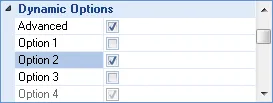
You can use the Property Grid's "dynamic" data types to show or hide more options based on the value of another value. It adds useful detail for production desktop applications.
Broad compatibility across Visual Studio, Windows desktop, and Windows Server releases — from modern environments to legacy deployments.
Development environments
- Visual Studio 2022
- Visual Studio 2019
- Visual Studio 2017
- Visual Studio 2015
- Visual Studio 2013
- Microsoft Access
- Visual FoxPro
- Delphi
- Html
- Visual Studio 2012
- Visual Studio 2010
- Visual Studio 2008
- Visual Studio 2005
- Visual Studio .NET 2003
- Visual Studio .NET 2002
- Visual Basic 6.0
Client operating systems
- Windows 11
- Windows 10
- Windows 8.1
- Windows 8
- Windows 7
- Windows Vista
- Windows XP
- Windows Me
- Windows 2000
- Windows 98 SE
- Windows 98
- Windows 95
Server environments
- Windows Server 2022
- Windows Server 2019
- Windows Server 2016
- Windows Server 2012 R2
- Windows Server 2012
- Windows Server 2008 R2
- Windows Server 2008
- Windows Server 2003 R2
- Windows Server 2003
- Windows 2000
- Windows NT 4.0
Baseline development and runtime support
- Compiler: Visual Basic 6.0
- Runtime: Windows 95 / NT 4.0