
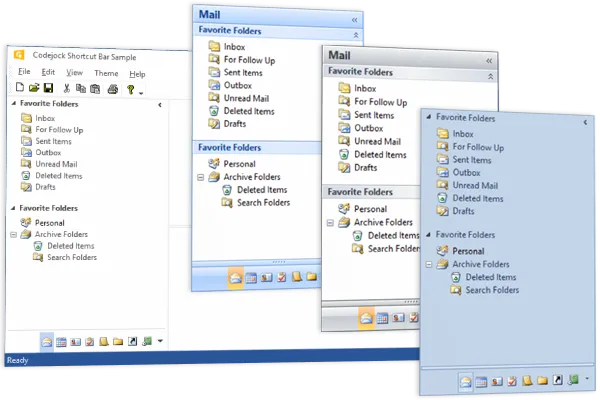
Shortcut Bar Navigation Component
for v24.3.0
Shortcut Bar for provides Windows developers with an intuitive navigation UI component and sophisticated Office style Shortcut Bar navigation panel similar to the navigation panel seen in Microsoft Outlook.
Shortcut Bar is included in Toolkit Pro for
Key Features
Codejock Shortcut Bar for provides several options to choose from including Expandable Navigation Bar and Shortcut List, Show / Hide Client Pane, Shortcut Icons, Caption Bar, Office and Windows Style Themes and much more!
Shortcut Bar is included with the Toolkit Pro for evaluation.
Office Themes
Apply polished Shortcut Bar visual styles and themes so the control matches the rest of your application interface.
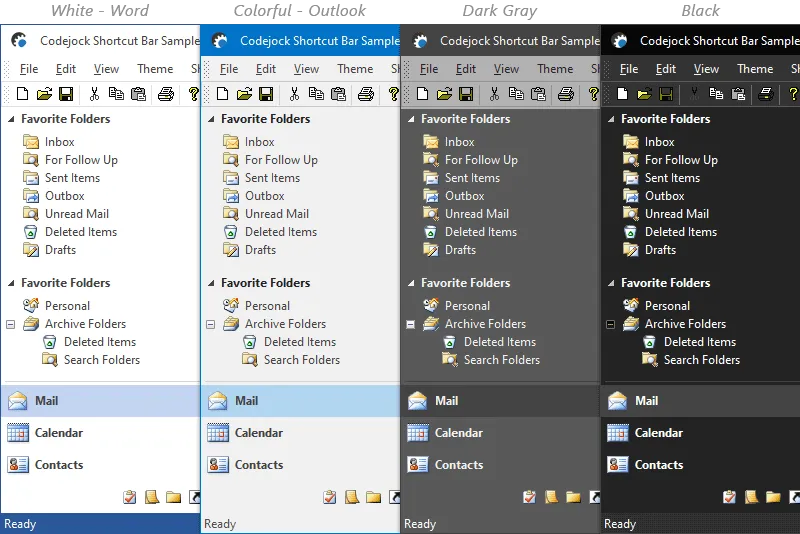
Office 2016
Office 2016 is already built-in, so you don't have to spend any extra time on this. It keeps related sections close at hand while preserving a clean layout for desktop navigation workflows.
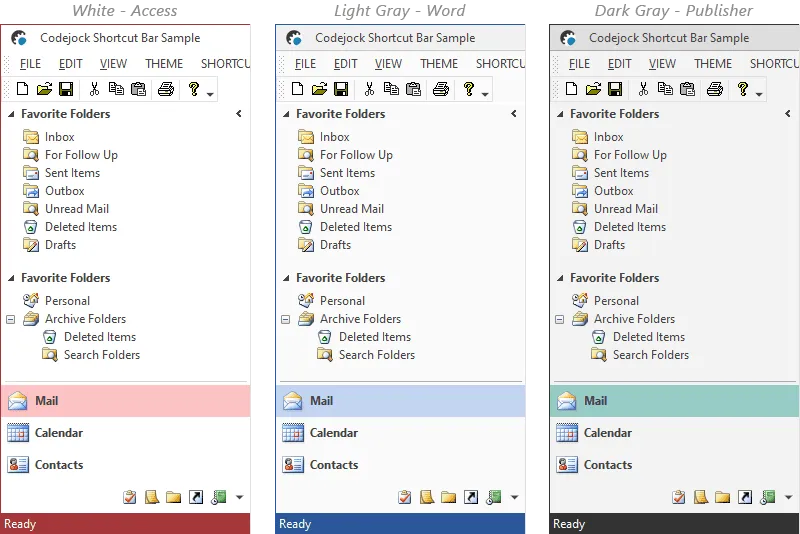
Office 2013
Office 2013 is already built-in, so you don't have to spend any extra time on this. It keeps related sections close at hand while preserving a clean layout for desktop navigation workflows.
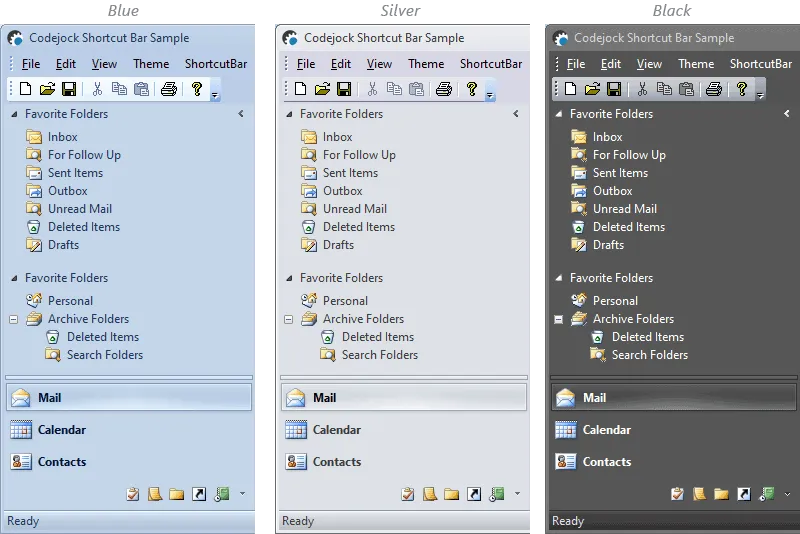
Office 2010
Office 2010 is already built-in, so you don't have to spend any extra time on this. It keeps related sections close at hand while preserving a clean layout for desktop navigation workflows.
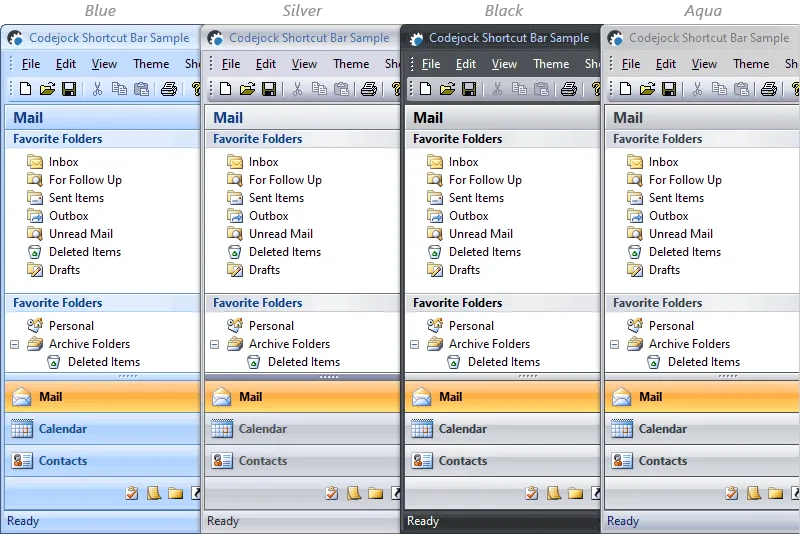
Office 2007
Office 2007 is already built-in, so you don't have to spend any extra time on this. It keeps related sections close at hand while preserving a clean layout for desktop navigation workflows.
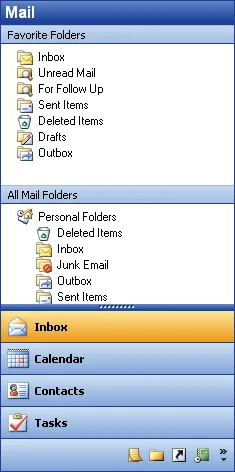
Office 2003 Theme
Office 2003 is already built-in, so you don't have to spend any extra time on this. It keeps related sections close at hand while preserving a clean layout for desktop navigation workflows.
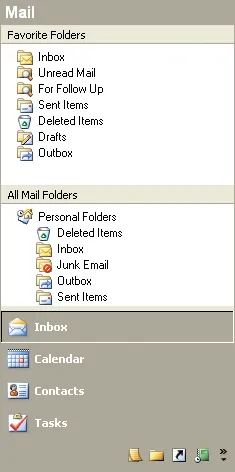
Office 2000 Theme
Office 2000 is already built-in, so you don't have to spend any extra time on this. It keeps related sections close at hand while preserving a clean layout for desktop navigation workflows.
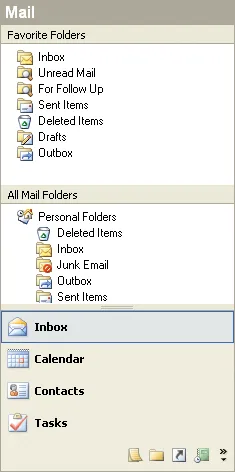
Office XP Theme
Shortcut Bar provides your application with full Office XP theme support that gives your application the closest, most exact Office XP style themes of any third-party tool available today.
Additional Themes
Apply polished Shortcut Bar visual styles and themes so the control matches the rest of your application interface.
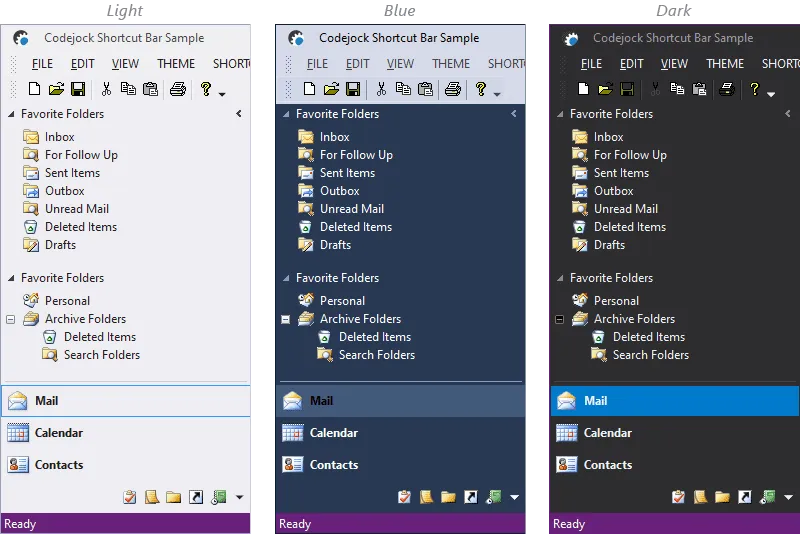
Visual Studio 2015
Make your Shortcut Bar fully consistent with your Visual Studio 2015 UI by taking advantage of the built-in Visual Studio 2015 Shortcut Bar theme. It improves clarity for everyday users.
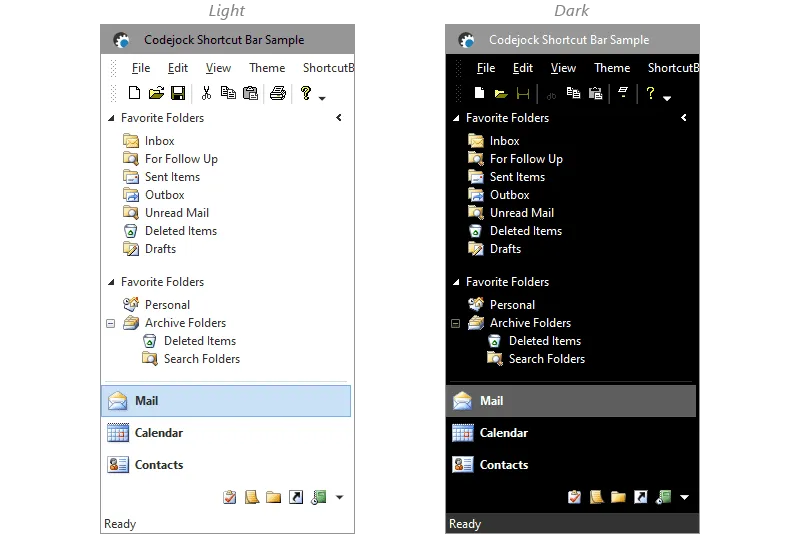
Windows 10
Make your Shortcut Bar fully consistent with your Windows 10 UI by taking advantage of the built-in Windows 10 Shortcut Bar theme. It adds useful detail for production desktop applications.
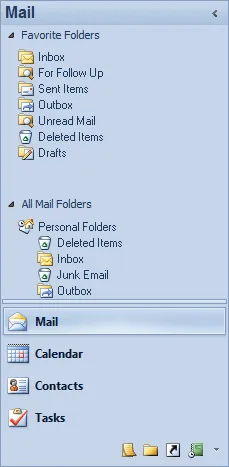
Windows 7 Scenic
Windows 7 Scenic is already built-in, so you don't have to spend any extra time on this. It adds useful detail for production desktop applications. It improves clarity for everyday users.
Features
Explore Shortcut Bar features for layout, appearance, interaction, customization, and developer control.
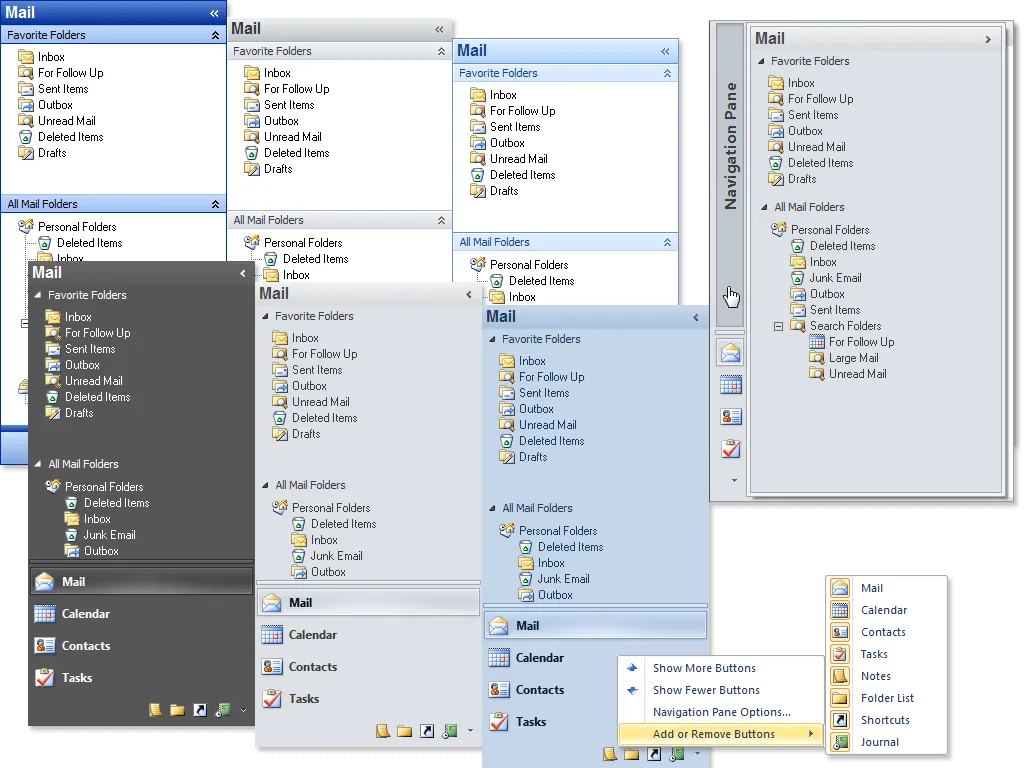
Outlook 2003, 2007 and 2010 ShortcutBar
Shortcut Bar comes with an Office 2003, 2007 and 2010 Shortcut Bar similar to what is seen in Microsoft Outlook 2003, 2007 and 2010. It improves clarity for everyday users.
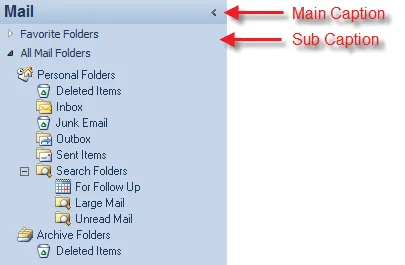
Shortcut Caption Bar
Shortcut Bar comes with an Office 2003, 2007 and 2010 Shortcut Caption Bar similar to what is seen in Microsoft Outlook. It adds useful detail for production desktop applications.
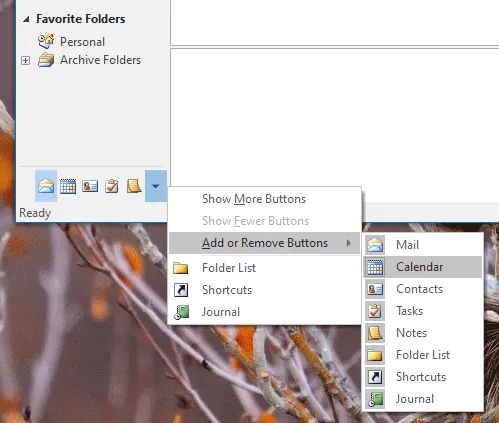
Expandable Shortcut List
Use Expandable Shortcut List to create responsive task and toolbox interfaces that feel natural in desktop applications. It adds useful detail for production desktop applications.
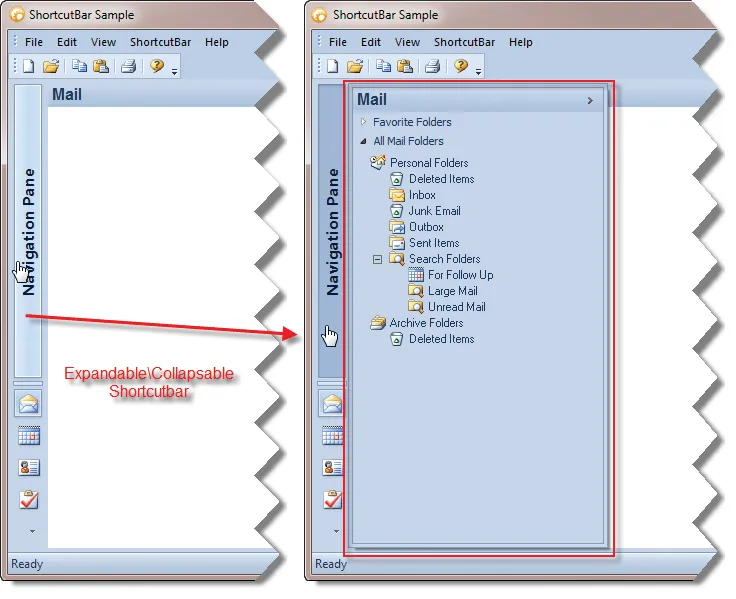
Expandable "Navigation" Shortcut Bar
Shortcut Bar allows you to expand or collapse the main Shortcut Bar to a "navigation" bar. It adds useful detail for production desktop applications.
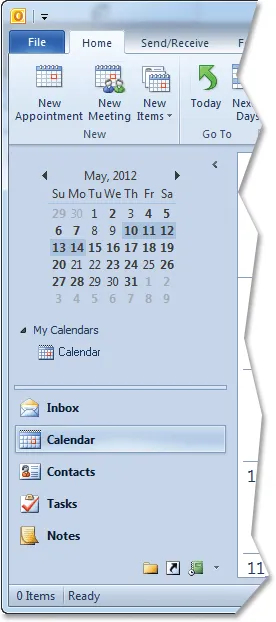
Shortcut Icons
Shortcut Bar allows you to easily use multiple icon sizes for different size shortcuts. It adds useful detail for production desktop applications. It improves clarity for everyday users.
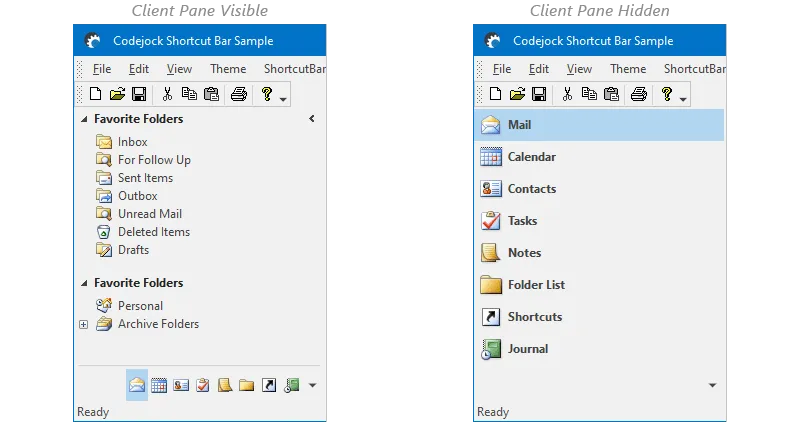
Hide/Show Shortcut Bar Client Pane
Shortcut Bar allows you to hide/show the client pane in your Shortcut Bar. It keeps related sections close at hand while preserving a clean layout for desktop navigation workflows.
Broad compatibility across Visual Studio, Windows desktop, and Windows Server releases — from modern environments to legacy deployments.
Development environments
- Visual Studio 2022
- Visual Studio 2019
- Visual Studio 2017
- Visual Studio 2015
- Visual Studio 2013
- Microsoft Access
- Visual Studio 2012
- Visual Studio 2010
- Visual Studio 2008
- Visual Studio 2005
- Visual Studio .NET 2003
- Visual Studio .NET 2002
- Visual Basic 6.0
Client operating systems
- Windows 11
- Windows 10
- Windows 8.1
- Windows 8
- Windows 7
- Windows Vista
- Windows XP
- Windows Me
- Windows 2000
- Windows 98 SE
- Windows 98
- Windows 95
Server environments
- Windows Server 2022
- Windows Server 2019
- Windows Server 2016
- Windows Server 2012 R2
- Windows Server 2012
- Windows Server 2008 R2
- Windows Server 2008
- Windows Server 2003 R2
- Windows Server 2003
- Windows 2000
- Windows NT 4.0
Baseline development and runtime support
- Compiler: Visual Basic 6.0
- Runtime: Windows 95 / NT 4.0