
Syntax Edit Code Editor Component
for v24.3.0
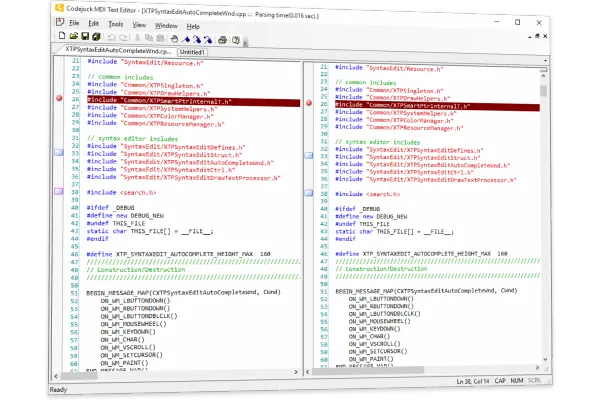
Codejock SyntaxEdit for provides your users with an advanced code editing GUI component that supports syntax colorization and many sophisticated text editor features.
Syntax Edit is included in Toolkit Pro for
Key Features
Codejock Syntax Edit for provides several options to choose from including ext block grouping, syntax colorization, line numbers, font type, pre-defined color schemes, book marks, break points and much more!
Syntax Edit is included with the Toolkit Pro for evaluation.
Editor Features
Explore Syntax Edit features for layout, appearance, interaction, customization, and developer control.
Advanced Syntax Editor
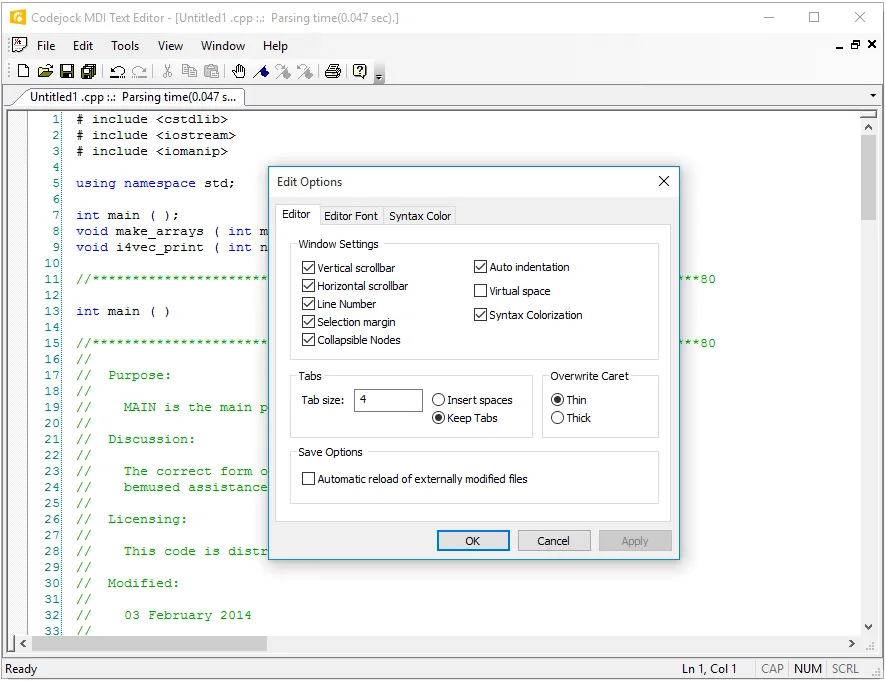
Support Advanced Syntax Editor scenarios with flexible editing, display, and validation options for common data workflows. It adds useful detail for production desktop applications.
Text Block Grouping
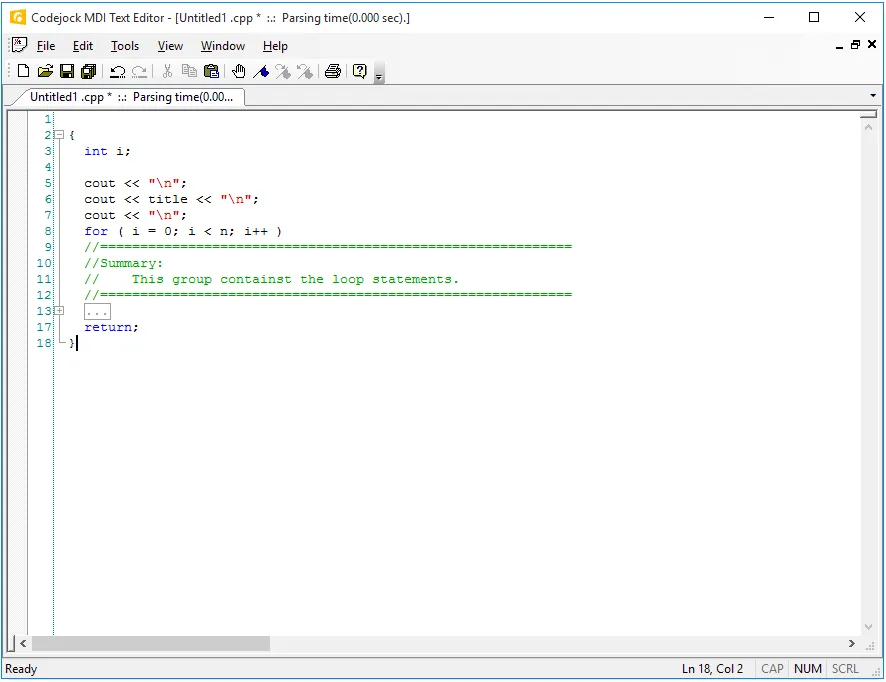
Visual Studio .NET style text block grouping allows you to easily organize a document of text into blocks of text that can be hidden with the click of a button.
Syntax Colorization
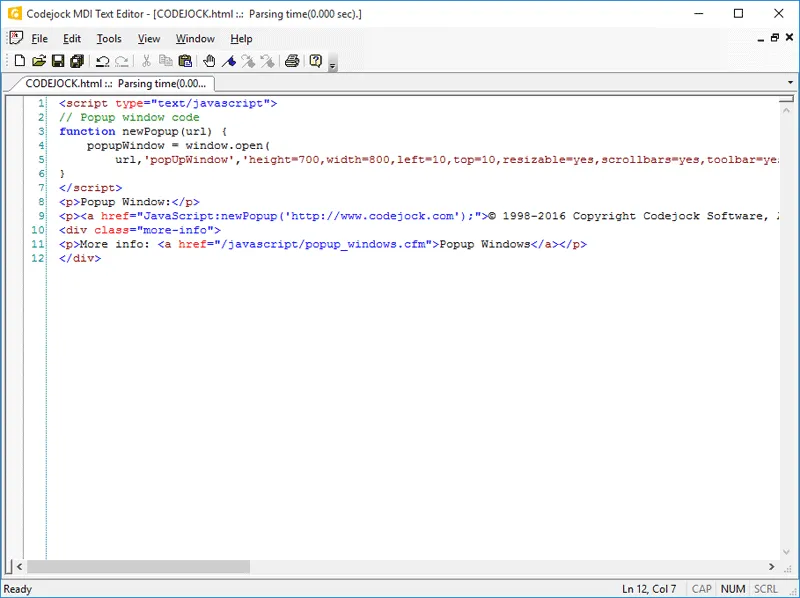
INI file based syntax colorization allows you to specify specific colorization rules for your text documents. It adds useful detail for production desktop applications.
Navigation and Debugging
Explore Syntax Edit features for layout, appearance, interaction, customization, and developer control.
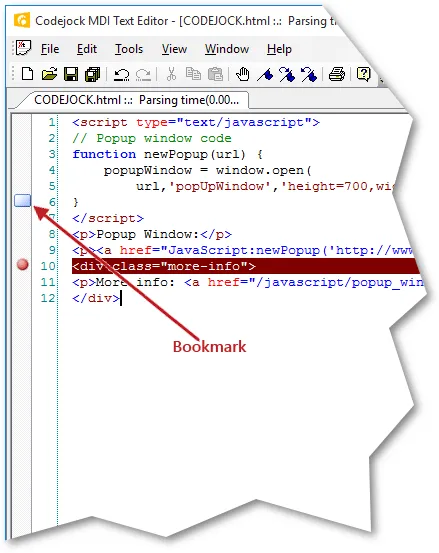
Bookmarks
Add Bookmarks support to make code editing clearer, faster, and easier to navigate. It improves the everyday user experience with practical behavior that is easy to understand and customize.
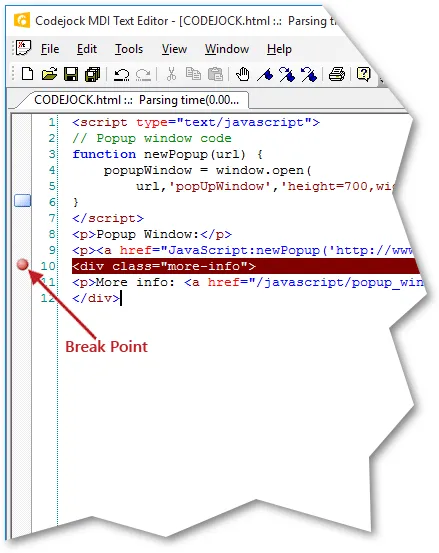
Breakpoints
Add Breakpoints support to make code editing clearer, faster, and easier to navigate. It adds useful detail for production desktop applications. It improves clarity for everyday users.
Editor Assistance
Explore Syntax Edit features for layout, appearance, interaction, customization, and developer control.
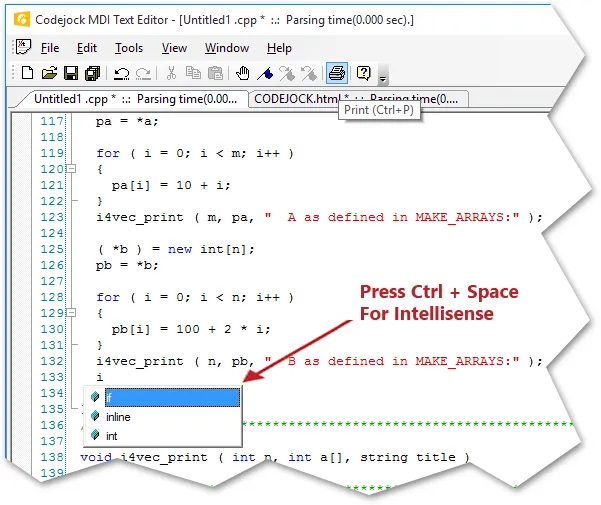
Intellisense Help
Add Intellisense Help support to make code editing clearer, faster, and easier to navigate. It adds useful detail for production desktop applications.
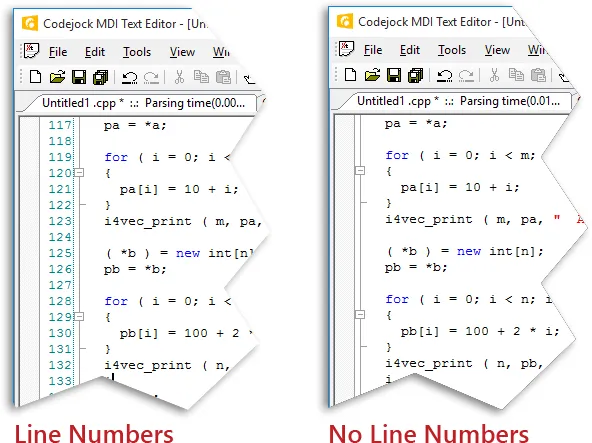
Line Numbers
Allow you to easily see how many lines are in a text document as well as serve reference to the position you are at in the document. It improves clarity for everyday users.
Broad compatibility across Visual Studio, Windows desktop, and Windows Server releases — from modern environments to legacy deployments.
Development environments
- Visual Studio 2022
- Visual Studio 2019
- Visual Studio 2017
- Visual Studio 2015
- Visual Studio 2013
- Microsoft Access
- Visual Studio 2012
- Visual Studio 2010
- Visual Studio 2008
- Visual Studio 2005
- Visual Studio .NET 2003
- Visual Studio .NET 2002
- Visual Basic 6.0
Client operating systems
- Windows 11
- Windows 10
- Windows 8.1
- Windows 8
- Windows 7
- Windows Vista
- Windows XP
- Windows Me
- Windows 2000
- Windows 98 SE
- Windows 98
- Windows 95
Server environments
- Windows Server 2022
- Windows Server 2019
- Windows Server 2016
- Windows Server 2012 R2
- Windows Server 2012
- Windows Server 2008 R2
- Windows Server 2008
- Windows Server 2003 R2
- Windows Server 2003
- Windows 2000
- Windows NT 4.0
Baseline development and runtime support
- Compiler: Visual Basic 6.0
- Runtime: Windows 95 / NT 4.0