
Command Bars
for Visual C++ MFC v24.3.0
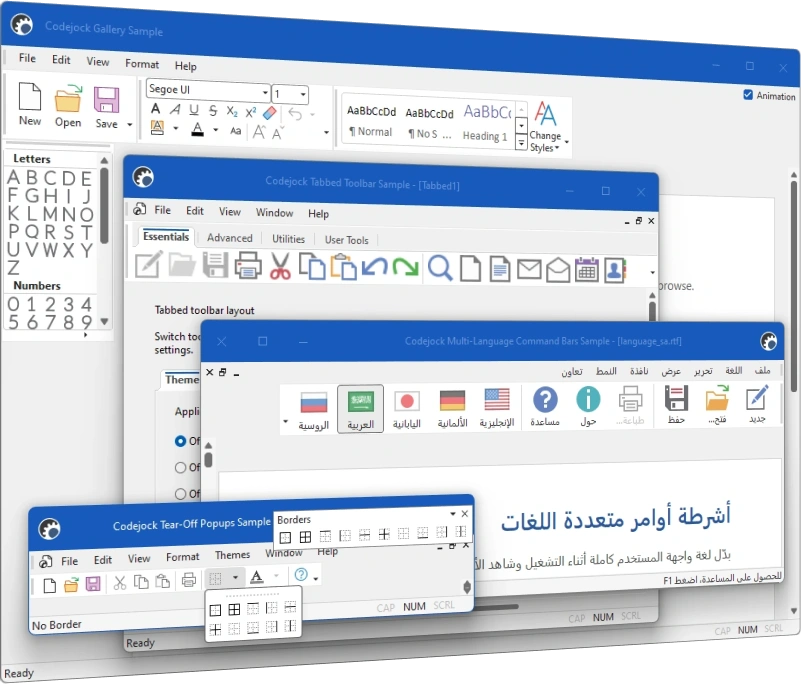
Command Bars for Visual C++ MFC provides Windows developers with comprehensive, fully customizable menus, toolbars, ribbon and MDI tab windows to give your application a professional and modern interface.
Command Bars is included in Toolkit Pro for Visual C++ MFC
Command Bars Features
Codejock Command Bars for Visual C++ MFC includes Office and Visual Studio themes, tabbed and transparent toolbars, MDI tabs, accelerators, hot keys, layout persistence, and runtime customization.
Command Bars is included with the Toolkit Pro for Visual C++ MFC evaluation.
Command Bar Themes
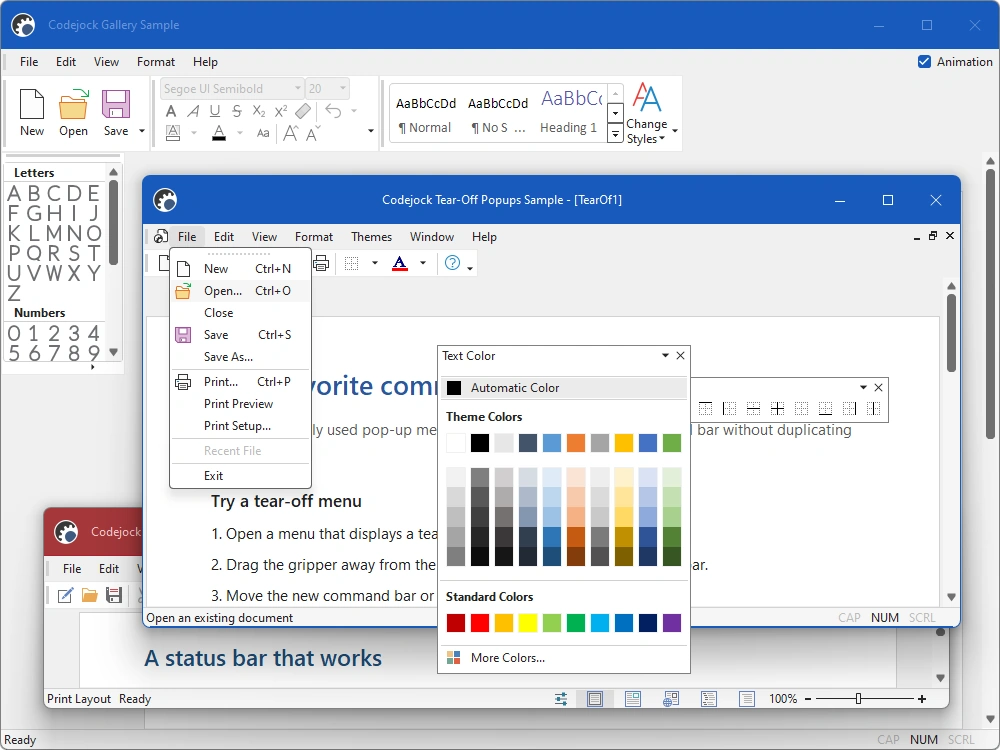
Apply current Visual Studio, Office, and Windows styling to command bars, menus, toolbars, status bars, and application frames.
- Visual Studio Themes — Choose Visual Studio 2026 Dark or Light styling. Dark includes Default, Cool Slate, Juicy Plum, Moonlight Glow, Mystical Forest, and Spicy Red. Light includes Default, Bubblegum, Cool Breeze, Icy Mint, Mango Paradise, Silky Pink, and Sunny Day. Earlier themes include Visual Studio 2022 and Visual Studio 2015-2019.
- Office Themes — Use Office 2024 Black, White, Colorful, or Dark Gray with Access, Excel, OneNote, Outlook, PowerPoint, and Word accents, plus Office 2019, 2016, and 2013 styling.
- Windows Themes — Choose Windows 11 Dark or Light styling and native Windows 10 command surfaces.
- Custom Themes — Extend paint managers, color sets, metrics, and frame drawing for branded applications.
Menus, Toolbars, and Status Bars
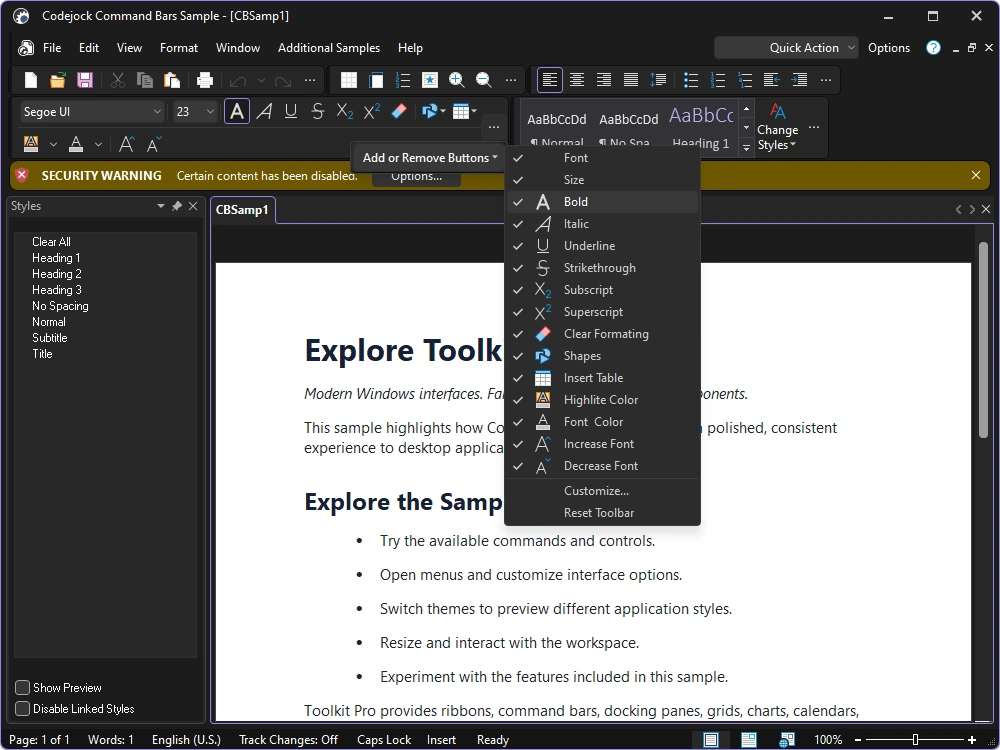
Build familiar command interfaces with dockable toolbars, popup menus, rich controls, and status information.
- Menus and Toolbars — Create Office-style menus and dockable toolbars with consistent command handling.
- Popup and Context Menus — Display command menus from controls, documents, and application workspaces.
- Tabbed Toolbars — Group related toolbar commands into compact tabbed surfaces.
- Transparent Toolbars — Blend toolbar backgrounds into modern composed application frames.
- Status Bar Layout — Arrange indicators, controls, and stretchable panes along the application frame.
- Rich Command Controls — Combine buttons, split buttons, popups, edits, combos, and toggle controls.
Commands and Personalization
Give users flexible shortcuts, icons, toolbars, and runtime customization while preserving application control.
- Vector and Alpha Icons — Render crisp vector or alpha-blended command images across supported DPI settings.
- Shortcut Key Tips — Expose keyboard access keys with familiar key-tip overlays.
- Accelerator Editor — Let users review and assign application keyboard shortcuts.
- Image Manager — Manage normal, hot, disabled, and scaled command images from one service.
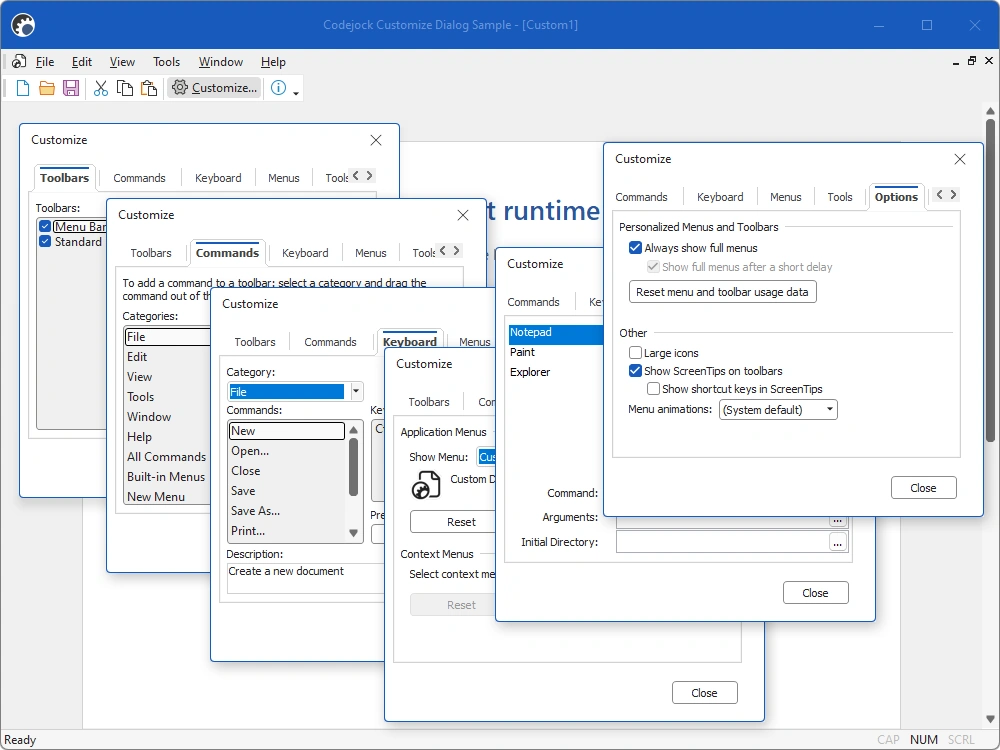
- Runtime Customization — Let users add, remove, reorder, and reset commands through a customization UI.
- User-Defined Toolbars — Allow users to create and manage personal toolbars at runtime.
- Layout Persistence — Save and restore command-bar placement and customization between sessions.
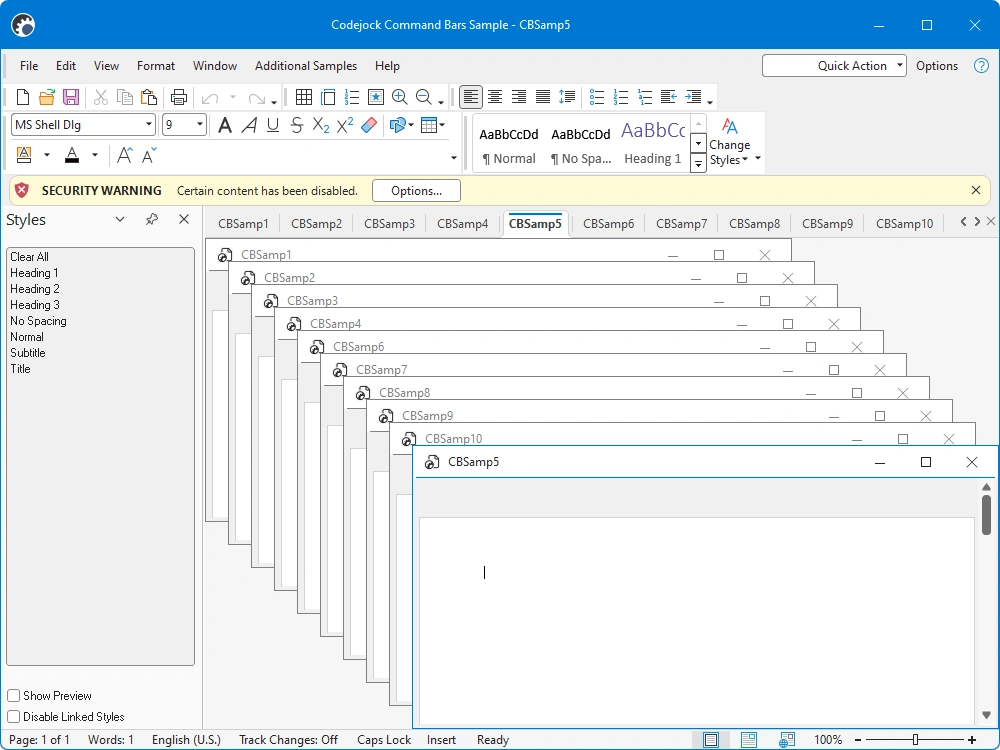
MDI Tabs and Workspaces
Modernize document interfaces with grouped tabs, tear-off windows, navigation, and configurable presentation.
- Tabbed Workspaces — Present MDI documents in organized tab groups with active-document tracking.
- MDI Tear-Off Windows — Detach documents into independent frames and return them to the workspace.
- Multi-Row Tab Layout — Fit larger document sets with configurable multi-row tab arrangements.
- Tab Reordering — Let users reorder workspace tabs through direct drag-and-drop interaction.
- Tab Buttons and Icons — Add close, navigation, and document icons to workspace tabs.
- Tab Appearance — Configure tab position, borders, colors, margins, and appearance styles.
Command Infrastructure
Connect command state, localization, persistence, and custom drawing to the surrounding application.
- Command Actions — Share command state and behavior across menus, toolbars, and controls.
- Dynamic Command Updates — Update labels, icons, visibility, and enablement as application state changes.
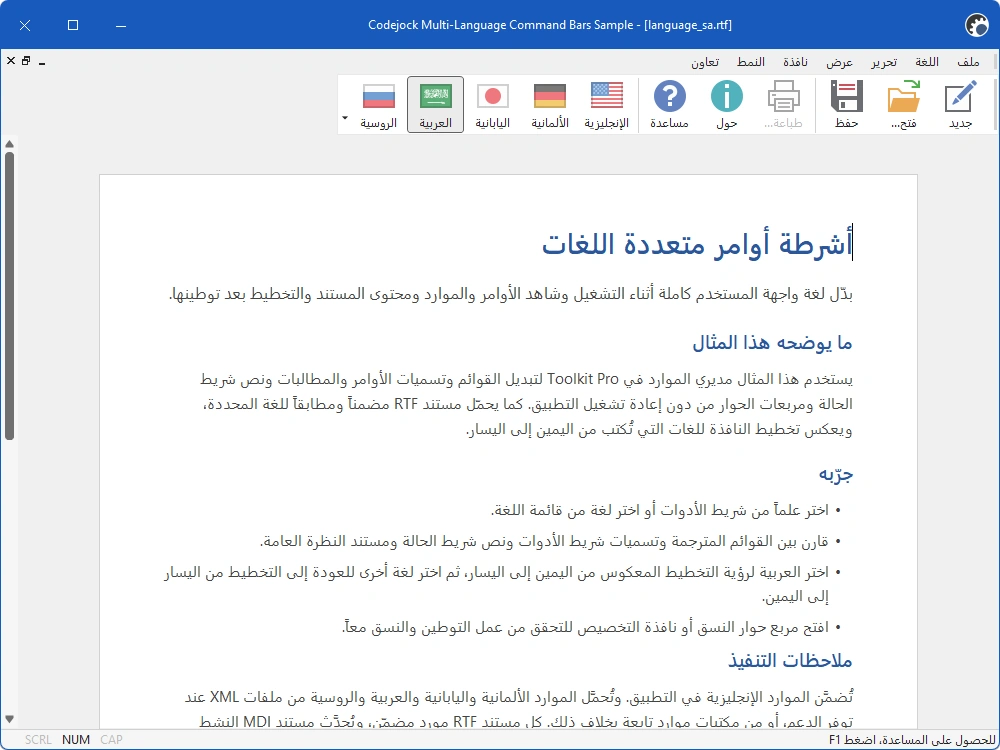
- Localization — Load translated command text and build multilingual command interfaces.
- Serialization — Load and save command-bar definitions from resources or external storage.
Broad compatibility across Visual Studio, Windows desktop, and Windows Server releases — from modern environments to legacy deployments.
Development environments
- Visual Studio 2026 (VC++ 18.0)
- Visual Studio 2022 (VC++ 17.0)
- Visual Studio 2019 (VC++ 16.0)
- Visual Studio 2017 (VC++ 15.0)
- Visual Studio 2015 (VC++ 14.0)
- Visual Studio 2013 (VC++ 12.0)
- Visual Studio 2012 (VC++ 11.0)
- Visual Studio 2010 (VC++ 10.0)
- Visual Studio 2008 (VC++ 9.0)
- Visual Studio 2005 (VC++ 8.0)
- Visual Studio .NET 2003 (VC++ 7.1)
- Visual Studio .NET 2002 (VC++ 7.0)
- Visual Studio 6.0 (VC++ 6.0)
Client operating systems
- Windows 11
- Windows 10
- Windows 8.1
- Windows 8
- Windows 7
- Windows Vista
- Windows XP
- Windows Me
- Windows 2000
- Windows 98 SE
- Windows 98
- Windows 95
Server environments
- Windows Server 2025
- Windows Server 2022
- Windows Server 2019
- Windows Server 2016
- Windows Server 2012 R2
- Windows Server 2012
- Windows Server 2008 R2
- Windows Server 2008
- Windows Server 2003 R2
- Windows Server 2003
- Windows 2000
- Windows NT 4.0