
Property Grid
for Visual C++ MFC v24.3.0
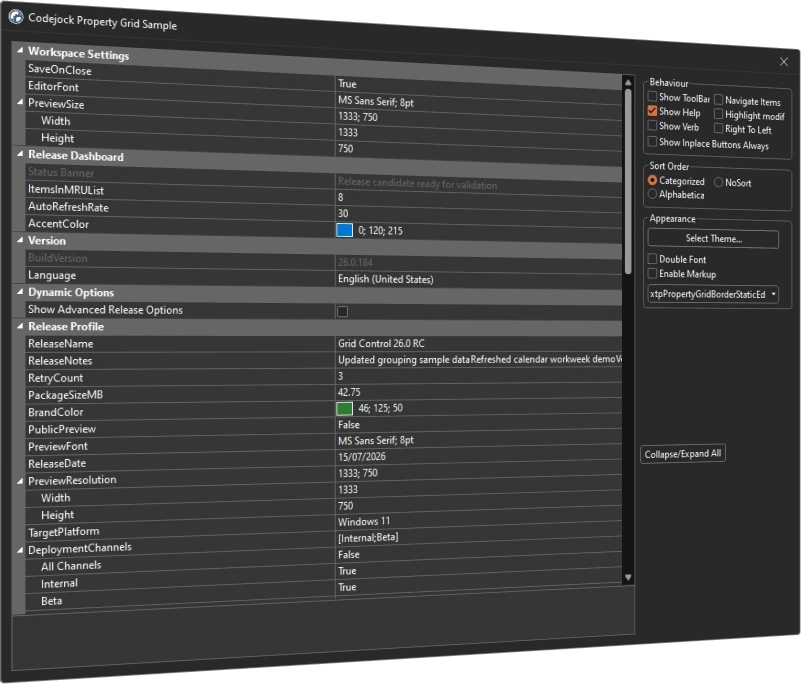
Property Grid for Visual C++ MFC provides a fully customizable property editor for professional Windows applications. Organize settings in hierarchical categories and represent common data types, nested values, and application-specific items.
Property Grid is included in Toolkit Pro for Visual C++ MFC
Property Grid Features
Codejock Property Grid for Visual C++ MFC includes categorized property browsing, built-in editors, integrated toolbar and help panel, sorting, splitter control, masked editing, and Office and Visual Studio theme support.
Property Grid is included with the Toolkit Pro for Visual C++ MFC evaluation.
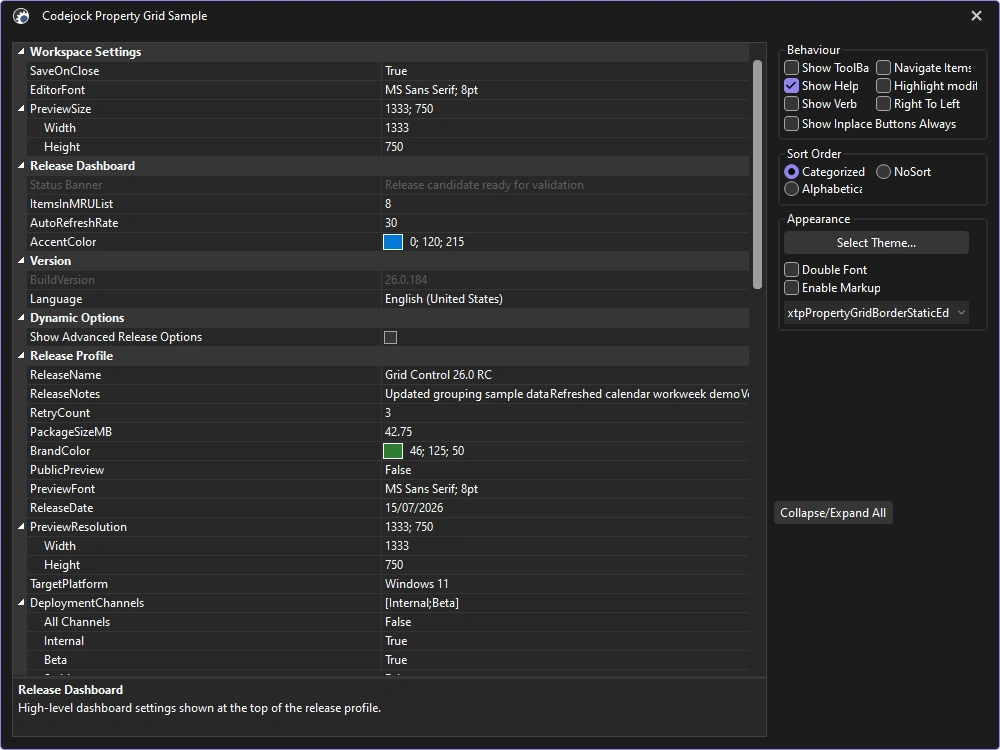
Property Grid Themes
Match property categories, editors, toolbars, and selection states to current Microsoft development tools, productivity applications, and Windows experiences.
- Visual Studio Themes — Choose Visual Studio 2026 Dark or Light styling. Dark includes Default, Cool Slate, Juicy Plum, Moonlight Glow, Mystical Forest, and Spicy Red. Light includes Default, Bubblegum, Cool Breeze, Icy Mint, Mango Paradise, Silky Pink, and Sunny Day. Earlier themes include Visual Studio 2022 and Visual Studio 2015-2019.
- Office Themes — Choose Office 2024 Black, White, Colorful, or Dark Gray with Access, Excel, OneNote, Outlook, PowerPoint, and Word accents, plus Office 2019, 2016, and 2013 styling.
- Windows Themes — Apply Windows 11 Dark or Light styling throughout the property editor, plus Windows 10 styling.
- Custom Themes — Tailor colors for property categories and values to match your application.
Navigation and Structure
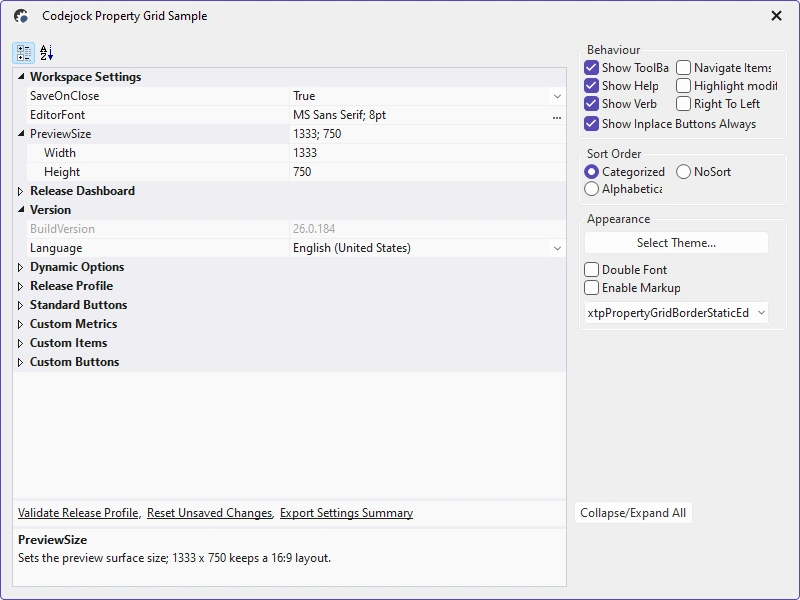
Organize large property sets with flexible browsing, contextual help, commands, and nested items.
- Categorized and Alphabetic Views — Switch between grouped categories and an alphabetically sorted property list.
- Data Sorting — Sort by category, alphabetically, or in original insertion order.
- Integrated Toolbar — Expose sorting, categorization, and application commands above the grid.
- Help and Verb Panels — Show contextual descriptions and command links around the property list.
- Hierarchical Properties — Expand nested values and child items within the grid.
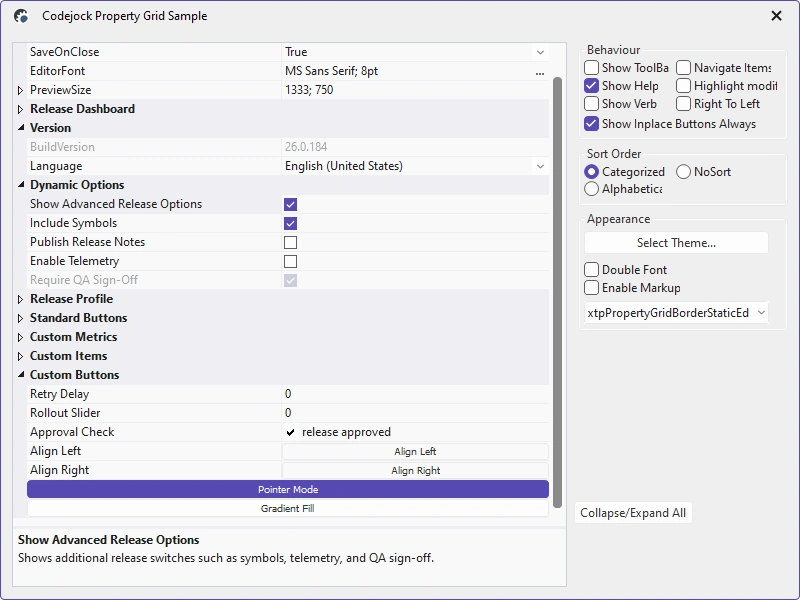
- In-Place Buttons — Add dropdown, browse, reset, or custom actions beside values.
- Right-to-Left Layout — Mirror labels, values, controls, and hierarchy for RTL interfaces.
Built-In Item Types
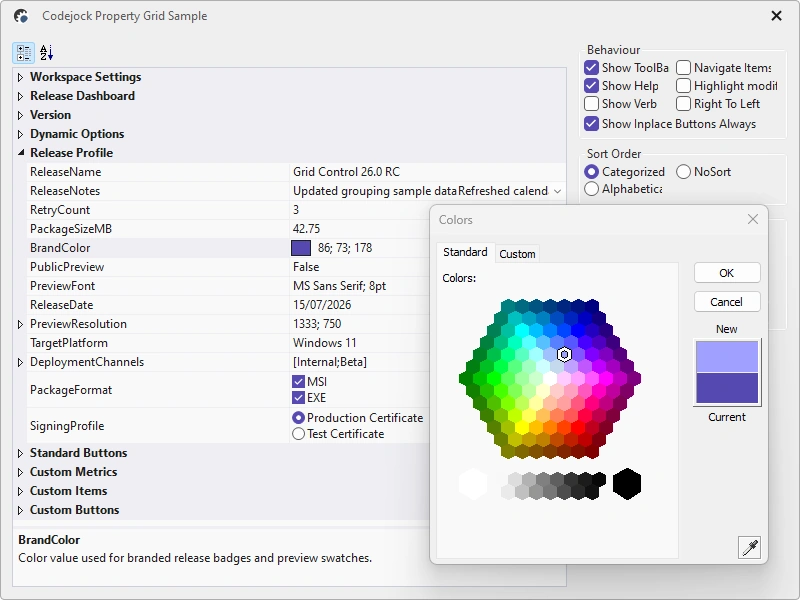
Edit common application values with purpose-built controls, validation, formatting, and read-only presentation.
- Text and Masked Values — Edit free-form text or constrain entry with application-defined input masks.
- Boolean and Option Values — Use check boxes, selectable text, combo lists, or predefined option collections.
- Color and Date Values — Choose colors with preview swatches and dates with calendar-based selection.
- Numeric and Double Values — Validate and format integer, floating-point, and decimal values.
- Font and Picture Values — Select fonts and associate images with compact property-grid previews.
- Read-Only Values — Present values that users can review without editing.
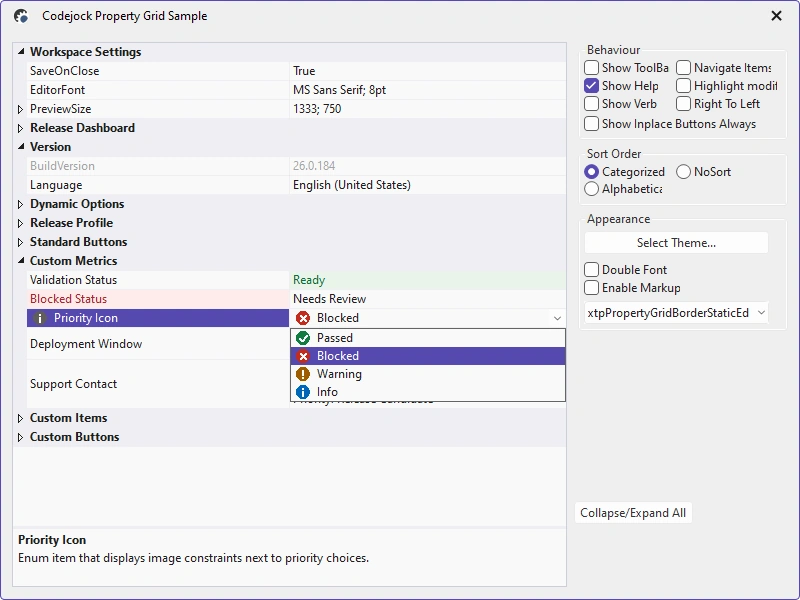
Property Grid Presentation
Customize item content, metrics, markup, splitting, selection, and drawing for application-specific editors.
- Markup Content — Render formatted markup in captions, values, and descriptions.
- Custom Item Metrics — Control fonts, colors, heights, and presentation for individual items.
- Adjustable Splitter — Resize the boundary between property names and values.
- Combo Lists — Offer predefined choices through an in-place dropdown editor.
- Custom Dialog Editors — Open application-specific editors from in-place browse buttons.
- Custom Appearance — Extend drawing for specialized or branded interfaces.
Property Model and Extensibility
Build application-specific editors through item classes, runtime configuration, notifications, validation, persistence, and custom drawing.
- Custom Item Types — Derive property items and editors for application-specific values.
- Dynamic Items — Create and update property types and constraints at runtime.
- Validation and Constraints — Validate edits and restrict values through item-specific constraints.
- Change Notifications — Respond before and after selection, expansion, and value changes.
- State Persistence — Save and restore sorting, expansion, selection, and splitter settings.
- Custom Paint Manager — Extend metrics, colors, editors, and drawing for branded applications.
Broad compatibility across Visual Studio, Windows desktop, and Windows Server releases — from modern environments to legacy deployments.
Development environments
- Visual Studio 2026 (VC++ 18.0)
- Visual Studio 2022 (VC++ 17.0)
- Visual Studio 2019 (VC++ 16.0)
- Visual Studio 2017 (VC++ 15.0)
- Visual Studio 2015 (VC++ 14.0)
- Visual Studio 2013 (VC++ 12.0)
- Visual Studio 2012 (VC++ 11.0)
- Visual Studio 2010 (VC++ 10.0)
- Visual Studio 2008 (VC++ 9.0)
- Visual Studio 2005 (VC++ 8.0)
- Visual Studio .NET 2003 (VC++ 7.1)
- Visual Studio .NET 2002 (VC++ 7.0)
- Visual Studio 6.0 (VC++ 6.0)
Client operating systems
- Windows 11
- Windows 10
- Windows 8.1
- Windows 8
- Windows 7
- Windows Vista
- Windows XP
- Windows Me
- Windows 2000
- Windows 98 SE
- Windows 98
- Windows 95
Server environments
- Windows Server 2025
- Windows Server 2022
- Windows Server 2019
- Windows Server 2016
- Windows Server 2012 R2
- Windows Server 2012
- Windows Server 2008 R2
- Windows Server 2008
- Windows Server 2003 R2
- Windows Server 2003
- Windows 2000
- Windows NT 4.0