
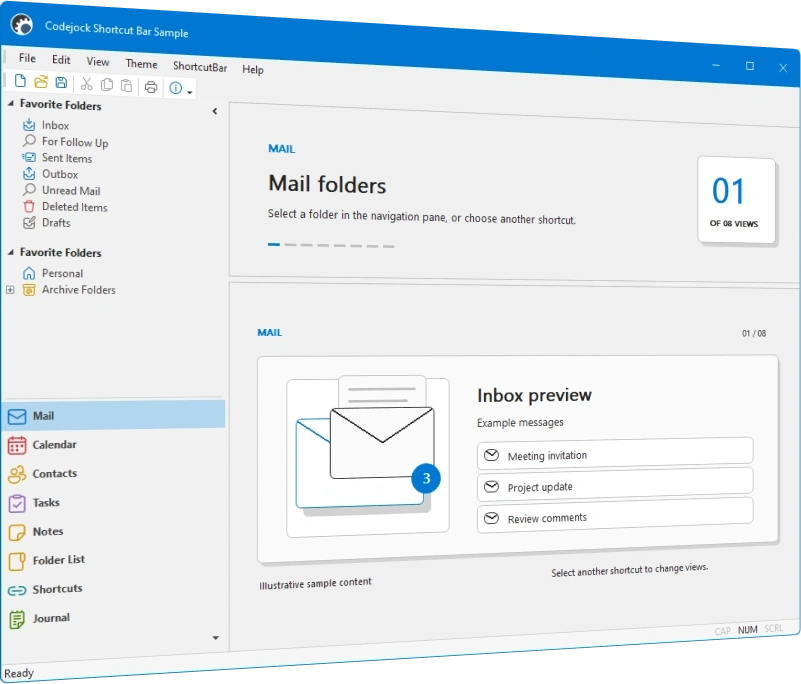
Shortcut Bar
for Visual C++ MFC v24.3.0
Shortcut Bar for Visual C++ MFC provides Windows developers with an intuitive navigation UI component and a sophisticated Office-style shortcut bar similar to the navigation panel in Microsoft Outlook.
Shortcut Bar is included in Toolkit Pro for Visual C++ MFC
Shortcut Bar Features
Codejock Shortcut Bar for Visual C++ MFC includes Outlook-style navigation bars, shortcut lists, caption bars, client pane visibility, multiple icon sizes, and Office and Windows themes.
Shortcut Bar is included with the Toolkit Pro for Visual C++ MFC evaluation.
Shortcut Bar Themes
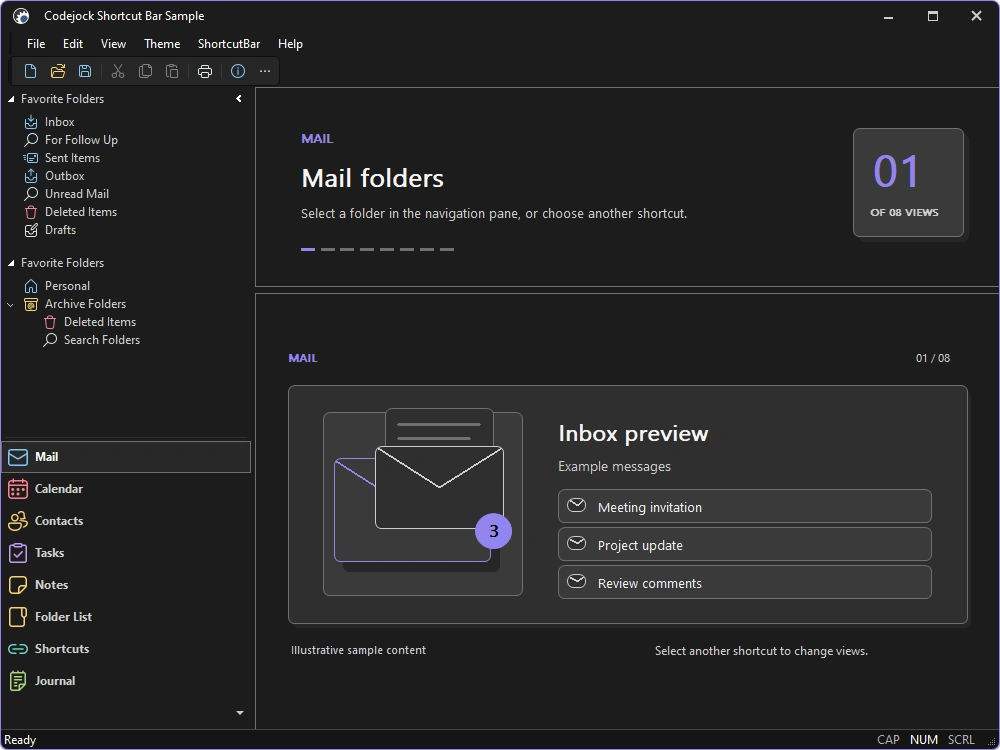
Apply current Visual Studio, Office, and Windows styling to shortcut buttons, captions, panes, and navigation surfaces.
- Visual Studio Themes — Choose Visual Studio 2026 Dark or Light styling. Dark includes Default, Cool Slate, Juicy Plum, Moonlight Glow, Mystical Forest, and Spicy Red. Light includes Default, Bubblegum, Cool Breeze, Icy Mint, Mango Paradise, Silky Pink, and Sunny Day. Earlier themes include Visual Studio 2022 and Visual Studio 2015-2019.
- Office Themes — Use Office 2024 Black, White, Colorful, or Dark Gray with Access, Excel, OneNote, Outlook, PowerPoint, and Word accents, plus Office 2019, 2016, and 2013 styling.
- Windows Themes — Choose Windows 11 Dark or Light styling and native Windows 10 navigation surfaces.
- Custom Paint Manager — Extend colors, metrics, and drawing for branded navigation.
Shortcut Navigation and Layout
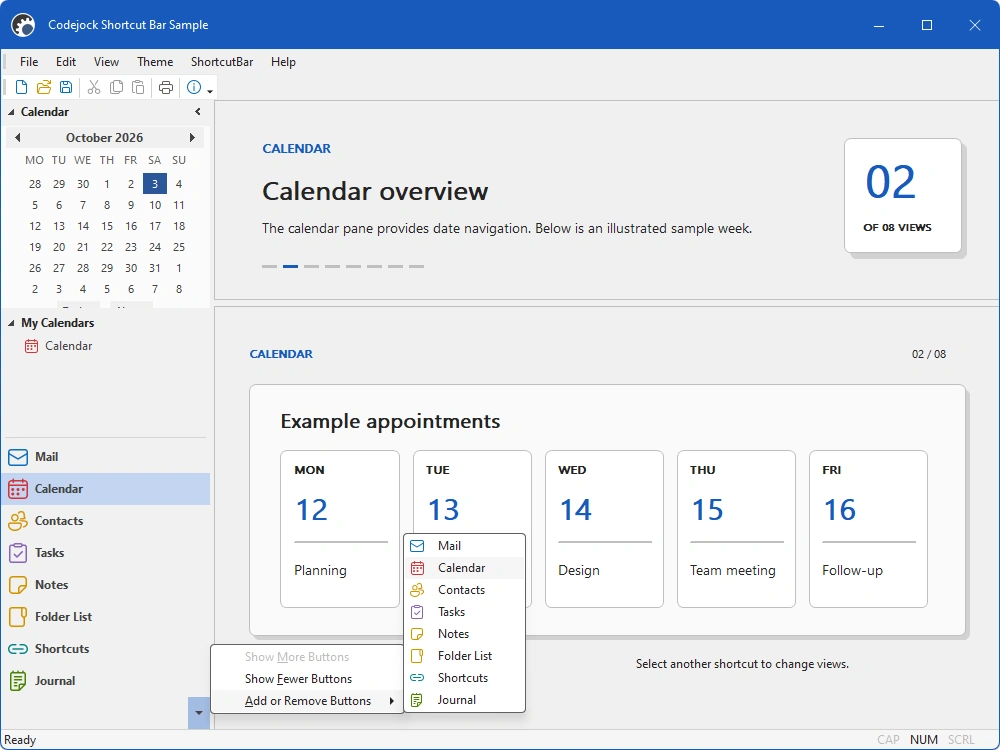
Build compact Outlook-style navigation with expandable items, client panes, and flexible icons.
- Outlook-Style Navigation — Organize major application areas in familiar shortcut buttons and panes.
- Caption Bar — Display context, titles, and commands above the active shortcut content.
- Expandable Shortcut List — Expand or collapse shortcut groups to fit available vertical space.
- Shortcut Icons — Associate scalable icons with navigation items for quick recognition.
- Optional Client Pane — Show or hide the integrated client area beside shortcut navigation.
- Animated Navigation — Animate shortcut layout changes when items expand, collapse, or move.
- Popup Panes — Present overflow or compact navigation content in temporary popup panes.
Broad compatibility across Visual Studio, Windows desktop, and Windows Server releases — from modern environments to legacy deployments.
Development environments
- Visual Studio 2026 (VC++ 18.0)
- Visual Studio 2022 (VC++ 17.0)
- Visual Studio 2019 (VC++ 16.0)
- Visual Studio 2017 (VC++ 15.0)
- Visual Studio 2015 (VC++ 14.0)
- Visual Studio 2013 (VC++ 12.0)
- Visual Studio 2012 (VC++ 11.0)
- Visual Studio 2010 (VC++ 10.0)
- Visual Studio 2008 (VC++ 9.0)
- Visual Studio 2005 (VC++ 8.0)
- Visual Studio .NET 2003 (VC++ 7.1)
- Visual Studio .NET 2002 (VC++ 7.0)
- Visual Studio 6.0 (VC++ 6.0)
Client operating systems
- Windows 11
- Windows 10
- Windows 8.1
- Windows 8
- Windows 7
- Windows Vista
- Windows XP
- Windows Me
- Windows 2000
- Windows 98 SE
- Windows 98
- Windows 95
Server environments
- Windows Server 2025
- Windows Server 2022
- Windows Server 2019
- Windows Server 2016
- Windows Server 2012 R2
- Windows Server 2012
- Windows Server 2008 R2
- Windows Server 2008
- Windows Server 2003 R2
- Windows Server 2003
- Windows 2000
- Windows NT 4.0