
Task Panel
for Visual C++ MFC v24.3.0
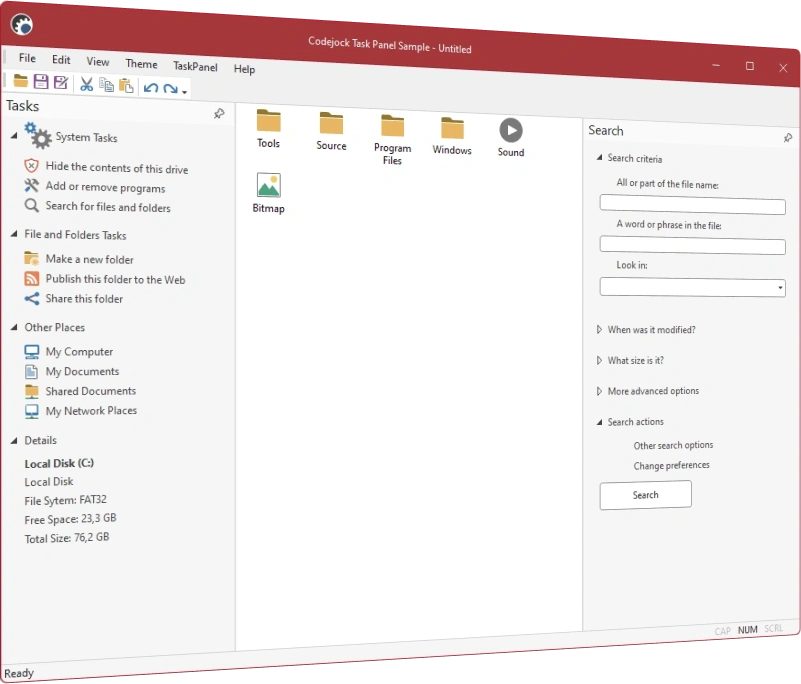
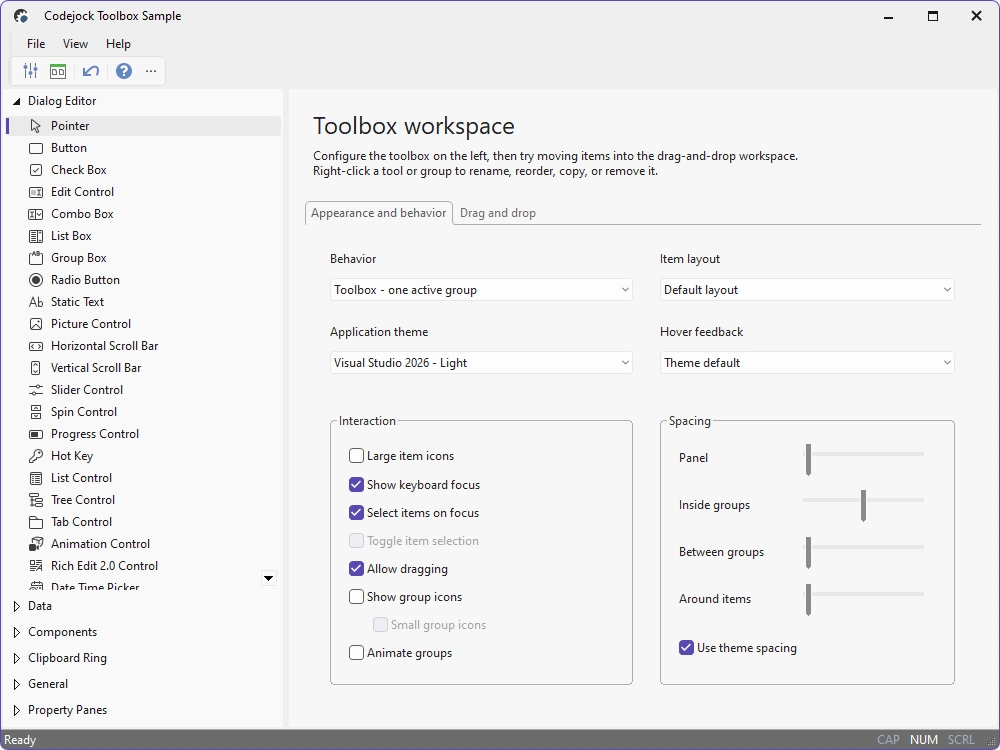
Task Panel for Visual C++ MFC provides Windows developers with a flexible GUI for task management and a sophisticated Office Task Panel similar to what is seen in Microsoft Office and Windows Explorer. The Task Panel can even be used as a Visual Studio-style toolbox.
Task Panel is included in Toolkit Pro for Visual C++ MFC
Task Panel Features
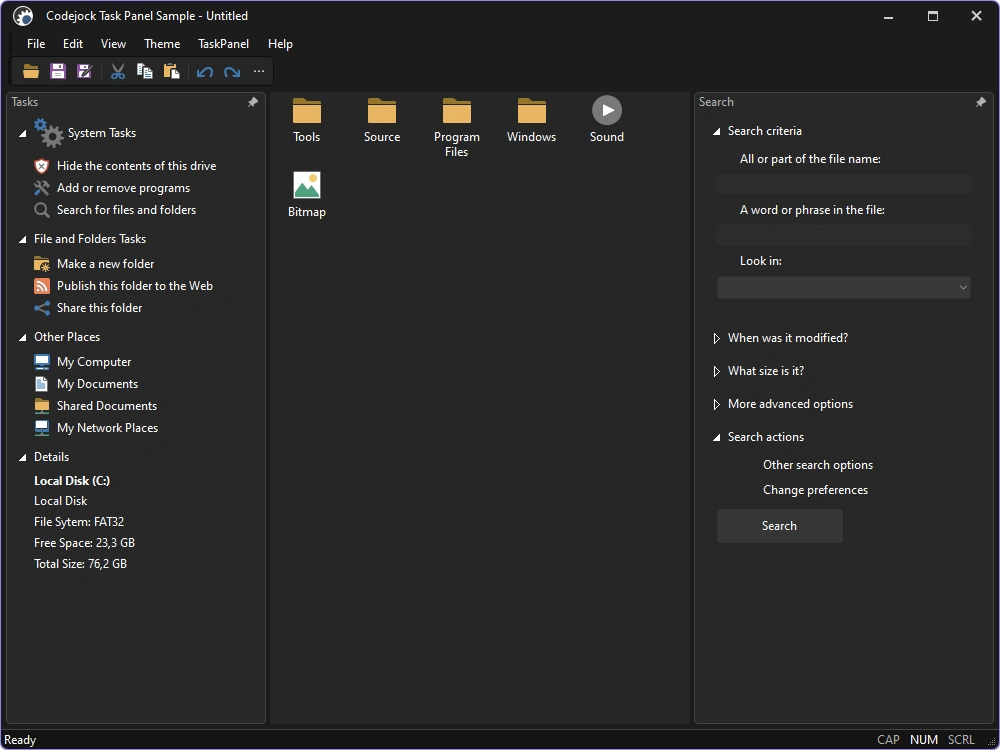
Codejock Task Panel for Visual C++ MFC includes Office and Explorer-style task panels, expandable groups, captions, animation, margins, toolbox layouts, drag-and-drop, hot tracking, and Office and Visual Studio themes.
Task Panel is included with the Toolkit Pro for Visual C++ MFC evaluation.
Task Panel Themes
Apply current Visual Studio, Office, Windows, and specialized styling to task groups, captions, items, and toolbox surfaces.
- Visual Studio Themes — Choose Visual Studio 2026 Dark or Light styling. Dark includes Default, Cool Slate, Juicy Plum, Moonlight Glow, Mystical Forest, and Spicy Red. Light includes Default, Bubblegum, Cool Breeze, Icy Mint, Mango Paradise, Silky Pink, and Sunny Day. Earlier themes include Visual Studio 2022 and Visual Studio 2015-2019.
- Office Themes — Use Office 2024 Black, White, Colorful, or Dark Gray with Access, Excel, OneNote, Outlook, PowerPoint, and Word accents, plus Office 2019, 2016, and 2013 styling.
- Windows Themes — Choose Windows 11 Dark or Light styling and native Windows 10 task-panel surfaces.
- Specialized Styles — Use Explorer, list-view, or Outlook-style task-panel layouts.
- Custom Paint Manager — Extend task-panel colors, metrics, and drawing for branded interfaces.
Task Groups and Interaction
Present grouped actions, links, controls, and toolbox items in expandable navigation surfaces.
- Task Panel Control — Organize related commands and content into scrollable task groups.
- Item Types — Combine links, text, controls, and custom items within each group.
- Group Captions — Configure caption text, icons, colors, alignment, and command behavior.
- Special Groups — Highlight important groups with distinct caption and background treatment.
- Animated Expansion — Animate group expansion and collapse for smoother navigation.
- Expandable Groups — Let users open and close groups while preserving panel organization.
- Toolbox Layout — Present compact Visual Studio-style toolbox groups and items.
- Drag and Drop — Reorder or transfer task and toolbox items through drag-and-drop interaction.
- Selection and Hot Tracking — Communicate hover, focus, pressed, and selected item states.
- Right-to-Left Layout — Mirror group and item layout for right-to-left user interfaces.
- Behavior Modes — Configure scrolling, focus, selection, animation, and item interaction.
Broad compatibility across Visual Studio, Windows desktop, and Windows Server releases — from modern environments to legacy deployments.
Development environments
- Visual Studio 2026 (VC++ 18.0)
- Visual Studio 2022 (VC++ 17.0)
- Visual Studio 2019 (VC++ 16.0)
- Visual Studio 2017 (VC++ 15.0)
- Visual Studio 2015 (VC++ 14.0)
- Visual Studio 2013 (VC++ 12.0)
- Visual Studio 2012 (VC++ 11.0)
- Visual Studio 2010 (VC++ 10.0)
- Visual Studio 2008 (VC++ 9.0)
- Visual Studio 2005 (VC++ 8.0)
- Visual Studio .NET 2003 (VC++ 7.1)
- Visual Studio .NET 2002 (VC++ 7.0)
- Visual Studio 6.0 (VC++ 6.0)
Client operating systems
- Windows 11
- Windows 10
- Windows 8.1
- Windows 8
- Windows 7
- Windows Vista
- Windows XP
- Windows Me
- Windows 2000
- Windows 98 SE
- Windows 98
- Windows 95
Server environments
- Windows Server 2025
- Windows Server 2022
- Windows Server 2019
- Windows Server 2016
- Windows Server 2012 R2
- Windows Server 2012
- Windows Server 2008 R2
- Windows Server 2008
- Windows Server 2003 R2
- Windows Server 2003
- Windows 2000
- Windows NT 4.0