
Syntax Edit
for Visual C++ MFC v24.3.0
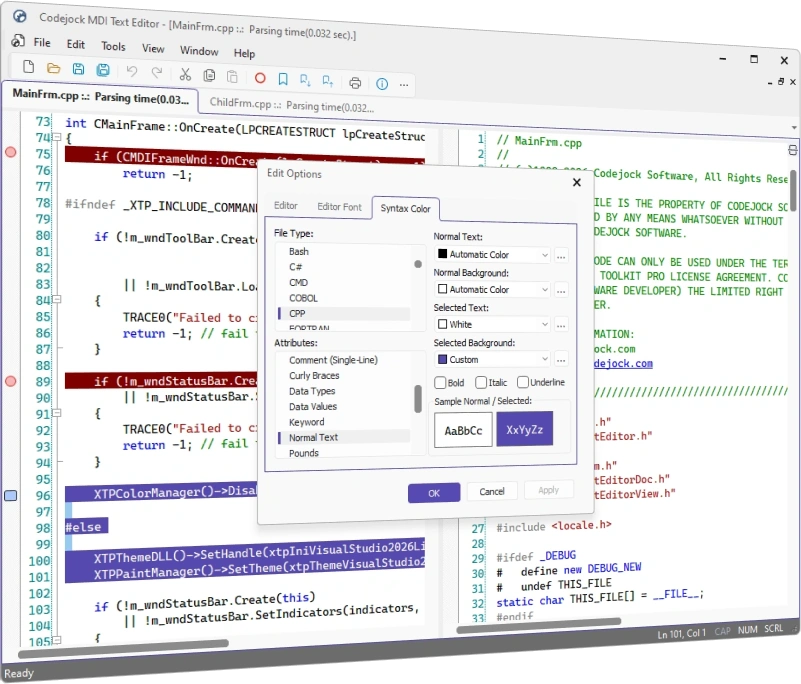
Codejock Syntax Edit for Visual C++ MFC provides your users with an advanced code editing GUI component that supports syntax colorization and many sophisticated text editor features.
Syntax Edit is included in Toolkit Pro for Visual C++ MFC
Syntax Edit Features
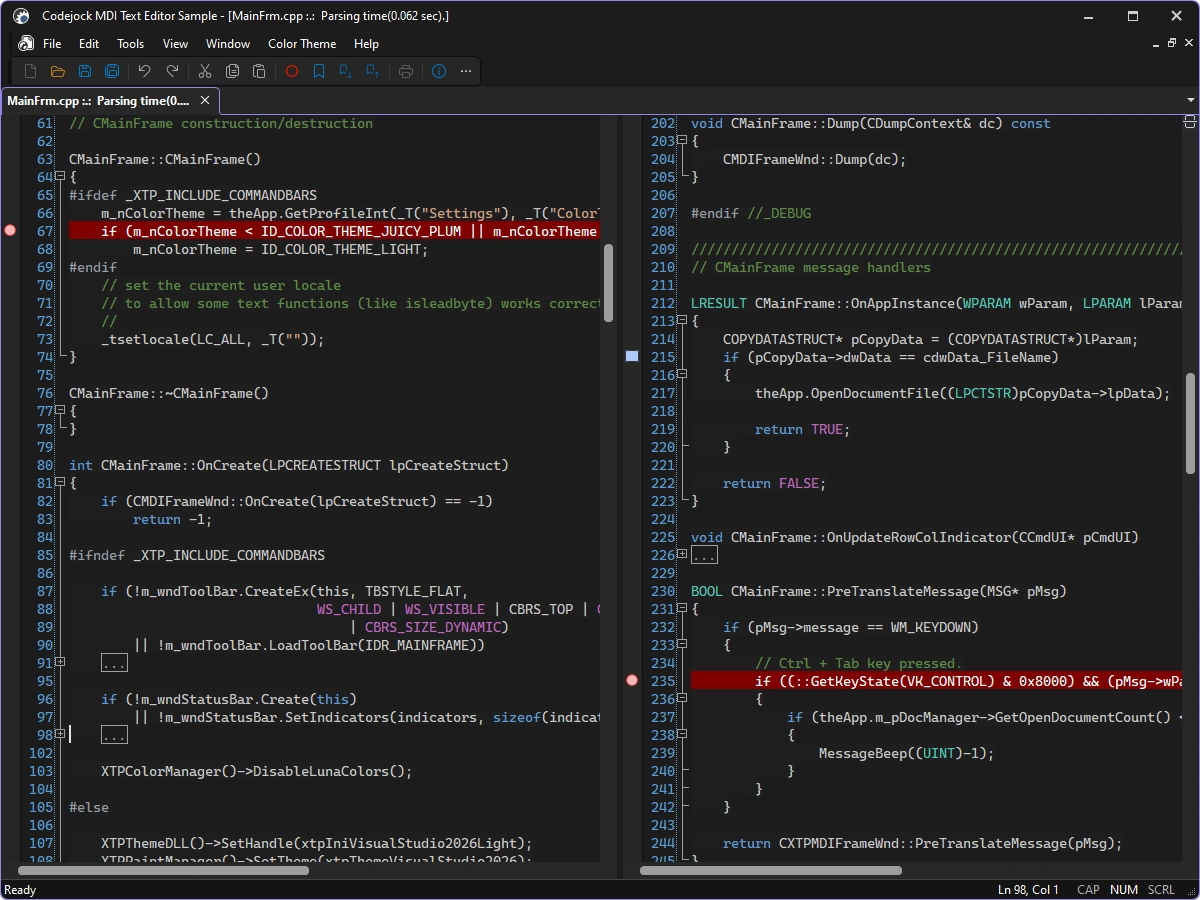
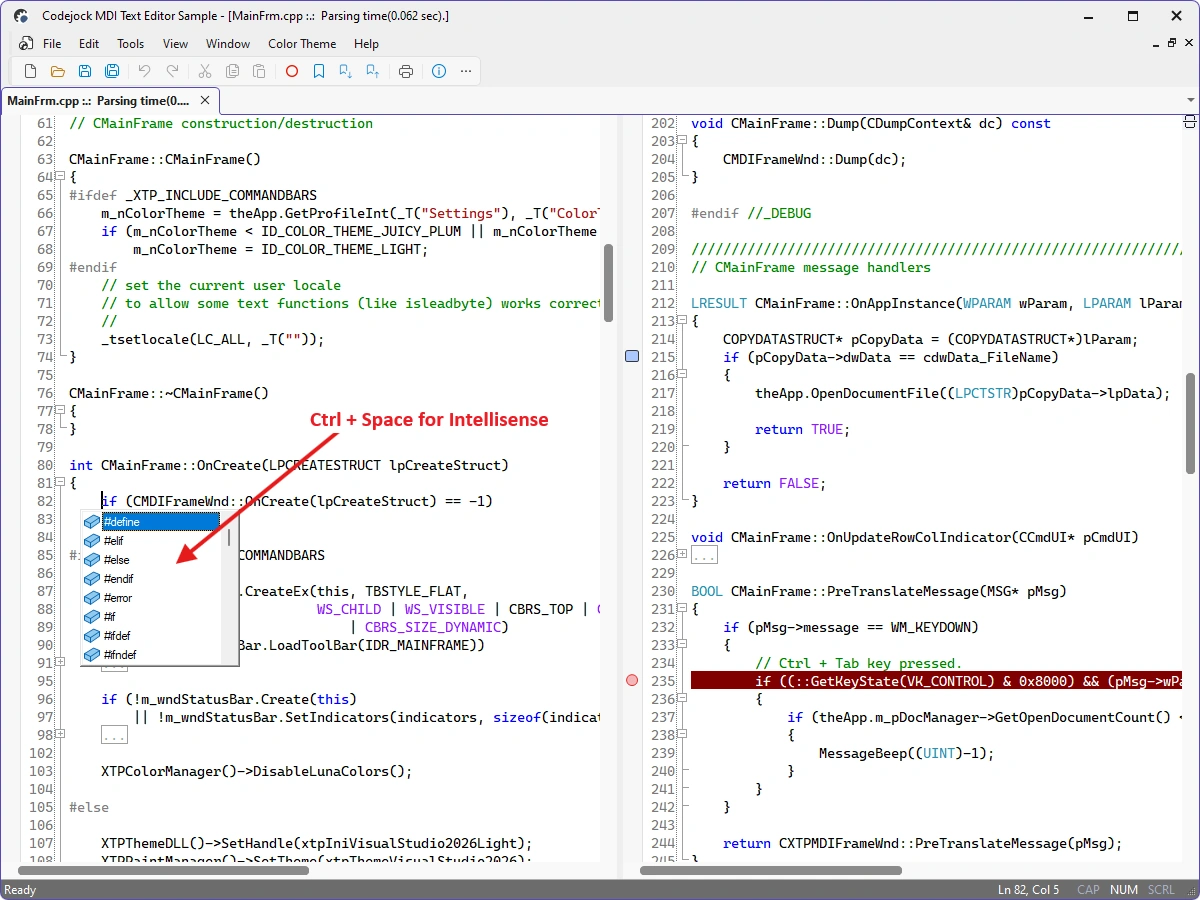
Codejock Syntax Edit for Visual C++ MFC includes syntax colorization, code folding, line numbers, bookmarks, breakpoints, IntelliSense-style assistance, and configurable editor colors.
Syntax Edit is included with the Toolkit Pro for Visual C++ MFC evaluation.
Syntax-Aware Editing
Build source and text editors with configurable parsing, navigation, markers, and editing commands.
- Syntax Editor — Provide a full-featured editing surface for source code and structured text.
- Code Folding — Collapse and expand parsed text blocks to focus on relevant code.
- Syntax Colorization — Apply configurable colors and fonts from language-specific lexical schemas.
- Bookmarks — Mark important lines and navigate among bookmarks throughout a document.
- Breakpoints and Line Marks — Display breakpoints and custom line-state markers in the editor margin.
- Auto-Complete Assistance — Present context-sensitive completion choices while users edit text.
- Line Numbers — Show configurable line numbers beside the editing surface.
Editing Workflow
Use built-in document, search, history, tooltip, and output services in complete editors.
- Find, Replace, and Go To — Provide familiar search, replacement, and direct line-navigation dialogs.
- Undo and Redo — Track grouped editing operations with a dedicated undo manager.
- Unicode File Buffers — Load, edit, and save Unicode text through the editor buffer manager.
- Tooltips — Show contextual information for marked or parsed text ranges.
- Printing — Print syntax-colored documents through the editor view.
Broad compatibility across Visual Studio, Windows desktop, and Windows Server releases — from modern environments to legacy deployments.
Development environments
- Visual Studio 2026 (VC++ 18.0)
- Visual Studio 2022 (VC++ 17.0)
- Visual Studio 2019 (VC++ 16.0)
- Visual Studio 2017 (VC++ 15.0)
- Visual Studio 2015 (VC++ 14.0)
- Visual Studio 2013 (VC++ 12.0)
- Visual Studio 2012 (VC++ 11.0)
- Visual Studio 2010 (VC++ 10.0)
- Visual Studio 2008 (VC++ 9.0)
- Visual Studio 2005 (VC++ 8.0)
- Visual Studio .NET 2003 (VC++ 7.1)
- Visual Studio .NET 2002 (VC++ 7.0)
- Visual Studio 6.0 (VC++ 6.0)
Client operating systems
- Windows 11
- Windows 10
- Windows 8.1
- Windows 8
- Windows 7
- Windows Vista
- Windows XP
- Windows Me
- Windows 2000
- Windows 98 SE
- Windows 98
- Windows 95
Server environments
- Windows Server 2025
- Windows Server 2022
- Windows Server 2019
- Windows Server 2016
- Windows Server 2012 R2
- Windows Server 2012
- Windows Server 2008 R2
- Windows Server 2008
- Windows Server 2003 R2
- Windows Server 2003
- Windows 2000
- Windows NT 4.0