
Markup
for Visual C++ MFC v24.3.0
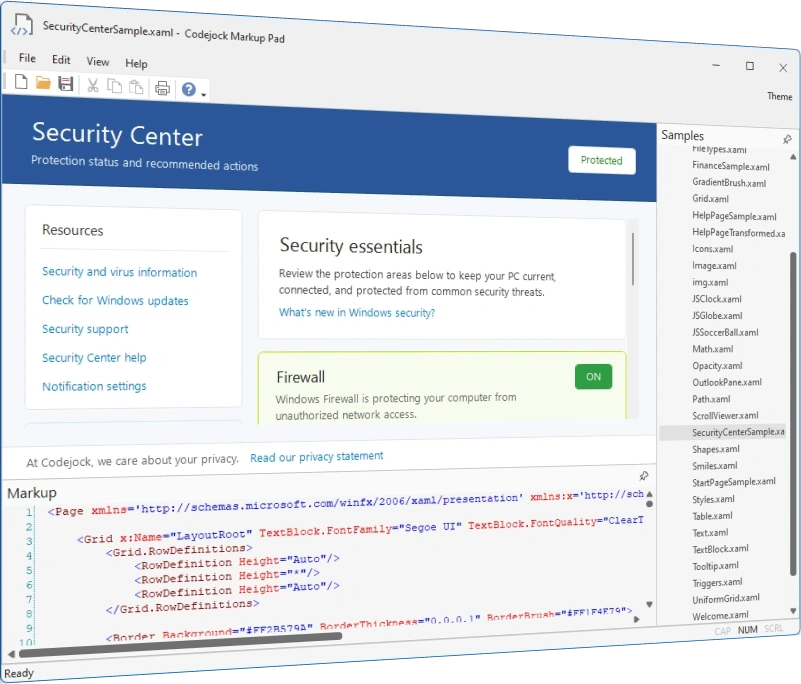
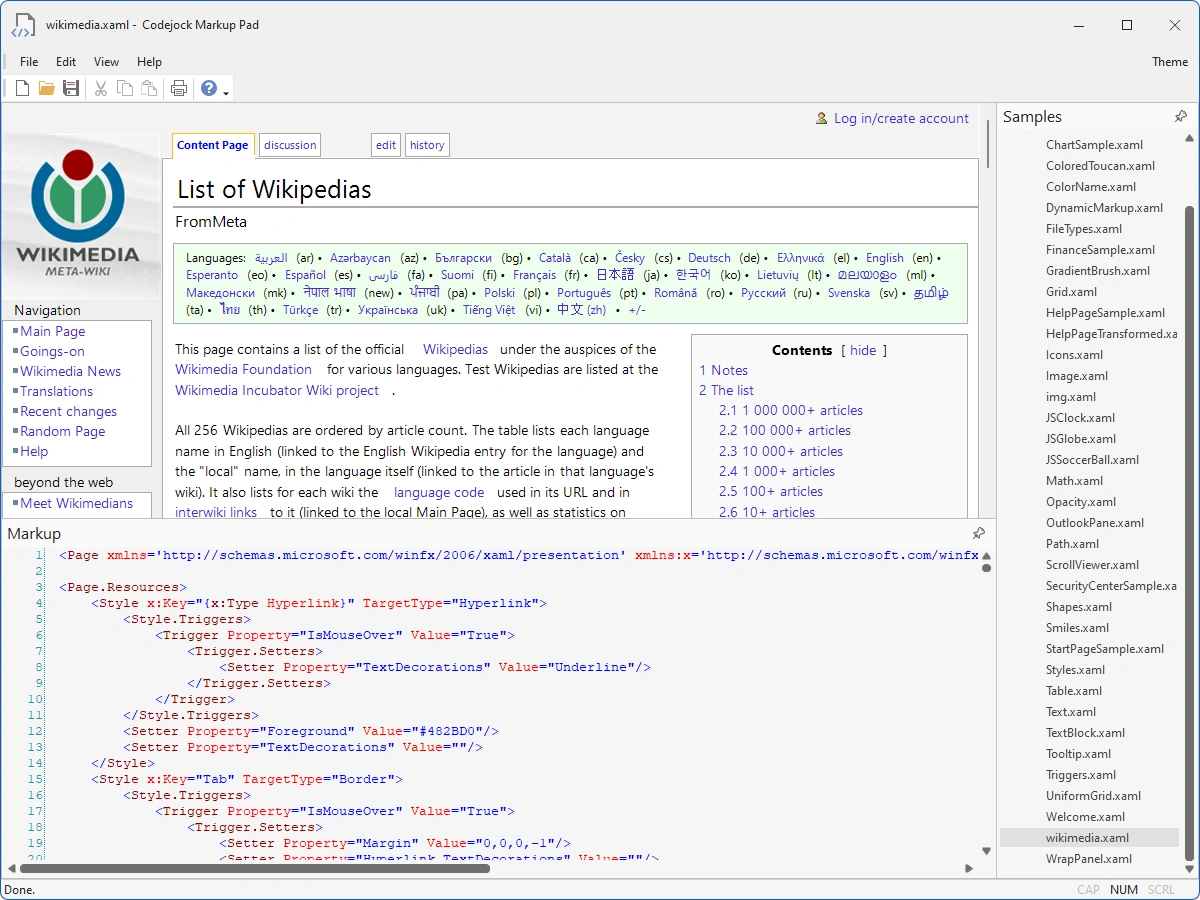
Codejock Markup brings XAML-like declarative UI, layout, drawing, controls, resources, transforms, and theme-aware extensions to Windows desktop applications.
Markup is included in Toolkit Pro for Visual C++ MFC
Markup Features
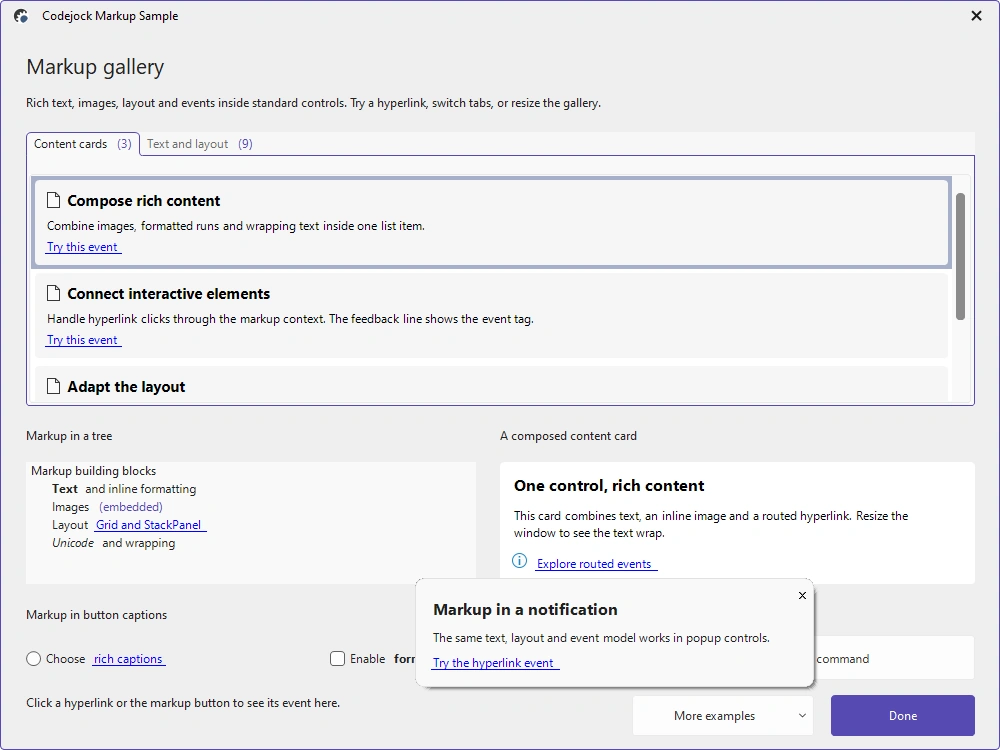
Markup brings XAML-like layout, drawing, controls, resources, and transforms to native Windows desktop interfaces.
Declarative Interface Building
Compose native Windows interfaces with markup-defined layout, content, controls, shapes, and transforms.
- Markup Rendering — Create rich native interface content from concise XAML-style markup.
- Layout Panels — Arrange content with canvas, dock, grid, stack, uniform-grid, and wrap panels.
- Text, Images, and Shapes — Combine formatted text, images, paths, lines, polygons, and geometric shapes.
- Input and Content Controls — Build buttons, check boxes, radio buttons, scrolling views, and hyperlinks.
- Styles and Resources — Reuse setters, triggers, resource dictionaries, and static extensions.
- Transforms — Apply translate, rotate, scale, skew, and matrix transforms to rendered elements.
Parsing and Interaction
Connect declarative content to native application behavior and rendering services.
- XAML-Style Parser — Parse markup strings and resources into a native visual element tree.
- Routed Input Events — Handle mouse, keyboard, cursor, and wheel events through the element tree.
- DPI-Aware Rendering — Render markup through GDI or GDI+ device contexts at the active scale.
- Script Integration — Expose markup elements and events to the toolkit scripting bridge.
Broad compatibility across Visual Studio, Windows desktop, and Windows Server releases — from modern environments to legacy deployments.
Development environments
- Visual Studio 2026 (VC++ 18.0)
- Visual Studio 2022 (VC++ 17.0)
- Visual Studio 2019 (VC++ 16.0)
- Visual Studio 2017 (VC++ 15.0)
- Visual Studio 2015 (VC++ 14.0)
- Visual Studio 2013 (VC++ 12.0)
- Visual Studio 2012 (VC++ 11.0)
- Visual Studio 2010 (VC++ 10.0)
- Visual Studio 2008 (VC++ 9.0)
- Visual Studio 2005 (VC++ 8.0)
- Visual Studio .NET 2003 (VC++ 7.1)
- Visual Studio .NET 2002 (VC++ 7.0)
- Visual Studio 6.0 (VC++ 6.0)
Client operating systems
- Windows 11
- Windows 10
- Windows 8.1
- Windows 8
- Windows 7
- Windows Vista
- Windows XP
- Windows Me
- Windows 2000
- Windows 98 SE
- Windows 98
- Windows 95
Server environments
- Windows Server 2025
- Windows Server 2022
- Windows Server 2019
- Windows Server 2016
- Windows Server 2012 R2
- Windows Server 2012
- Windows Server 2008 R2
- Windows Server 2008
- Windows Server 2003 R2
- Windows Server 2003
- Windows 2000
- Windows NT 4.0