
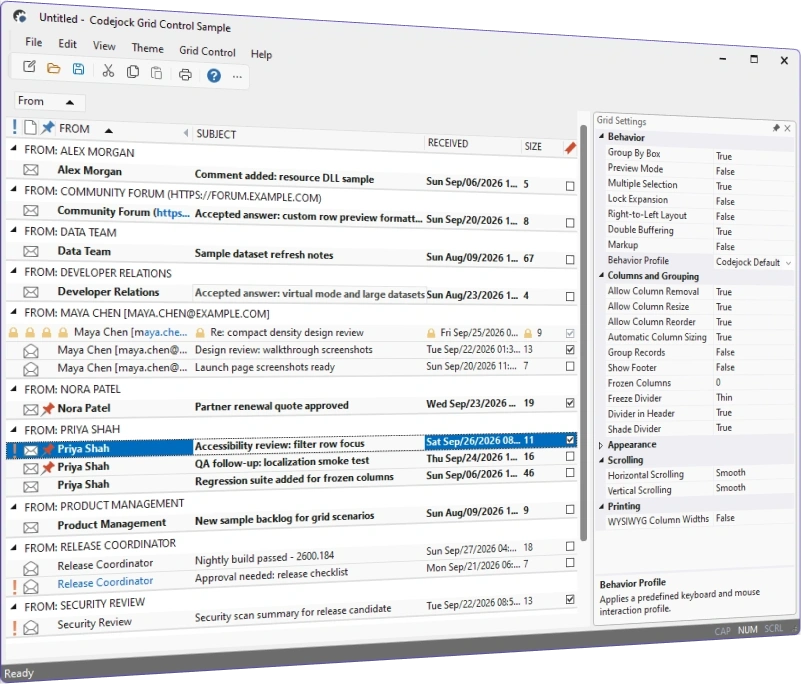
Grid Control
for Visual C++ MFC v24.3.0
Grid Control for Visual C++ MFC helps Windows developers build sophisticated Outlook-style data grids. Group, sort, edit, and present records in flat, grouped, or hierarchical views.
Grid Control is included in Toolkit Pro for Visual C++ MFC
Grid Control Features
Codejock Grid Control for Visual C++ MFC includes a field chooser, virtual mode, reusable layouts, multiple selection, tree and icon views, rich cell types, flexible columns, printing, and current themes.
Grid Control is included with the Toolkit Pro for Visual C++ MFC evaluation.
Grid Control Themes
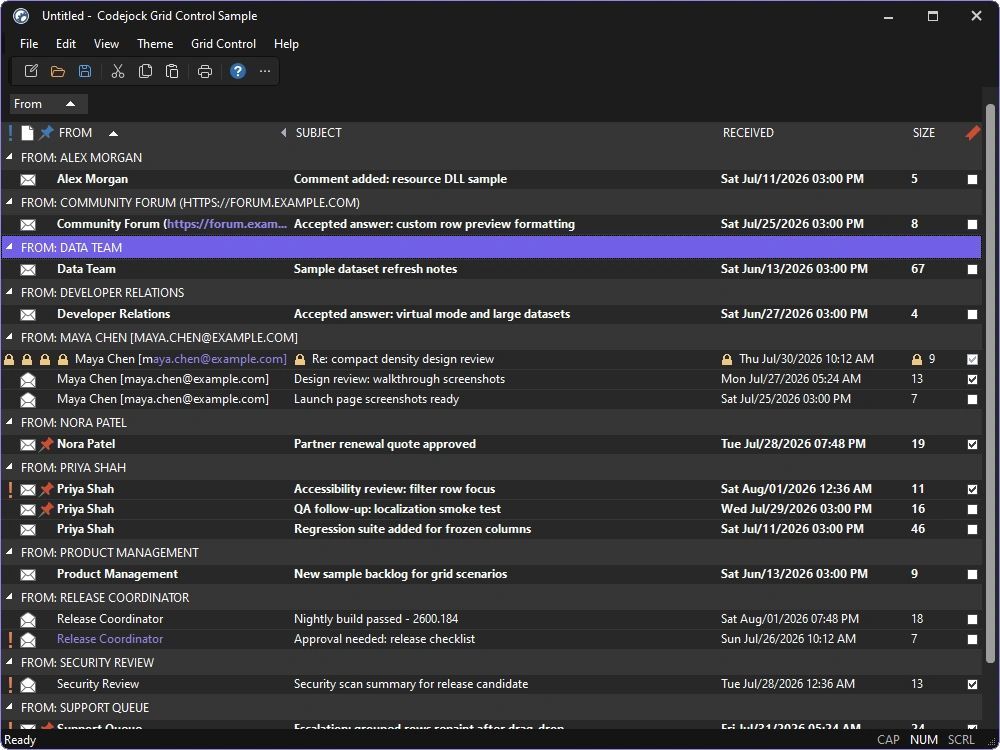
Match Grid and Track Control interfaces to current Microsoft development tools, productivity applications, and Windows experiences.
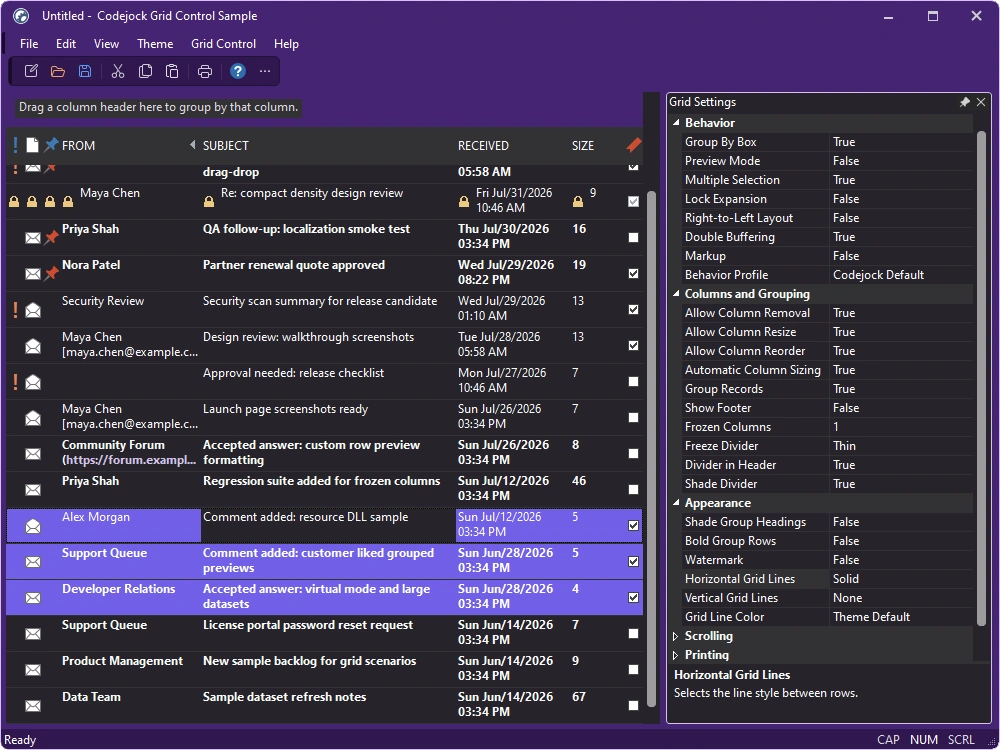
- Visual Studio Themes — Choose Visual Studio 2026 Dark or Light styling. Dark includes Default, Cool Slate, Juicy Plum, Moonlight Glow, Mystical Forest, and Spicy Red. Light includes Default, Bubblegum, Cool Breeze, Icy Mint, Mango Paradise, Silky Pink, and Sunny Day. Earlier themes include Visual Studio 2022 and Visual Studio 2015-2019.
- Office Themes — Choose Office 2024 Black, White, Colorful, or Dark Gray with Access, Excel, OneNote, Outlook, PowerPoint, and Word accent colors, plus Office 2019, 2016, and 2013 styling.
- Windows Themes — Choose Windows 11 Dark or Light styling with configurable application or system accent colors, plus Windows 10 styling.
Column Management
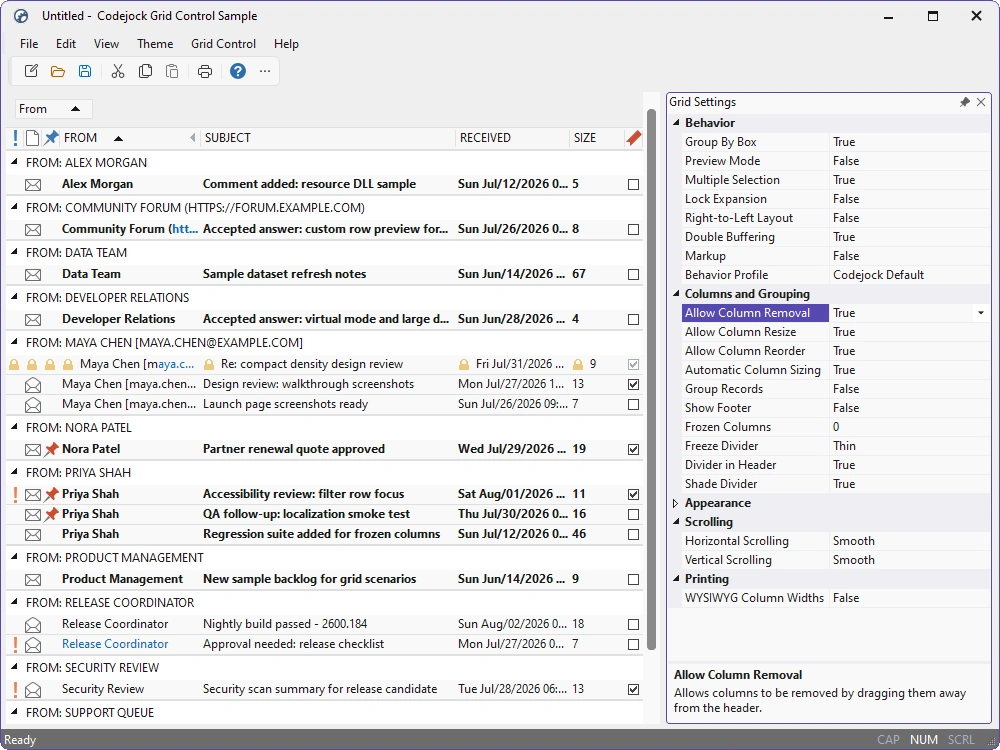
Give users direct control over how columns are arranged, displayed, sorted, grouped, and filtered.
- Column Reordering and Sizing — Resize, remove, and reorder columns through direct header interaction.
- Column Header Visibility — Show or hide headers to suit the surrounding interface.
- Column Header Styles — Choose built-in styles or customize the header presentation.
- Column Alignment — Align header and column content independently.
- Multi-level Sorting — Sort by multiple columns with clear priority indicators.
- Automatic Column Sizing — Fit columns to available width or measured content.
- Hierarchical Grouping — Group records by one or more columns into expandable sections.
- Integrated Field Chooser — Restore hidden columns through a drag-and-drop field chooser.
- Filter Mode — Filter visible records with integrated grid controls.
Flexible Record Presentation
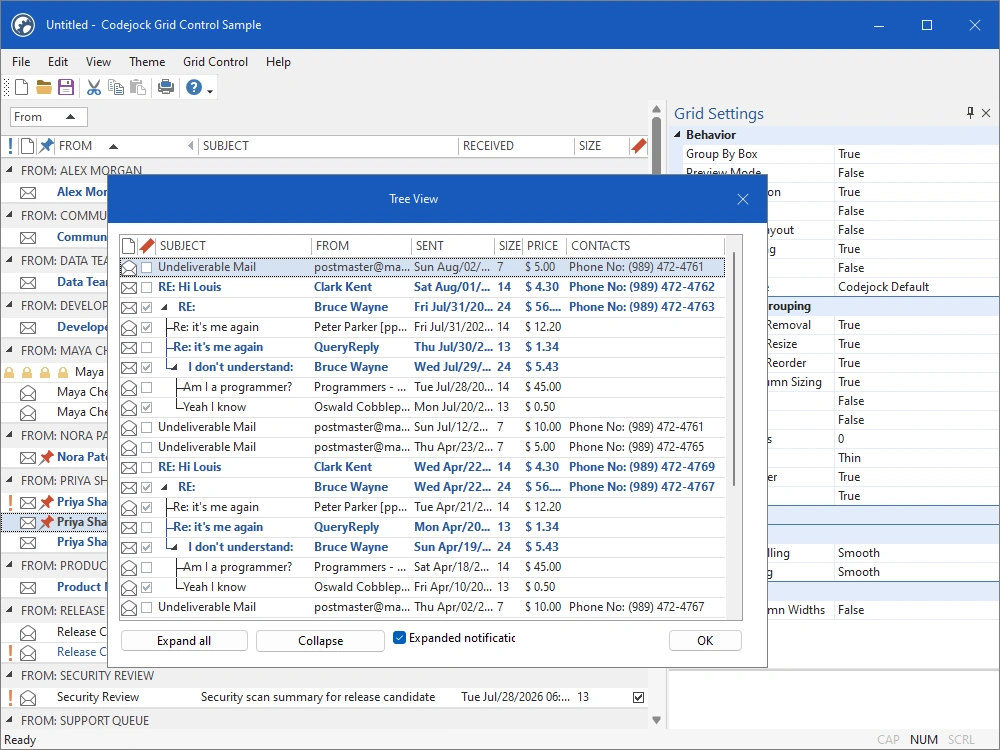
Present application data in the layout that best supports each workflow, from familiar tables to hierarchical and timeline-oriented views.
- Virtual Mode — Request records only when the grid needs them for scalable data display.
- Preview Rows — Show secondary preview text beneath each record.
- Group Box — Display and rearrange the active grouping hierarchy.
- Reusable Layouts — Save and restore column, grouping, sorting, and visibility settings.
- Tree View — Combine hierarchical expansion with grid columns and record data.
- Icon View — Present records as large icon tiles while retaining grid data management.
- Multiple Selection — Select ranges or independent records for batch operations.
- Drag and Drop — Move or copy records through direct interaction.
- Cell Merging — Merge adjacent cells that should share one visual region.
- Track Control Timeline — Place records and time blocks on an interactive timeline.
Editing, Validation, and Printing
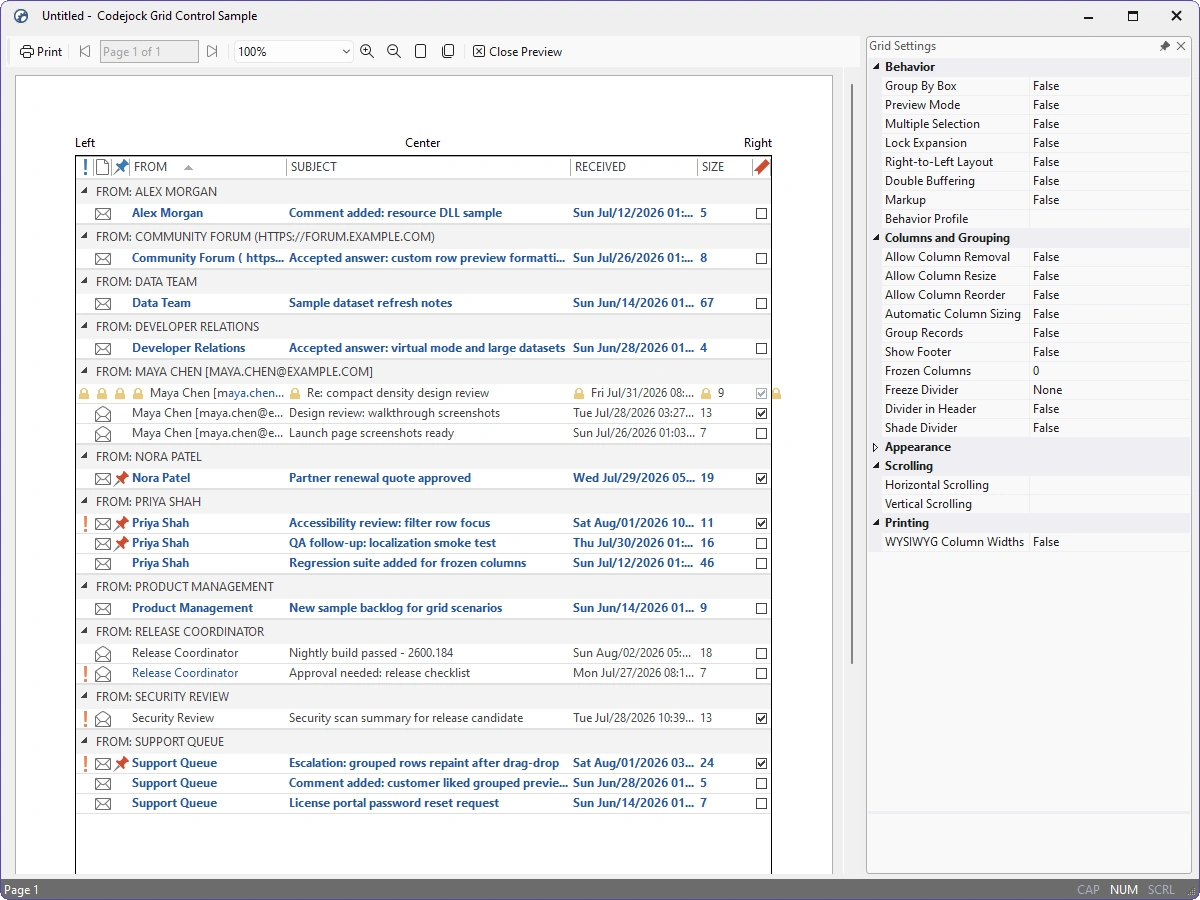
Build productive data-entry workflows and carry the resulting information into polished printed reports.
- In-place Editing — Edit text, numbers, dates, Boolean values, and other structured data directly in the grid.
- Cell Data Types — Use text, numbers, dates, check boxes, buttons, and custom item controls.
- Check Boxes — Display and edit Boolean values with integrated check-box cells.
- Data Validation — Validate proposed values before accepting changes to a record.
- Cell Buttons — Add embedded actions and drop-down buttons to editable cells.
- Custom Drawing — Override record, row, cell, and header drawing for specialized views.
- Report Printing — Print and preview grid content with report-oriented page layouts.
Cell and Grid Formatting
Shape the visual hierarchy of each data view with detailed control over lines, alignment, typography, color, and value formatting.
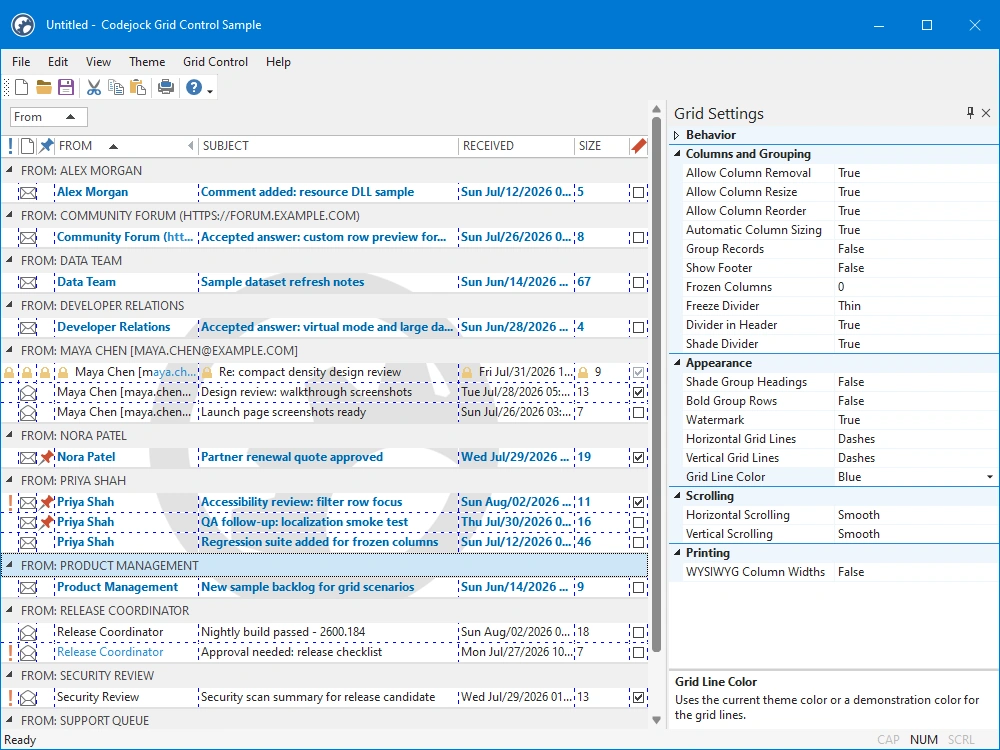
- Grid Lines — Configure horizontal and vertical line styles.
- Grid Line Colors — Match line colors to the view, theme, or application palette.
- Text and Icon Alignment — Align cell text and icons independently.
- Cell Text Colors — Emphasize important values with foreground colors by cell or row.
- Cell Background Colors — Apply status and category cues by cell or row.
- Custom Fonts — Assign fonts to cells, captions, and preview text.
- Text and Number Formatting — Format values for clear, consistent display.
- Date and Time Formatting — Control how date and time values appear.
- Tooltips — Provide contextual details when cell content needs explanation.
Data and Grid Extensibility
Connect application data and tailor grid behavior through a flexible record model, event notifications, and drawing hooks.
- Data Binding — Populate and synchronize records through supported grid data managers.
- Record Model — Build hierarchical records, rows, items, and groups through the grid object model.
- Selection and Notifications — Respond to focus, selection, editing, sorting, grouping, and drag operations.
- Custom Paint Manager — Extend Grid and Track Control metrics, colors, and drawing behavior.
- Layout Persistence — Save and restore column order, widths, grouping, sorting, and visibility.
Broad compatibility across Visual Studio, Windows desktop, and Windows Server releases — from modern environments to legacy deployments.
Development environments
- Visual Studio 2026 (VC++ 18.0)
- Visual Studio 2022 (VC++ 17.0)
- Visual Studio 2019 (VC++ 16.0)
- Visual Studio 2017 (VC++ 15.0)
- Visual Studio 2015 (VC++ 14.0)
- Visual Studio 2013 (VC++ 12.0)
- Visual Studio 2012 (VC++ 11.0)
- Visual Studio 2010 (VC++ 10.0)
- Visual Studio 2008 (VC++ 9.0)
- Visual Studio 2005 (VC++ 8.0)
- Visual Studio .NET 2003 (VC++ 7.1)
- Visual Studio .NET 2002 (VC++ 7.0)
- Visual Studio 6.0 (VC++ 6.0)
Client operating systems
- Windows 11
- Windows 10
- Windows 8.1
- Windows 8
- Windows 7
- Windows Vista
- Windows XP
- Windows Me
- Windows 2000
- Windows 98 SE
- Windows 98
- Windows 95
Server environments
- Windows Server 2025
- Windows Server 2022
- Windows Server 2019
- Windows Server 2016
- Windows Server 2012 R2
- Windows Server 2012
- Windows Server 2008 R2
- Windows Server 2008
- Windows Server 2003 R2
- Windows Server 2003
- Windows 2000
- Windows NT 4.0